






 See Compatible Printers
 Read more about our ink!
Dell
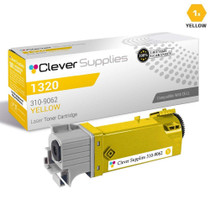
Compatible Dell 1320 Toner Cartridge Yellow (310-9062)
- Page Yield:
- Color: 2000
- Availability:
- In Stock
- Shipping:
- Calculated at Checkout

Amazon Price:

- Page Yield:
- Color: 2000
- Availability:
- In Stock
- Shipping:
- Calculated at Checkout
- Compatible Printers
- Specifications
- SKU:
- CS-Dell-1320-Y
- Printer Brand:
- Dell
- OEM Number:
- 310-9062
- Ink Color:
- Yellow
- Page Yield:
- Color: 2000
- Printer Type:
- Laser Cartridge
- Description
- Reviews

/> 

Clever Supplies brand products are made in the USA! Why pay more for cheaper product with a high defective rate? You will end up having to send it back to the manufacturer. Get a quality product that you KNOW will work. Purchase the Clever Supplies Products Compatible for Dell 1320 (310-9062) Yellow and experience the difference! All Clever Supplies brand products are backed by '100% Quality Satisfaction' 1 year warranty against defects in materials and workmanship for all toner products. Free tech support for a Clever Supplies problems for all Clever Supplies brand products. The use of Clever Supplies brand replacement laser toner cartridges and supplies does not void printer warranty. Premium Quality Replacement Toner Cartridge is made by ISO9001 Certified Factory to Meet or Exceed OEM Standards. These units are manufactured 100% brand new with all new parts including OPC drums, wiper blades, a smart chip and other internal parts, they are an economical alternative to expensive OEM 310-9062 Compatible Toner Cartridges. This is a Compatible for Delltoner cartridges Yellow guaranteed to perform with Dell Laser Printers. It replaces the original Dell 1320 toner cartridge yellow (Yellow) . The compatible replacement for 310-9062. We offer a 100% Quality Satisfaction Guarantee on our Compatible for 310-9062 laser toner cartridges and supplies. For use in the following printers: Color Laser 1320c
Frequently Asked Questions
Our 1320's prints have gone blue and the greens look teal — is it the yellow?
That color shift is the classic signature of an empty yellow cartridge. Yellow is a building block for greens, warm reds and natural skin tones, so when it runs dry those colors collapse toward blue and cyan while black text stays sharp. If the words on the page look perfect but every picture looks cold, the yellow — Dell part 310-9062 — is where to look first.
How can I be sure it's yellow and not one of the other colors?
Print something with a warm, simple image — a photo with skin tones or a page with a yellow highlight block. If yellows print pale or missing and greens come out blue, yellow is gone. The 1320 also reports individual cartridge levels, and because each color is a separate unit — black 310-9058, cyan 310-9060, magenta 310-9064, yellow 310-9062 — you can confirm exactly which one is low before you order anything.
Can I change just the yellow and leave the rest in place?
Yes, and that is exactly how the 1320 is meant to be maintained. The four cartridges are independent; pull the spent yellow out, seat this one in its place, and the cyan, magenta and black stay untouched until their own turn comes. There is no need to buy or replace a full set when only one color has run out.
What does the 2,000-page rating actually mean?
It is the cartridge's rated yield under the industry-standard test, which assumes about 5% page coverage — roughly a page of text with a small graphic. Real life varies: a full-page photo can use many times that coverage, while a memo with a small color logo uses less. Treat 2,000 pages as a fair yardstick for mixed office and home printing rather than a guaranteed count.
Is this the same cartridge as the one listed under the number 310-9062?
Yes — this listing is the 310-9062 yellow cartridge, presented under the Dell 1320 printer name for people who shop by machine instead of by part number. Same cartridge, same 2,000-page rating, same $23.74 price. Order whichever listing you found; what arrives is the same unit.
What protection do I have if it doesn't perform?
This is a compatible cartridge, and it carries a 1-year warranty plus 1-year free returns — the details are on our shipping & returns page. We ship from warehouses in IL, PA, GA and CA, and support is available Monday to Friday, 9 AM to 5 PM CST if you'd like help checking a color problem before or after you order from the Dell range.
What does a careful yellow change look like, step by step?
Open the printer and pull the spent 310-9062 straight out. Keep the new cartridge sealed until that moment, then remove its seal, rock it gently side to side, and slide it in until it seats. Finish with one warm test image — something with grass, skin tones or a yellow highlight. Greens should come back green and faces should lose their cold cast; that single page confirms the swap worked.
Which jobs around the office will drain the yellow fastest?
Photographs first, then warm-toned graphics, charts with yellow highlights and anything green — green is built from yellow and cyan together. A week of printing photo handouts can spend more of the 310-9062 than a month of memos carrying a small color logo. If your yellow keeps finishing early, look at the color content of the pages, not the page count, for the explanation.
We ordered the replacement early — does the new cartridge lose anything sitting in its box for a few weeks?
Nothing at all. Sealed and stored flat at room temperature, away from sunlight and heat, a toner cartridge simply waits; there is no countdown running on its 2,000 pages while it sits. Ordering the 310-9062 at the first sign of fading rather than at total failure is exactly the right instinct — the box on the shelf is what turns a color outage into a two-minute swap.
How long should the spent yellow be kept after the swap?
Until the new cartridge has printed a few real jobs, not just the test page. If the blue shift is gone and warm colors stay right across several days of ordinary work, the replacement has proven itself and the spent 310-9062 can be recycled or disposed of. Keeping the empty much beyond that proves nothing further — it only risks being mistaken for a usable cartridge later.
About This Dell 1320 Yellow Cartridge (310-9062)
This is the yellow cartridge for the Dell 1320 color laser, sold under its printer name for shoppers who don't memorize part numbers — though the part number is right here: 310-9062. It is rated at 2,000 pages and priced at $23.74. Yellow is the quiet workhorse of the 1320's color mixing, and its absence shows up as cold, blue-shifted prints long before anything looks "empty." Replacing just this one unit restores the warm half of your color palette, and it is backed by a 1-year warranty and 1-year free returns.
Related Items
Dell
Compatible Dell 310-9062 Toner Cartridge Yellow
/>

Dell
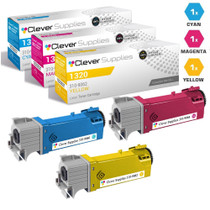
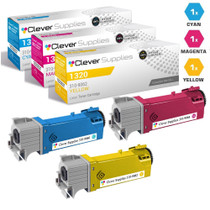
Compatible Dell 1320 Toner Cartridges 3 Color Set (310-9060, 310-9064, 310-9062)
/>


Dell
Compatible Dell 1320 Toner Cartridges 6 Color Set (310-9060, 310-9064, 310-9062)
/>

Dell
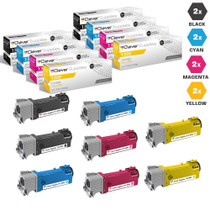
Compatible Dell 1320 Toner Cartridges 8 Color Set (310-9058, 310-9060, 310-9064, 310-9062)
/>