





 See Compatible Printers
 Read more about our ink!
Ricoh
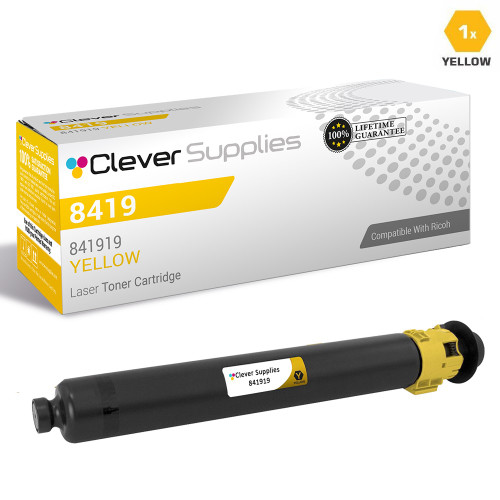
Compatible Ricoh 8419 Toner Cartridge Yellow (841919)
- Page Yield:
- Color:9500
- Availability:
- In Stock
- Shipping:
- Free Shipping

Amazon Price:

- Page Yield:
- Color:9500
- Availability:
- In Stock
- Shipping:
- Free Shipping
- Compatible Printers
- MP C2003
- MP C2003 Plus
- MP C2004
- MP C2503
- MP C2504
- MP C2004ex
- MP C2504exi>
- Specifications
- SKU:
- CS-RIC-8419-Y
- Printer Brand:
- Ricoh
- OEM Number:
- 841919
- Ink Color:
- Yellow
- Page Yield:
- Color:9500
- Printer Type:
- Laser Cartridge
- Description
- Reviews

/> 

Clever Supplies brand products are made in the USA! Why pay more for cheaper product with a high defective rate? You will end up having to send it back to the manufacturer. Get a quality product that you KNOW will work. Purchase the Clever Supplies Products Compatible for Ricoh 8419 (841919) toner Cartridge Yellow and experience the difference! All Clever Supplies brand products are backed by '100% Quality Satisfaction' 1 year warranty against defects in materials and workmanship for all toner products. Free tech support for a Clever Supplies problems for all Clever Supplies brand products. The use of Clever Supplies brand replacement Laser toner cartridges and supplies does not void printer warranty. Premium Quality Replacement toner Cartridge is made by ISO9001 Certified Factory to Meet or Exceed OEM Standards. These units are manufactured 100% brand new with all new parts including OPC drums, wiper blades, a smart chip and other internal parts, they are an economical alternative to expensive OEM 841919, Compatible toner Cartridges. This is a Compatible for Ricoh 8419 toner cartridges Yellow guaranteed to perform with Ricoh Laser Printers. It replaces the original Ricoh 8419 toner cartridge 841919 Yellow. The compatible replacement for 841919. We offer a 100% Quality Satisfaction Guarantee on our Compatible for 841919 Laser toner Cartridges and supplies. For use in the following printers: Aficio MP C2003, Aficio MP C2003 Plus, Aficio MP C2004, Aficio MP C2503, Aficio MP C2504
Cross-reference: Ricoh 841919, the high-yield yellow print cartridge for this platform (9,500 pages; the standard-yield color cartridges are rated at 5,500 pages). It fits the Ricoh MP C2003, MP C2004, MP C2503 and MP C2504 — the same machines also sold under the Savin and Lanier brands with the same model names. For the full comparison of this family’s twelve boxes — singles, black packs and color sets, priced at checkout — see our Ricoh 841918 buying guide.
Frequently Asked Questions
Why do prints start looking slightly off before the yellow cartridge is actually empty?
Yellow rarely fails all at once — it fades gradually, so the first symptom is usually color drift: greens lose their punch, skin tones go muddy, and logos look a shade wrong. By the time the machine reports the cartridge as empty, print quality has usually been slipping for a while. Swapping in a fresh cartridge as soon as colors look tired restores the full range.
How many pages should I realistically expect from one yellow cartridge?
The cartridge is rated at up to 9,500 pages at standard 5% page coverage, which works out to roughly 0.67 cents per page at the $64.07 price. Brochures, charts, and presentation pages use far more yellow than plain text, so heavy color work will bring the real-world total down. For mostly mixed office documents, most users land reasonably close to the rating.
Will this cartridge work in my Ricoh machine?
This is the 841919 yellow cartridge for Ricoh MP C401 and MP C401SR color multifunction printers. The cartridge serves the whole platform, even though this listing names a single model — if your machine takes the 8419-series cartridges, this yellow fits and installs the same way. When in doubt, match the cartridge number on your current yellow unit before ordering.
Can I keep printing if the yellow cartridge runs completely dry?
Black-and-white jobs can usually continue for a short time, but color output will pause until the empty color is replaced — the machine protects itself from running a color station completely dry. Keeping one spare yellow on the shelf is cheap insurance against a stalled deadline. A fresh cartridge takes only a minute or two to swap in.
How should I store a spare yellow cartridge until I need it?
Leave it sealed in its original packaging, stored flat in a cool, dry place away from direct sunlight and heat sources. Avoid garages and rooms with big temperature swings, since toner behaves best at normal office conditions. Stored this way, a spare stays ready well beyond a typical buying cycle.
What happens if my cartridge arrives damaged or prints poorly?
Every cartridge we sell is covered by a one-year warranty, and returns are free within the first year as well. If a cartridge leaks, streaks, or fails early, contact us and we will make it right with a replacement or refund. Full details are on our shipping and returns page.
How do I get rid of the old yellow cartridge responsibly?
Seal the spent 841919 in the bag and box the new cartridge came out of, which traps the remaining toner dust, and pass it to an office-supply recycling program or your community e-waste collection instead of the regular trash. Because yellow is replaced on its own schedule, keep the boxed empty with any other spent colors from the machine so one recycling drop handles the whole set. The sealed box also keeps fine yellow dust from marking shelves and paperwork while it waits.
Yellow fades so gradually — how do I track it before quality slips?
Rely on the machine's toner level display rather than your eye. Yellow shortages hide in plain sight: output still looks acceptable on mixed documents long after the cartridge is running low, and the drift only becomes obvious on color-critical pages. Checking the level gauge when you pass the printer, and ordering when it first drops into the low range, gives delivery time to arrive before the cartridge actually empties. That habit matters more for this color than for any other in the set.
What should I print right after installing a fresh yellow cartridge?
Run a page with a mix of color on it — a chart, a logo sheet, or a sample photo page — and compare the greens and skin tones against how they should look. That single test page exercises the new 841919 alongside the other three cartridges and confirms the color balance is back. If colors still look off after the swap, the issue is more likely another low color than the fresh yellow, and the toner gauges will show which one.
Can paper choice make yellow output look weaker than it is?
Yes. Thin, low-brightness copy paper absorbs more toner and mutes colors, so yellows and the greens built from them can look dull even with a healthy cartridge installed. Before blaming the 841919, try a few sheets of the brighter paper you use for presentations and compare the same page. If the color wakes up on better stock, the cartridge was fine all along and the everyday paper is simply the limiting factor for color work.
About This Ricoh 841919 Yellow Toner Cartridge
This single yellow cartridge (841919) is built for the Ricoh MP C401 and MP C401SR color multifunction family, delivering up to 9,500 pages at about 0.67 cents per page. It is the practical restock for offices whose color output has started to drift but whose black cartridge still has life left. Orders ship from our warehouses in IL, PA, GA, and CA, and our support team is available Monday through Friday, 9 AM to 5 PM CST. Browse the full range on our Ricoh toner page.
Across the platform — MP C2004, MP C2503, MP C2504, MP C2003 and MP C2003 Plus — the tray accepts this 841919. Rounding out the platform's listings are the cyan 841921 cartridge, the magenta 841920 cartridge and the 8419 four-color set.
Related Items

Ricoh
Compatible Ricoh 8419 Toner Cartridge 3 Color Set (841921, 841920, 841919)
/>


Ricoh
Compatible Ricoh 8419 Toner Cartridge 6 Color Set (841921, 841920, 841919)
/>

Ricoh
Compatible Ricoh 8419 Toner Cartridge 4 Color Set (841918, 841921, 841920, 841919)
/>
Ricoh
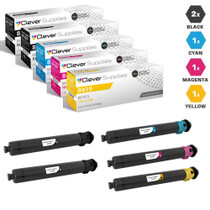
Compatible Ricoh 8419 Toner Cartridge 5 Color Set (841918, 841921, 841920, 841919)
/>