






 See Compatible Printers
 Read more about our ink!
Epson
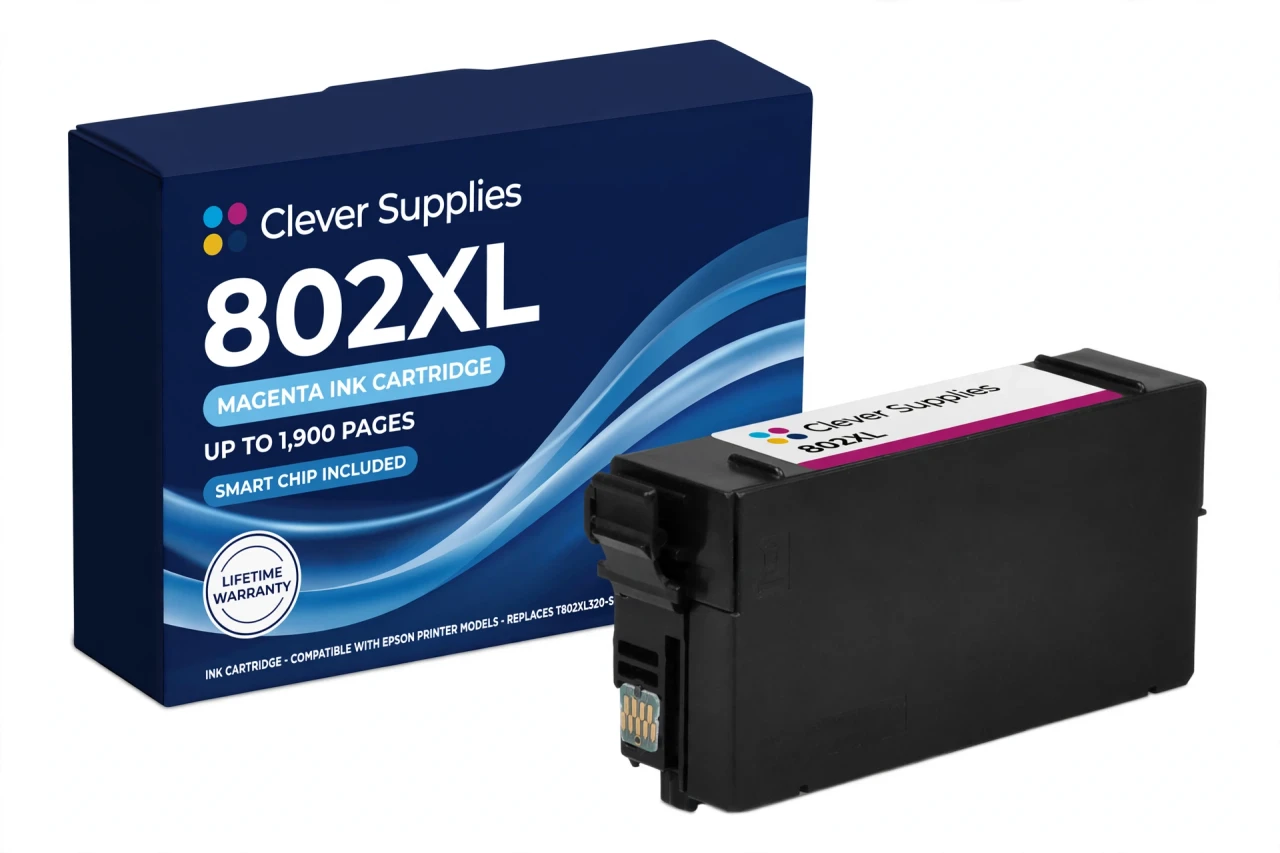
Compatible Epson 802XL T802XL320 Magenta Ink Cartridge
- Page Yield:
- Up to 1,900 pages (ISO/IEC 24711)
- Shipping:
- Calculated at Checkout

Amazon Price:

- Page Yield:
- Up to 1,900 pages (ISO/IEC 24711)
- Shipping:
- Calculated at Checkout
- Compatible Printers
- Specifications
- SKU:
- CS-EP-802-MXL
- Condition:
- New Compatible
- OEM Part #:
- T802XL320-S
- Color:
- Magenta
- Ink Type:
- Pigment
- Page Yield:
- Up to 1,900 pages (ISO/IEC 24711)
- Chip:
- Yes — new compatible chip
- Warranty:
- Lifetime Warranty
- Returns:
- 1-Year Free Returns
- Description
- Reviews
Magenta is the colour that quietly decides whether business graphics look professional: charts, logos and presentation pages lean on it harder than any other colour in the set. Our compatible T802XL320 holds DURABrite Ultra pigment magenta rated up to 1,900 pages (ISO/IEC 24711) — the high-capacity form of this family's magenta, since the compatible ladder sells the 802 colours as XL singles only (Epson's standard T802320 rates 650 pages and has no compatible single on this shelf).


Around it, the shelf reads: T802XL120 black up to 2,600 pages, T802XL220 cyan and T802XL420 yellow up to 1,900 pages each, and the standard black T802120 up to 900 pages for lighter-duty machines. Every cartridge is individual and chipped, tiers mix freely, and the two sets — the mixed Set of 5 and the all-XL Set of 4 — both carry this magenta inside.
It serves the family's seven printers — WF-4720, WF-4730, WF-4734, WF-4740, EC-4020, EC-4030 and EC-4040 — and no others; the similar-looking WF-3720 and WF-3730 are 702 machines. Covered by our lifetime warranty, with free returns for the first year, and the honest chip note sits in the questions below.
Shop the Epson 802 family: T802120 Black Ink Cartridge · T802XL120 Black Ink Cartridge · T802XL220 Cyan Ink Cartridge · T802XL420 Yellow Ink Cartridge · Set of 5 2 Black 1 Cyan 1 Magenta 1 Yellow Ink Cartridge · Set of 4 BCMY Ink Cartridge
Browse by series: WorkForce
Frequently Asked Questions
How many pages will this magenta cartridge print?
Up to 1,900 pages on the ISO/IEC 24711 pattern — Epson's published rating for every 802XL colour. Presentation decks and graphics-heavy pages draw more magenta than plain text documents, so your total follows your mix.
Which printers use the T802XL320?
The seven 802 models: WF-4720, WF-4730, WF-4734, WF-4740, EC-4020, EC-4030 and EC-4040. Check the badge carefully — a WF-3730 that looks nearly identical uses the 702 family instead.
Why is there no standard magenta single here?
The compatible ladder for this family produces colours in the XL tier only. Epson's standard magenta (T802320, 650 pages) exists as a genuine cartridge; our shelf stocks its XL counterpart and includes standard capacity only in the black single and the Set of 5's blacks.
What happens to my prints when magenta runs low?
Reds and purples wash out first, skin tones drift, and the printer will eventually refuse to print in colour until the cartridge is replaced — these machines are designed to protect the permanent print head by stopping on an expended colour.
Does this cartridge have a chip, and what does it do?
Yes — a new compatible chip that reports the magenta level to the printer. This cartridge carries a new compatible chip. If your printer's firmware has been updated, recognition issues can occasionally occur; the reseat-and-restart steps below are the first remedy.
The printer says the cartridge is not recognised. Walk me through it.
Power off. Open the cover, press the magenta cartridge down and lift it out, check the chip contacts are clean and dry, then reseat it until it clicks. Power back on and let the printer charge. Still flagged? Contact us — that is a lifetime-warranty conversation, not a dead end.
Is the ink pigment or dye?
Pigment — DURABrite Ultra, in all four positions of this family. On plain paper that means colour that resists smudging and water splashes once dry, the behaviour these office printers are known for.
Can I keep printing in black while I wait for this magenta?
In many cases the driver offers a temporary black-only mode when a colour is expended, but the printer will not copy or print in colour from its panel, and the mode is a bridge, not a setting. Order the replacement promptly; the printer is designed to pause rather than run a colour dry.
What are its sibling cartridges?
T802XL120 black (2,600 pages), T802XL220 cyan and T802XL420 yellow (1,900 each), and the standard black T802120 (900 pages). This magenta is also inside both sets on the family shelf.
How do I know this page has the right cartridge for my EC-4030?
Epson's own compatibility data lists the EC-4030 in the 802 family, and the code on your old cartridge will read T802320 or T802XL320 — either way, this XL is its slot's high-capacity replacement.
Is it a genuine Epson cartridge?
No. It is a Clever Supplies compatible built to the T802XL320 specification and labelled compatible on the box and this page; it is not manufactured by Epson.
What cover do I get?
Our lifetime warranty on the cartridge's performance — non-recognition after troubleshooting, leaking, or poor print from new means replacement — plus free returns within the first year.
Related Items

Epson
Compatible Epson 802XL T802XL120 Black Ink Cartridge
On a WorkForce Pro, black is the cartridge that decides how often you stop work to swap ink — and in XL form it stops being a weekly thought. Our compatible T802XL120 carries DURABrite Ultra pigment...


Epson
Compatible Epson 802XL T802XL220 Cyan Ink Cartridge
Cyan is where this family's shelf shape shows itself most clearly: there is no standard-capacity cyan single in the compatible ladder, so the cyan we sell is this one — the T802XL220, DURABrite Ultra...
Epson
Compatible Epson 802XL T802XL420 Yellow Ink Cartridge
Yellow is the cartridge owners discover last and need just as much: colour documents keep drawing on it for every green, orange and warm tone, and the printer stops for it exactly as firmly as it...

Epson
Compatible Epson 802XL Set of 4 BCMY Ink Cartridge
One box, the whole printer reset — in the high-capacity tier throughout: this set holds all four 802XL cartridges, T802XL120 black, T802XL220 cyan, T802XL320 magenta and T802XL420 yellow, every one...