






 See Compatible Printers
 Read more about our ink!
Epson
Compatible Epson 277XL T277XL120 Black Ink Cartridge
- Page Yield:
- Up to 500 pages (ISO/IEC 24711)
- Shipping:
- Calculated at Checkout

Amazon Price:

- Page Yield:
- Up to 500 pages (ISO/IEC 24711)
- Shipping:
- Calculated at Checkout
- Compatible Printers
- Specifications
- SKU:
- CS-EP-277-BKXL
- Condition:
- New Compatible
- OEM Part #:
- T277XL120-S
- Color:
- Black
- Ink Type:
- Dye
- Page Yield:
- Up to 500 pages (ISO/IEC 24711)
- Chip:
- New compatible chip (ink-level reporting)
- Warranty:
- Lifetime Warranty
- Returns:
- 1-Year Free Returns
- Description
- Reviews
Read the code carefully, because this family breaks the pattern its neighbours set: in the 277 family, 120 is Black — the printer's only black. Our compatible T277XL120-S is a Claria Photo HD dye black rated up to 500 pages (ISO/IEC 24711 and 24712 pattern), against 240 pages for the standard T277120. There is no separate Photo Black cartridge in a 277 printer; this black does both documents and photographs.


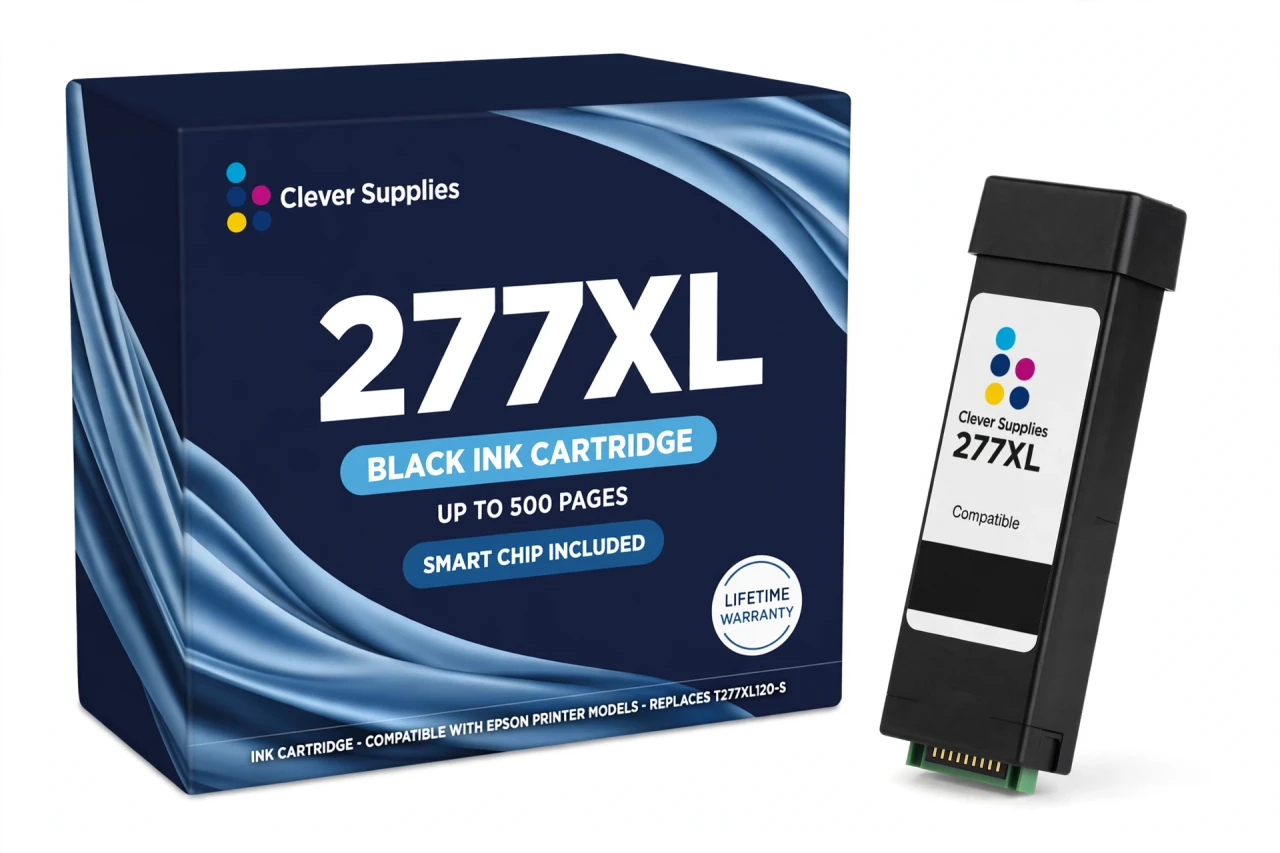
The cartridge carries a new compatible chip for ink-level reporting. This cartridge carries a new compatible chip. If your printer's firmware has been updated, recognition issues can occasionally occur — if a warning appears, reseat the cartridge firmly and restart the printer before assuming the cartridge is at fault. Its five sibling colours are T277XL220-S cyan, T277XL320-S magenta, T277XL420-S yellow, T277XL520-S light cyan and T277XL620-S light magenta, each rated up to 740 pages.
It fits the five verified 277 printers — XP-850, XP-860, XP-950, XP-960 and XP-970 — all Expression Photo models, and no other family: in the 273 and 302 families code 120 is a Photo Black for different printers, which is exactly the mix-up to avoid. Covered by our lifetime warranty, with free returns for the first year.
Shop the Epson 277 family: T277XL220 Cyan Ink Cartridge · T277XL320 Magenta Ink Cartridge · T277XL420 Yellow Ink Cartridge · T277XL520 Light Cyan Ink Cartridge · T277XL620 Light Magenta Ink Cartridge · Set of 6 All Colors Ink Cartridge · Set of 13 3 Black 2 Each Color Ink Cartridge
Browse by series: Expression
Frequently Asked Questions
Is 120 really the black in this family?
Yes — and it is the family's most important fact. The 277 code list runs T277120 Black, 220 Cyan, 320 Magenta, 420 Yellow, 520 Light Cyan, 620 Light Magenta. There is no Photo Black cartridge in a 277 printer. If a listing calls T277120 a Photo Black, it has copied the 273/302 pattern by mistake.
How many pages does the T277XL120 print?
Up to 500 pages, Epson's published rating for the genuine XL black (ISO/IEC 24711 and 24712 pattern). The standard T277120 is rated 240 pages.
Is the black dye or pigment?
Dye. All six 277 inks are Claria Photo HD dye inks — Epson's own fact sheet describes the family as 6-colour, dye-based. That is a photo ink set; text is softer than a pigment black's, by design.
Which printers take it?
The five verified Expression Photo models: XP-850, XP-860, XP-950, XP-960 and XP-970.
Does it have a chip?
Yes — a new compatible chip. This cartridge carries a new compatible chip. If your printer's firmware has been updated, recognition issues can occasionally occur — if a warning appears, reseat the cartridge firmly and restart the printer before assuming the cartridge is at fault.
My printer flags the black after a firmware update. What now?
Power off, remove the cartridge, check the chip contacts, reseat until it clicks, and restart. A fresh firmware update is the usual trigger; if the warning persists, the lifetime warranty covers a replacement.
Can I mix this XL black with standard colours?
Yes. Six independent slots; XL and standard cartridges mix freely. Our colours are XL, but a standard colour already installed works alongside.
How much ink is in it, in millilitres?
No figure is published: Epson's US documentation gives no millilitre volume for the 277 family, so the Volume field is left blank. Compare on the ISO yield: 500 pages.
Is it a genuine Epson cartridge?
No — a Clever Supplies compatible built to the T277XL120-S specification, labelled compatible on the box and this page.
What does the lifetime warranty cover?
A cartridge not recognised after troubleshooting, leaking, or printing poorly from new is replaced under the lifetime warranty. Free returns apply within the first year.
Does the XP-960 really belong to this family?
Yes. Epson's 277 fact sheet and the XP-960 support page both list 277/277XL for it. The 279 family belongs to the XP-980 alone — do not let a listing move the XP-960 there.
Single or set?
The single when only black is low. If the colours are ageing too, the Set of 6 (all XL) or Bulk Set of 13 is cheaper per cartridge; both are linked from this page.
Related Items
Epson
Compatible Epson 277XL T277XL220 Cyan Ink Cartridge
Cyan is one of the three core colours in the six-ink Claria Photo HD set: our compatible T277XL220-S is a dye cyan rated up to 740 pages (ISO/IEC 24711 and 24712 pattern), more than double the...


Epson
Compatible Epson 277XL T277XL320 Magenta Ink Cartridge
Magenta does the emotional work in a six-colour photo set — skin tones, sunsets, reds. Our compatible T277XL320-S is a Claria Photo HD dye magenta rated up to 740 pages (ISO/IEC 24711 and 24712...
Epson
Compatible Epson 277XL T277XL420 Yellow Ink Cartridge
Yellow sits inside nearly every warm tone and green a photo printer makes, so in a six-colour set it works harder than it looks. Our compatible T277XL420-S is a Claria Photo HD dye yellow rated up to...

Epson
Compatible Epson 277XL T277XL520 Light Cyan Ink Cartridge
Light cyan is why a six-colour printer beats a four-colour one at photographs: pale blue ink laid down in skies and water, where full-strength cyan would grain. Our compatible T277XL520-S is a Claria...