






 See Compatible Printers
 Read more about our ink!
Brother
Compatible Brother LC203 LC203C Cyan Ink Cartridge
- Page Yield:
- Up to 550 pages (ISO/IEC 24711)
- Shipping:
- Calculated at Checkout

Amazon Price:

- Page Yield:
- Up to 550 pages (ISO/IEC 24711)
- Shipping:
- Calculated at Checkout
- Compatible Printers
- Specifications
- SKU:
- CS-BR-203-C
- Condition:
- New Compatible
- OEM Part #:
- LC203C
- Color:
- Cyan
- Page Yield:
- Up to 550 pages (ISO/IEC 24711)
- Chip:
- New compatible chip
- Warranty:
- Lifetime Warranty
- Returns:
- 1-Year Free Returns
- Description
- Reviews
High-yield cyan for all twelve printers in this family: our compatible LC203C, rated up to 550 pages under ISO/IEC 24711 — more than double the standard LC201C, in the same slot on the six printers that take both tiers.


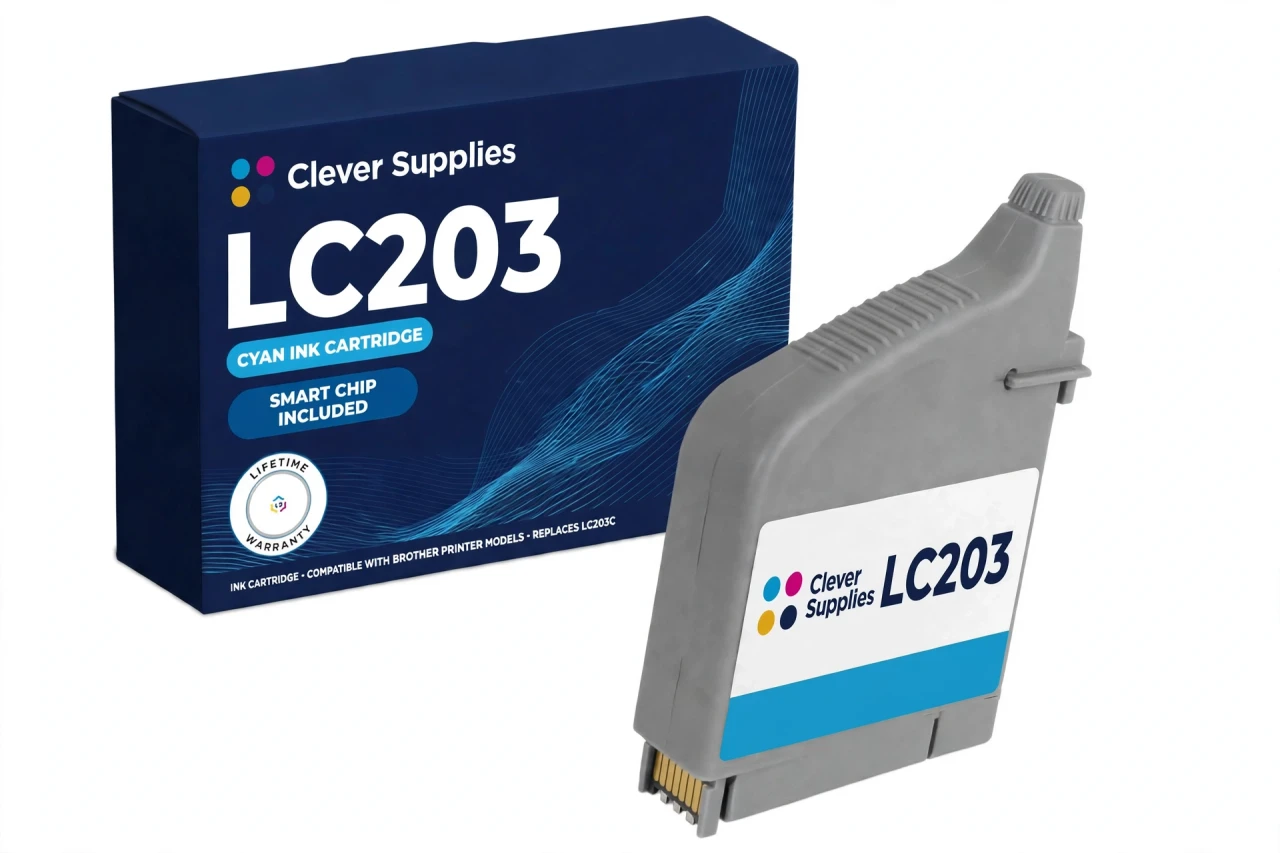
The twelve printers are MFC-J4320DW, MFC-J4420DW, MFC-J460DW, MFC-J4620DW, MFC-J480DW, MFC-J485DW, MFC-J5520DW, MFC-J5620DW, MFC-J5720DW, MFC-J680DW, MFC-J880DW and MFC-J885DW. Six of them (the WorkSmart group) also accept the LC201 standard tier; the other six start here. Slots are individual, so a cyan change never forces the other colors out with it.
Every cartridge in this family carries a new compatible chip — Brother's own support pages for this platform check for the small green chip on top of the cartridge when a printer reports "Cannot Detect", and the ink level is watched by chip and optical sensor together. Handle the cartridge by its housing, never touch the green chip contact, and seat it firmly until it clicks. If your printer's firmware has been updated, recognition issues can occasionally occur; reseating the cartridge and restarting the printer clears most of them, and we do not promise recognition on every firmware version. Covered by our lifetime warranty, with free returns for the first year.
Shop the Brother LC203 family: LC201BK Black Ink Cartridge · LC201C Cyan Ink Cartridge · LC201M Magenta Ink Cartridge · LC201Y Yellow Ink Cartridge · Set of 4 BK C M Y Ink Cartridge · LC203BK Black Ink Cartridge · LC203M Magenta Ink Cartridge · LC203Y Yellow Ink Cartridge · Set of 4 BK C M Y Ink Cartridge · Set of 9 BK C M Y Ink Cartridge · LC205C Cyan Ink Cartridge · LC205M Magenta Ink Cartridge · LC205Y Yellow Ink Cartridge · LC207BK Black Ink Cartridge · Set of 4 BK C M Y Ink Cartridge · Set of 9 BK C M Y Ink Cartridge · LC209BK Black Ink Cartridge · Set of 4 BK C M Y Ink Cartridge · Set of 9 BK C M Y Ink Cartridge
Browse by series: MFC MULTIFUNCTION SERIES
Frequently Asked Questions
Only my cyan is low — can I change just this one?
You can. Nothing about this family forces a full change: pull the cyan the printer is asking for and fit this one; the other slots keep printing.
Will my printer recognize this compatible cartridge?
The cartridge carries a new compatible chip, so the printer has what it needs to read it. After a firmware update, recognition can occasionally stumble — take the cartridge out, check the green chip contact (it must be clean and untouched), push it firmly back and restart the printer. Brother's "Cannot Detect" guidance for this family begins at that same chip, and ink level is sensed by chip and optical sensor together. If a cartridge still will not register after that, the lifetime warranty covers it; we make no claim of guaranteed recognition on every firmware version.
How many pages does the LC203C print?
Expect up to 550 pages — Brother's published figure for the LC203C, rated under ISO/IEC 24711. The standard LC201 tier's figure is 260 pages, so one of these outlasts two standard cartridges.
LC201 or LC203 — which should I buy?
Both cartridges fit the six WorkSmart printers, and there LC203 is the better value per page (550 vs 260 pages). On the Business Smart six the question never arises: LC201 is not part of their specification at all.
My printer came with LC203 Starter cartridges. Are these the same?
No. The cartridges in the printer box were LC203 Starters — setup units. Brother's own wording separates them from retail high-yield LC203 cartridges, and Starters are a known cause of 'Cannot Detect' messages when mixed up with retail stock. This cyan is the retail LC203 specification at the full 550-page rating; setup cartridges are never part of a compatible listing here.
Which printers does this cartridge fit?
Twelve printers use this family: the WorkSmart models MFC-J460DW, MFC-J480DW, MFC-J485DW, MFC-J680DW, MFC-J880DW and MFC-J885DW, and the Business Smart models MFC-J4320DW, MFC-J4420DW, MFC-J4620DW, MFC-J5520DW, MFC-J5620DW and MFC-J5720DW. This tier is the common ground — high tier on the WorkSmart six, base tier on the Business Smart six. For the whole family side by side — all six LC203 offers priced per page, and the tier question answered for both printer lines — see our Best Brother LC203 Ink Cartridges guide.
Is this a genuine Brother cartridge?
It is not a Brother product. Clever Supplies builds this cartridge to the LC203C specification, fits a new compatible chip, and labels it compatible on the box and on this page.
How do I install it without chip problems?
Two habits avoid most chip trouble: handle the cartridge by its housing with fingers off the small green chip on top, and push it in until it clicks. Brother's own 'Cannot Detect' guidance for this family starts at that chip, and the ink level is read from chip and optical sensor together.
Can I step up to LC205 colors or LC207/LC209 black from here?
Business Smart owners can: the super-high tier pairs LC205 colors (1,200 pages) with a bigger black — LC207BK (1,200) for the MFC-J4320DW, J4420DW and J4620DW, LC209BK (2,400) for the MFC-J5520DW, J5620DW and J5720DW. The WorkSmart six take no super-high tier.
Why do some listings promise far more than 550 pages for LC203?
Those promises rest on the seller's own fill claim rather than an OEM rating. Brother publishes 550 pages for this cartridge under ISO/IEC 24711, and we print that figure and no other.
What is the right way to store a spare?
Sealed, upright and shaded is the rule: keep the cap on until installation, store spares out of direct sunlight, and rotate them oldest-first.
What warranty and returns does it carry?
Coverage runs for the cartridge's lifetime: a unit that fails to perform is replaced, and returns are free within the first year.
Related Items

Brother
Compatible Brother LC203 LC203Y Yellow Ink Cartridge
High-yield yellow for all twelve printers in this family: our compatible LC203Y, rated up to 550 pages under ISO/IEC 24711 — more than double the standard LC201Y, in the same slot on the six printers...


Brother
Compatible Brother LC203 LC203BK Black Ink Cartridge
This is the tier this family actually runs on: our compatible LC203BK, the high-yield black rated up to 550 pages under ISO/IEC 24711 — more than double the standard LC201BK, and the black that fits...

Brother
Compatible Brother LC203 LC203M Magenta Ink Cartridge
High-yield magenta for all twelve printers in this family: our compatible LC203M, rated up to 550 pages under ISO/IEC 24711 — more than double the standard LC201M, in the same slot on the six...

Brother
Compatible Brother LC3019 LC3019C Cyan Ink Cartridge
This is the Super High Yield cyan cartridge for the 3 printers in its platform — MFC-J5330DW, MFC-J6530DW,