





 See Compatible Printers
 Read more about our ink!
Brother
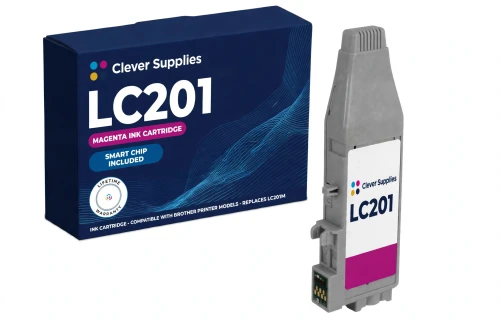
Compatible Brother LC201 LC201M Magenta Ink Cartridge
- Page Yield:
- Up to 260 pages (ISO/IEC 24711)
- Shipping:
- Calculated at Checkout

Amazon Price:

- Page Yield:
- Up to 260 pages (ISO/IEC 24711)
- Shipping:
- Calculated at Checkout
- Compatible Printers
- Specifications
- SKU:
- CS-BR-201-M
- Condition:
- New Compatible
- OEM Part #:
- LC201M
- Color:
- Magenta
- Page Yield:
- Up to 260 pages (ISO/IEC 24711)
- Chip:
- New compatible chip
- Warranty:
- Lifetime Warranty
- Returns:
- 1-Year Free Returns
- Description
- Reviews
Standard-yield magenta for the six WorkSmart printers: our compatible LC201M, rated up to 260 pages under ISO/IEC 24711 — the entry tier of this platform, in its own individual slot. It fits the six WorkSmart models only — MFC-J460DW, MFC-J480DW, MFC-J485DW, MFC-J680DW, MFC-J880DW and MFC-J885DW.


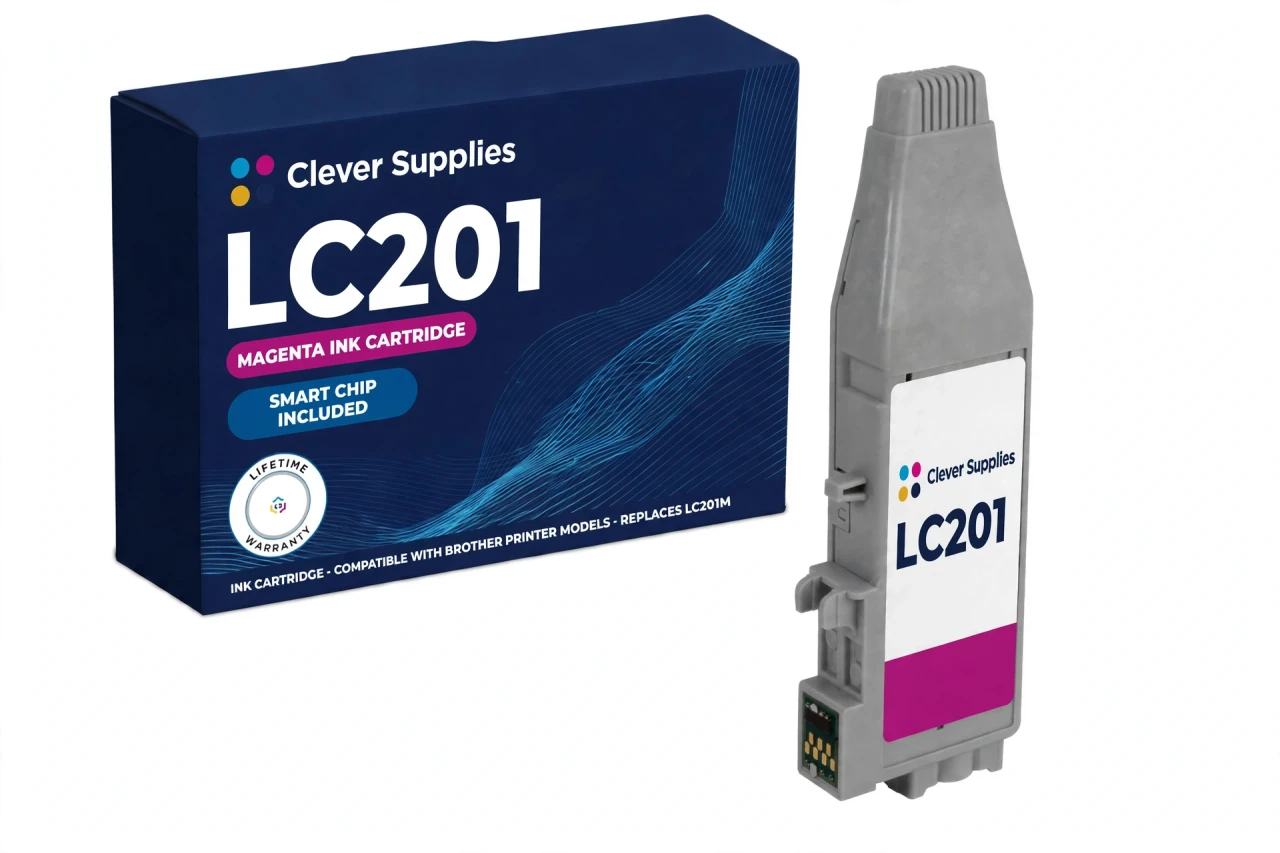
One honest note about this tier: our source for LC201 singles fulfills LC201 orders with the LC203-bodied cartridge — the same case, the same slot, a cartridge from the high-yield tier wearing the LC201 label. We list the LC201 product separately because the LC201 specification is what these six printers were sold with, and we state the substitution openly rather than pretending two different cartridges exist. The six Business Smart models in this family never take LC201 at all; their ladder starts at LC203.
Every cartridge in this family carries a new compatible chip — Brother's own support pages for this platform check for the small green chip on top of the cartridge when a printer reports "Cannot Detect", and the ink level is watched by chip and optical sensor together. Handle the cartridge by its housing, never touch the green chip contact, and seat it firmly until it clicks. If your printer's firmware has been updated, recognition issues can occasionally occur; reseating the cartridge and restarting the printer clears most of them, and we do not promise recognition on every firmware version. Covered by our lifetime warranty, with free returns for the first year.
Shop the Brother LC201 family: LC201BK Black Ink Cartridge · LC201C Cyan Ink Cartridge · LC201Y Yellow Ink Cartridge · Set of 4 BK C M Y Ink Cartridge · LC203BK Black Ink Cartridge · LC203C Cyan Ink Cartridge · LC203M Magenta Ink Cartridge · LC203Y Yellow Ink Cartridge · Set of 4 BK C M Y Ink Cartridge · Set of 9 BK C M Y Ink Cartridge · LC205C Cyan Ink Cartridge · LC205M Magenta Ink Cartridge · LC205Y Yellow Ink Cartridge · LC207BK Black Ink Cartridge · Set of 4 BK C M Y Ink Cartridge · Set of 9 BK C M Y Ink Cartridge · LC209BK Black Ink Cartridge · Set of 4 BK C M Y Ink Cartridge · Set of 9 BK C M Y Ink Cartridge
Browse by series: MFC MULTIFUNCTION SERIES
Frequently Asked Questions
Which printers is this magenta made for?
Six WorkSmart models, listed here from the top of the range down: MFC-J885DW, MFC-J880DW, MFC-J680DW, MFC-J485DW, MFC-J480DW and MFC-J460DW. These are the WorkSmart half of the family — the six Business Smart models (MFC-J5720DW, MFC-J5620DW, MFC-J5520DW, MFC-J4620DW, MFC-J4420DW, MFC-J4320DW) do not take LC201 cartridges at all. For the standard tier priced cartridge by cartridge against the tier above it — all five LC201 offers side by side, with the substitution the listings state openly and the per-page step up to LC203 drawn in full — see our Best Brother LC201 Ink Cartridges guide.
What page count does Brother publish for the LC201M?
The published rating is up to 260 pages under ISO/IEC 24711. As the standard tier, it sits below the high-yield LC203 equivalent, which Brother rates at 550 pages — over twice as much — for the same six printers.
Is the cartridge really an LC203 in disguise?
The body, yes — we disclose it rather than dress it up. For LC201 singles, our source supplies the LC203-bodied unit: the same case and slot from the high-yield tier, labeled for LC201. Without the disclosure, the two listings would pretend to be two different cartridges. Fit is identical across the six LC201 printers; you are buying the LC201 position in the range, fulfilled with the LC203 body.
What if my printer will not recognize it?
Start at the green contact. This cartridge is fitted with a new compatible chip; the printer reads ink level from the chip alongside an optical sensor. If yours will not register — something that can occasionally follow a firmware update — remove it, check that the green chip contact is clean and untouched, seat it again firmly and restart the printer. Brother's "Cannot Detect" guidance for this family starts from exactly that chip check. Recognition on every firmware version is not a promise we make; a cartridge that still refuses to register falls under the lifetime warranty.
Magenta is the only empty color. Is a one-cartridge change allowed?
Yes. These are individual cartridges with separate slots; replace only the color the printer calls for.
LC201M or LC203M for a home office?
It turns on volume. Past occasional printing, LC203 is the better buy — 550 pages to this tier's 260, on the same six printers, and the tier owners of this platform standardize on. This tier stays the lower-cost fill, and it is the specification the printers shipped with.
Fitting it cleanly — what matters most?
Keep your fingers off the small green chip on top and hold the cartridge by its housing, then push it in until it clicks. Brother's own support pages for this family check that chip first when a printer reports 'Cannot Detect'.
Is this a genuine Brother cartridge?
It is not. This is a Clever Supplies compatible built for the LC201M specification, carrying a new compatible chip and labeled compatible on the box and on this page — not a Brother-manufactured cartridge.
Will an LC203 cartridge work next to this one later?
Yes — the six printers here give both tiers the same slots, so an LC203 can take over any single position from an LC201, and most owners step up color by color as each standard cartridge runs out.
What am I covered for if it underperforms?
Coverage is a lifetime warranty: if the cartridge fails to perform, it is replaced. Returns are free within the first year.
How should I store a spare cartridge?
Leave it in its sealed packaging, standing upright and out of direct sunlight; the cap stays on until installation.
Why is the LC201 list shorter than the LC203 list?
The standard tier was certified by Brother on the WorkSmart six alone. Business Smart printers start at LC203 in Brother's specification; LC201 simply does not appear in it, whatever a marketplace listing may claim.
Related Items

Brother
Compatible Brother LC201 LC201C Cyan Ink Cartridge
Standard-yield cyan for the six WorkSmart printers: our compatible LC201C, rated up to 260 pages under ISO/IEC 24711 — the entry tier of this platform, in its own individual slot. It fits the six...


Brother
Compatible Brother LC201 LC201Y Yellow Ink Cartridge
Standard-yield yellow for the six WorkSmart printers: our compatible LC201Y, rated up to 260 pages under ISO/IEC 24711 — the entry tier of this platform, in its own individual slot. It fits the six...

Brother
Compatible Brother LC201 LC201BK Black Ink Cartridge
This is the standard-yield black the six WorkSmart printers in this family were sold with: our compatible LC201BK, rated up to 260 pages under ISO/IEC 24711 — the entry tier of the platform, and the...

Brother
Compatible Brother LC75 LC75M Magenta Ink Cartridge
Our compatible LC75M is the magenta that covers the entire family: up to 600 pages under ISO/IEC 24711, in all 11 models. For the seven smaller models it is the high-yield answer to the standard...