




Every platform has a first rung, and on Brother’s LC20x ladder that rung is LC201 — the Standard-yield specification the six WorkSmart printers were sold with, every cartridge in it rated at up to 260 pages, the black no differently from the colors. The shelf here is short enough to read at a glance: five compatible listings, four singles and one four-cartridge set, and not a single genuine LC201 cartridge among them. This page also repeats, at full size, the disclosure the listings themselves print — orders in this family are fulfilled with LC203-bodied cartridges labeled for LC201 — because a guide that hid what its own products state plainly would not be worth the screen it sits on.
If your printer is one of the six WorkSmart models named further down, this short shelf is yours: five compatibles from Clever Supplies, every one of them fitted with a new compatible chip, and no genuine cartridge stocked among them. The Set of 4 at $29.94 opens the page — it gathers the four singles into one order, trims $3.02 from their combined $32.96, and is, unusually, cheaper to buy than the high-yield set one tier up. There is no bigger box in this family, and one honest limit runs through everything below: no listing here, not even the set, reaches the $49 free-shipping line on its own. Around those facts sit the subjects the rest of the page takes up — the substitution the listings disclose, the tier above and what its arithmetic does and does not win, and the starter cartridges these six printers actually shipped with.
The four-cartridge set leads; the singles cover the single dry slot
Fit cannot separate these five listings — all of them serve the same six printers — so the order below follows how ink actually gets bought. A machine low in several slots at once is the common errand, and the one box that answers it stands first. The singles follow, one per color, for the cartridge that emptied while its neighbors still had pages left in them.
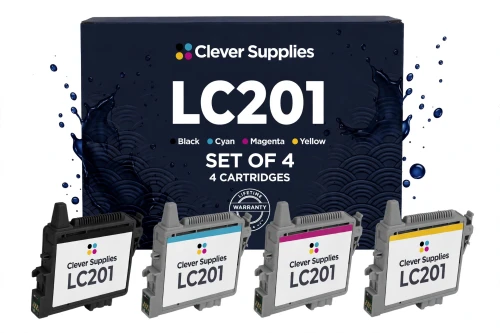
Two comparisons frame this box honestly, and they point in opposite directions. Against its own shelf it wins on both counts: $29.94 undercuts the $32.96 the four singles total, and its page rate is the family’s lowest. Against the tier above, it wins only the first count — the LC203 Set of 4 costs $31.44, a dollar and a half more to buy, so this is the cheaper box to put in a cart, while the tier above remains the cheaper box to print from. What arrives when you order it is the subject of the disclosure section below: like every LC201 listing here, the set is fulfilled with LC203-bodied cartridges labeled for LC201. And one limit belongs on the card itself: at $29.94 this is the dearest listing in the family, and it still does not reach the $49 free-shipping line alone — nothing on this page does.
Shop the LC201 Set of 4 →THE FOUR SINGLES — ONE FOR EACH SLOT
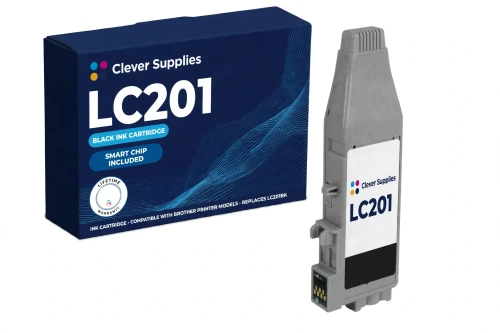
The document slot, at the platform’s lowest cartridge price. It is also the like-for-like successor to what the six printers shipped with — a full retail unit where the in-box starter carried a reduced rating.
Shop LC201BK Black →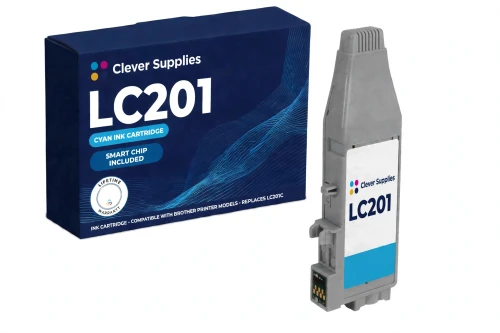
Priced and rated identically to its three neighbors — no color premium anywhere on this shelf. Brother asks $10.19 for the genuine cyan — and had it in stock when this guide was put together.
Shop LC201 Cyan →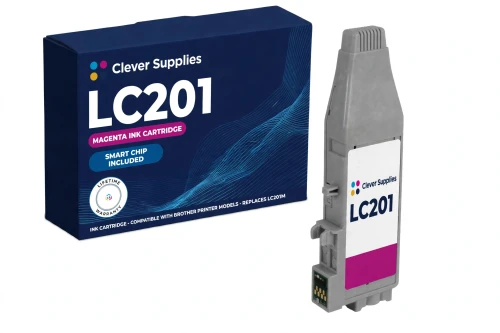
The color that charts, covers and photographs spend fastest; a 260-page rating makes a spare a modest thing to keep in the drawer. The genuine cartridge at Brother is $10.19.
Shop LC201 Magenta →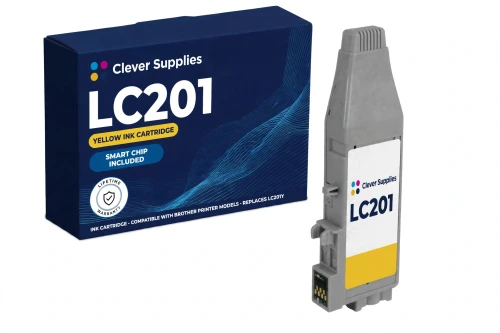
Yellow usually reports itself through washed-out prints rather than an empty warning, so its rating doubles as the number to plan a spare by. Brother lists the genuine yellow at $10.19, in stock.
Shop LC201 Yellow →Why do singles share a page with a set that undercuts them? Because a printer spends its ink unevenly. A month of letters and invoices drains the black while the colors barely move; a run of color handouts turns the order upside down. A single answers that moment precisely — one fresh cartridge into the slot that finished, the other three left to complete their own rated runs. The set wins on price per page; the single wins by never selling you ink you already own.
And notice the boundary around the whole shelf: it serves the WorkSmart half of the platform and stops there. Owners of the larger Business Smart models will find nothing on this page that fits their machines — their ladder starts one tier up, and the tier section below draws that map.
Five listings, one short rating — the table
All the ratings below trace back to one footnote — the line Brother prints on each of its LC201 cartridge pages: “‡Approximate page yield in accordance with ISO/IEC 24711.” Brother applies it cartridge by cartridge — up to 260 pages from the black, up to 260 from each color — and the set listing keeps the same discipline, stating each cartridge’s figure on its own rather than merging the box into a total. The set’s page rate below therefore comes from division alone — $29.94 spread across the 1,040 rated pages inside the Set of 4 — and the word “blended” travels with that rate wherever it appears.
| Offer | Fits | Price | Rating per cartridge | Cost per page | Against the singles |
|---|---|---|---|---|---|
| LC201 Set of 4 BK C M Y — the flagship | All six WorkSmart printers | $29.94 | Up to 260 pages each | 2.88¢ blended | SAVE $3.02 |
| LC201BK black single | All six WorkSmart printers | $8.24 | Up to 260 pages | 3.17¢ | The document slot |
| LC201C cyan single | All six WorkSmart printers | $8.24 | Up to 260 pages | 3.17¢ | One slot, one cartridge |
| LC201M magenta single | All six WorkSmart printers | $8.24 | Up to 260 pages | 3.17¢ | One slot at a time |
| LC201Y yellow single | All six WorkSmart printers | $8.24 | Up to 260 pages | 3.17¢ | One slot, one cartridge |
A flat shelf makes for short reading. Black and colors stand level at 260 pages and level at $8.24, so each single prices its page at the same 3.17¢ — there is no cheap slot to hunt for and no color premium to dodge. The only slope on the page is the box slope: $8.24 for a cartridge bought alone, $7.49 for each cartridge inside the set, and a blended rate of 2.88¢ at the set’s size. One more figure deserves a plain look: the largest price in the table is $29.94, which means no row of it crosses the $49 free-shipping line by itself — a fact the rest of this page keeps in view rather than working around.
The open note, at full size: what actually arrives in the box
Every one of the five listings on this page carries the same disclosure, printed in its introduction and again in its questions, and this guide repeats it without shrinking it. The store’s source for LC201 fulfills these orders — the four singles and the set alike — with the LC203-bodied cartridge: the same case, the same slot, a cartridge drawn from the high-yield tier’s body and labeled for LC201. In the listings’ own words, the substitution is stated openly rather than pretending two different cartridges exist.
Why keep a separate LC201 listing at all, then? Because the LC201 specification is a real position in Brother’s range — it is the standard-yield tier these six printers were sold with, and it is what an owner shopping by the code on a spent cartridge is looking for. What is bought here is that position: the LC201 fit, which is identical on all six printers, at Brother’s LC201 rating of up to 260 pages — the figure in each listing’s yield field. The body the ink arrives in changes neither the fit nor the rating.
So nothing on this page will claim that the cartridge in an LC201 box is a physically distinct unit from the one in an LC203 box. The honest version is shorter: one shared case serves the platform, this listing sells the standard-yield position of it, and the label says which position you bought. The listings print that openly; this page simply declines to be quieter about it than they are.
The bottom step of the platform — and the step that stands above it
This cartridge shape comes in three yield levels, and LC201 is the lowest of them — the rung where the ladder meets the ground. It is the Standard tier, rated at up to 260 pages a cartridge, and it belongs to the six WorkSmart printers alone. One step up, the LC203 High-yield tier rates each cartridge at up to 550 pages and fits all twelve printers on the platform — the WorkSmart six and the Business Smart six alike — which makes it the top tier for the printers on this page and the entry tier for the larger half. Above that, on the Business Smart six only, sits a super-high shelf under its own codes; the WorkSmart six take no part in it, and it belongs to another guide in this series.
The step up is cheap to price and worth pricing exactly. On the LC203 shelf, a single costs $8.99 — $0.75 more than the $8.24 asked here — carries rather more than twice the rating, and prices its page at 1.63¢ against the 3.17¢ charged on this page. The sets reverse half of that story: the LC203 Set of 4 costs $31.44, so the LC201 Set of 4 above is the cheaper box to buy by $1.50, while the LC203 set’s blended rate of 1.43¢ undercuts this page’s 2.88¢ blended by half. Outlay points down the ladder; running cost points up it. The whole of that shelf — every price, every comparison — lives in our Best Brother LC203 Ink Cartridges guide.
What remains for LC201, stated without varnish, is the entry position itself: the lowest price per cartridge anywhere on this platform, the lowest price per set, and the retail twin of the starter cartridges the six printers came with — the refill that matches the specification the machine was sold under. For a printer that works in occasional bursts, that can be the whole argument. For one that prints every day, the arithmetic above is the argument for climbing a step — and this page has printed both.
Beginnings: the cartridges these printers were born with
Each of the six WorkSmart printers left its box carrying four starter cartridges of the LC201 series — this tier’s own series, which is what makes this family the one place in the platform where the starter figure and the shelf belong to each other. Brother’s in-box note rates a starter at approximately 80% of a replacement LC201 cartridge, the difference being consumed while the ink system initializes — roughly 208 pages against the retail rating of 260. The first cartridge ordered from this page is therefore a small step up from the one the printer arrived with: the same specification, at its full published run.
Keep that figure fenced to its scope, because the platform invites confusion here. The six Business Smart models — a different roster entirely — ship with starters of the LC203 series, rated at roughly 65% of a replacement LC203; that is the high-yield tier’s figure, attached to different printers, and it measures nothing on this page. Any text that hands a WorkSmart owner an LC203 starter story has mixed the two halves of the platform up, and the correct pairing is the one above: LC201 starters, in LC201 printers, at the LC201 figure.
Once the starters are spent, the position is simple and the same on all six machines: every listing on this shelf is a full retail unit carrying the complete standard-yield rating — up to 260 pages, whichever slot it is headed for.
A green chip, an optical eye, and the message that appears when either is missed
Look at the specification block of any of the five listings and one entry repeats: “New compatible chip”. The listings explain the hardware through Brother’s own framing — Brother’s support pages for this platform check for the small green chip on top of the cartridge when a printer reports a recognition problem — and they add a second half that this family shares with its high-yield sibling: on these printers the ink level is watched by the chip and an optical sensor together. One reports the cartridge’s identity, the other keeps an eye on the ink itself, and every unit sold here carries the chip the arrangement depends on.
Handling follows from that. Grip the unit by its housing, steer clear of the green chip contact, and press it home firmly until it clicks. The listings state their limit alongside, in the words they print: “we do not promise recognition on every firmware version”. Where a firmware update has left a chip unread, their printed remedy is a physical one — the cartridge comes out, the contact gets inspected, the cartridge goes back in with a firm seat, the printer restarts — and a unit that still will not register after that is a warranty matter under its listing, not a puzzle to keep working at.
The failure mode has a name, and all five descriptions use it: ‘Cannot Detect’, the message Brother’s guidance attaches to a chip that goes unread — the outcome the routine above exists first to prevent and, failing that, to clear. Brother’s published position stands behind the whole subject: since March 2025 the company has maintained that firmware updates from its side do not block third-party cartridges. The offer, assembled, is exactly what the listings describe — a fresh chip in every unit, the optical pairing these printers expect, a printed routine for the day a read fails, and a promise that stops where the listings’ own stops.
Six printers take this tier — every one of them a WorkSmart
Brother prints the same fit line on its LC201 cartridge pages, and it names six models. Every listing above fits every model on it, in every slot — there is no split shelf here of the kind the platform’s upper tiers produce.
The six: MFC-J460DW, MFC-J480DW, MFC-J485DW, MFC-J680DW, MFC-J880DW and MFC-J885DW. If your model stands among them, the whole of this short page is yours. If it does not — the Business Smart six in particular — nothing here fits, and the LC203 tier is where your shelf begins.
The store’s filing follows Brother’s line to the letter: all five listings appear in every one of the six model categories and together in the family’s own code category, the Brother LC201 category. One later chapter deserves a sentence, kept distinct from the cartridges: Brother has since discontinued all six printers as hardware, while the LC201 cartridge line for them remains current — an aging fleet, still fully supplied.
What stands behind all five listings
Before you order from the platform’s entry shelf
Questions the standard tier tends to raise
In the body, yes — and the listings say so themselves rather than leaving it to be discovered. LC201 orders here are fulfilled with the LC203-bodied cartridge, the platform’s shared case, labeled for LC201. What you are buying is the LC201 position in Brother’s range: the standard-yield fit for the six WorkSmart printers at Brother’s LC201 rating of up to 260 pages. The substitution changes neither which printers the cartridge fits nor the rating it carries, and this page claims no physical difference between the LC201-labeled unit and the LC203 body it arrives in.
Both tiers fit all six printers on this page, so the choice is pure arithmetic. Per single, LC203 costs $0.75 more and returns 550 rated pages against 260 — its page costs 1.63¢ against 3.17¢ here. Per set, the direction splits: the LC201 Set of 4 is the cheaper purchase at $29.94 against $31.44, while the LC203 set prints the cheaper page, blending to 1.43¢ against 2.88¢. A machine that prints in occasional bursts is served honestly by the lower outlay on this page; a machine that prints every week repays the step up quickly.
Because the store does not sell one — the standard tier is offered as four singles and the Set of 4, and nothing larger exists under this code. Owners who want a deep box are not stuck, though: the same six printers all take the tier above, where the LC203 Set of 9 stands at $59.94 — and, not incidentally, is the one box in either family that crosses the free-shipping line on its own. In this family, bulk lives one step up the ladder.
The listings on this page do — directly. The six WorkSmart printers shipped with starter cartridges of the LC201 series itself, which Brother rates at approximately 80% of a replacement LC201, roughly 208 pages, the shortfall being spent while the ink system initializes. A retail LC201 is the like-for-like refill at the full 260-page rating. Be wary of any account that gives these printers LC203 starters: that pairing belongs to the Business Smart half of the platform, whose machines ship with starters of the LC203 series.
No. The MFC-J5520DW is one of the six Business Smart models, and LC201 was never made for that half of the platform — Brother’s LC201 fit line stops at the six WorkSmart models named on this page. Your machine’s ladder begins at the LC203 tier, which fits it as its base specification and climbs from there. Nothing on this page should be ordered for it.
Start with the cartridge itself. Take it out and look at the green chip contact — clean is what it should be, and untouched. Refit it with a firm press until it clicks, then restart the printer. The listings name that message as the sign of a chip the machine could not read, something a firmware update can occasionally bring on, and their routine clears most cases; on this family the printer is reading the chip alongside an optical sensor, so a clean, fully seated cartridge is what both are looking for. Behind the routine stands a narrower promise than a guarantee: a fresh chip inside every unit — not a successful read on every firmware version, which neither the listings nor this guide will promise. A message still showing after the routine makes the cartridge’s warranty the next step.