




Most cartridge families sit in one place on one ladder. LC203 does not. Brother rates every cartridge in this family — black and colors alike — at up to 550 pages, and assigns the family to twelve printers drawn from two different lines: on the six WorkSmart machines it is the highest tier sold, and on the six Business Smart machines it is the first tier, with a bigger shelf above it. Which of those two seats your printer gives it decides what LC203 should be compared against, and even what your printer carried the day it arrived. This page prices all six offers per page, then works through the tier and starter questions group by group.
If your machine is one of the twelve — MFC-J4320DW, MFC-J4420DW, MFC-J460DW, MFC-J4620DW, MFC-J480DW, MFC-J485DW, MFC-J5520DW, MFC-J5620DW, MFC-J5720DW, MFC-J680DW, MFC-J880DW or MFC-J885DW — this is your page: six listings, all compatible, every cartridge holding a new compatible chip, and no genuine LC203 listed in this store. The Set of 4 at $31.44 opens the ladder because it renews all four slots in one order; the Set of 9 at $59.94 sits behind it as the deep reserve and the only order here that reaches free shipping on its own. The four singles wait at a flat $8.99 apiece. What takes explaining is not the shelf but the platform underneath it: a standard tier below this one for half the roster, a super-high tier above it for the other half, and a starter story that changes with the half your printer belongs to. All three are set out below.
One shelf, six offers: full refill, deep box, four flat-priced singles
Fit is settled before the ladder starts — all six offers serve all twelve printers — so the order below is set by how an owner buys. The Set of 4 goes first because a four-slot machine usually runs dry as a set, not as a single slot. The Set of 9 follows for owners who would rather reorder twice a year than six times. The singles close the page, each answering the slot that emptied ahead of its neighbors.
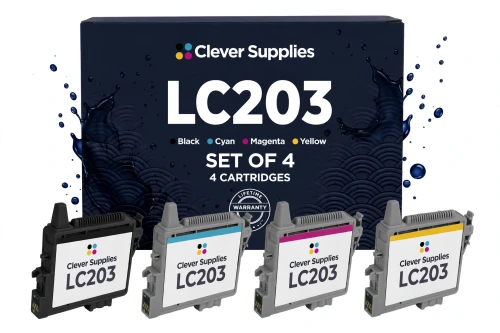
Brother’s genuine line offers no four-slot box to set beside this one: its packs are a black 2-pack, the LC2032PKS at $46.79, and a colors 3-pack, the LC2033PKS at $42.99. This set covers all four slots for less than either genuine pack costs on its own. Alone it stays under the $49 free-shipping line; only the deep box below crosses that line by itself.
Shop the LC203 Set of 4 →DOWN THE LADDER — THE DEEP BOX AND THE FOUR SINGLES
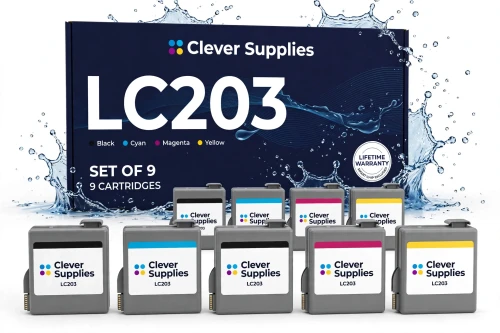
At $6.66 a cartridge this is the cheapest way to buy the family, per cartridge and per page alike. The box leans black — three blacks to two of each color — because these machines live on documents, with color in support; and at $59.94 it ships free standing alone.
Shop the LC203 Set of 9 →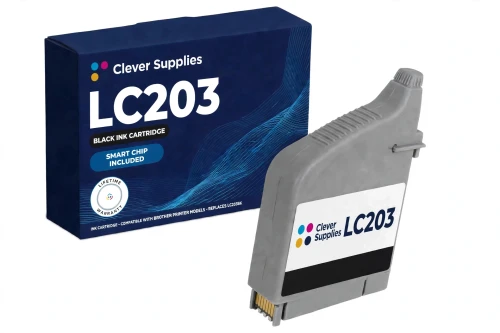
In this family the black is rated no higher than the colors — and priced no higher either. Brother’s genuine black reaches the shelf only inside the LC2032PKS 2-pack at $46.79, which is $23.40 a cartridge against $8.99 here.
Shop LC203BK Black →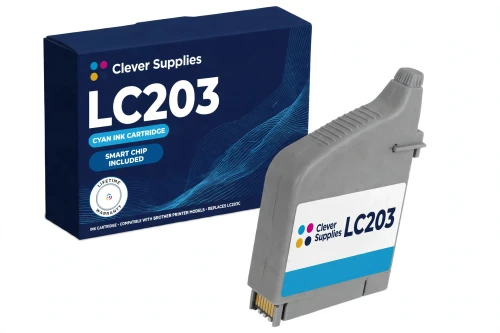
Cyan carries the blues in charts, logos and letterheads, and in a small office it is usually the first color slot to run dry — at the same $8.99 as every other single here, with no color premium to weigh.
Shop LC203 Cyan →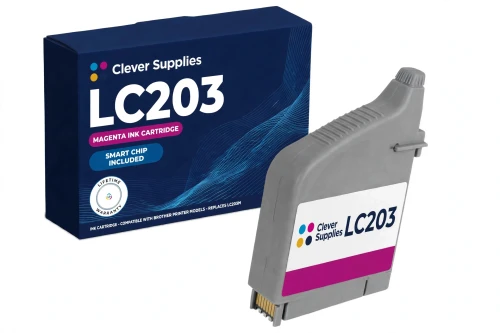
Magenta at the family’s flat $8.99, rated up to 550 pages like every cartridge here. The reds in reports, flyers and presentation pages live in this slot, and a spare costs no more than the rest.
Shop LC203 Magenta →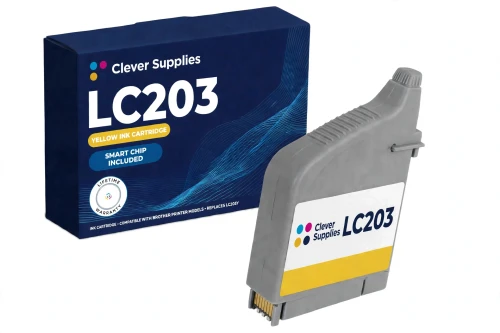
Yellow gives out quietly — prints wash pale instead of stopping — so treat its 550-page rating as a schedule, not a warning. $8.99, the family flat price.
Shop LC203 Yellow →Six offers side by side, with the per-page math shown
Brother’s basis for this family, quoted exactly: “Approximate page yield in accordance with ISO/IEC 24711.” What that basis measures is a cartridge — up to 550 pages for the black, up to 550 for each color — never a box. The set rows below are therefore costed by division: the box price spread over the rated pages of the cartridges inside it, 2,200 pages in the Set of 4 and 4,950 in the Set of 9. “Blended” in the per-page column means that division and nothing more.
| Offer | Fits | Price | Rating per cartridge | Cost per page | Against the singles |
|---|---|---|---|---|---|
| LC203 Set of 4 BCMY — the flagship | All twelve printers | $31.44 | Up to 550 each, black and colors alike | 1.43¢ blended | SAVE $4.52 |
| LC203 Set of 9 | All twelve printers | $59.94 | 3 blacks and 2 of each color, up to 550 each | 1.21¢ blended | SAVE $20.97 · ships free alone |
| LC203BK black single | All twelve printers | $8.99 | Up to 550 pages | 1.63¢ | One slot, one cartridge |
| LC203C cyan single | All twelve printers | $8.99 | Up to 550 pages | 1.63¢ | One slot, one cartridge |
| LC203M magenta single | All twelve printers | $8.99 | Up to 550 pages | 1.63¢ | One slot at a time |
| LC203Y yellow single | All twelve printers | $8.99 | Up to 550 pages | 1.63¢ | One slot, one cartridge |
Read this table differently from a tiered family’s. The cartridge never changes as you move down the rows — same design, same 550-page rating in every slot — so the per-page column is a pure box-size ladder: $8.99 a cartridge bought singly, $7.86 apiece inside the Set of 4, $6.66 inside the Set of 9, and the per-page figure steps down with the unit price, 1.63¢ to 1.43¢ to 1.21¢. Nothing is gained in yield by buying bigger; what is gained is price, and a longer stretch between orders.
Where LC203 sits: top of one line, base of the other
The twelve printers on this roster come from two of Brother’s lines, and LC203 means something different to each. The WorkSmart six — MFC-J460DW, MFC-J480DW, MFC-J485DW, MFC-J680DW, MFC-J880DW and MFC-J885DW — are the home and small-office machines. The Business Smart six — MFC-J4320DW, MFC-J4420DW, MFC-J4620DW, MFC-J5520DW, MFC-J5620DW and MFC-J5720DW — are the heavier office line. The same LC203 cartridge drops into all twelve, which makes it the hinge of the whole platform: the highest tier one group can buy, and the entry tier of the other.
Below it, for the WorkSmart six only, sits Brother’s standard tier: LC201, rated at up to 260 pages a cartridge. No LC201 cartridge fits a Business Smart printer — Brother’s own LC201 pages name the six WorkSmart models and no others. The store’s arithmetic for a WorkSmart owner is printed whole: an LC201 single is $8.24, which works out to 3.17¢ a page, against $8.99 and 1.63¢ a page for the LC203 beside it. Seventy-five cents more per cartridge buys a rated run of 550 pages instead of 260 — better than double — and roughly halves the cost of every page. The sets agree: the LC201 Set of 4, at $29.94, is cheaper to buy than this page’s $31.44 flagship, while holding 1,040 rated pages against the LC203 set’s 2,200. LC201 keeps two honest claims — the lowest per-cartridge outlay on the platform, and it is the retail twin of the series WorkSmart printers carry in the box — but on cost per page it is not close.
Above it, for the Business Smart six only, sits the super-high shelf: LC205 colors rated up to 1,200 pages, an LC207BK black at up to 1,200 pages for the MFC-J4320DW, MFC-J4420DW and MFC-J4620DW, and an LC209BK black at up to 2,400 pages for the MFC-J5520DW, MFC-J5620DW and MFC-J5720DW. At this store those cartridges run $11.99 for a color and $13.49 for a black — more per cartridge than LC203’s $8.99, and cheaper per page for the extra outlay. That shelf has its own page in this series, and it is the comparison a Business Smart owner should read next: the LC205 platform guide. What LC203 keeps on those six is the platform’s lowest per-cartridge price — and the one tier an office running both lines can stock for all of them.
So the first question on this platform is never which box, but which group. A WorkSmart nameplate makes the choice LC201 against LC203, and LC203 is the ceiling — nothing above it exists for those six. A Business Smart nameplate makes it LC203 against the super-high shelf, and LC203 is the floor. The cartridge does not change; its job does.
What came in the box depends on which line your printer is in
Ask twelve owners what ink their printer arrived with and the answers split cleanly by group — because Brother fills the two lines’ cartons from two different series. The Business Smart six ship with LC203 Series starters, four of them: this family’s cartridge in a short-measured first fill. Brother’s footnote on those printers reads, verbatim: “Actual yield of starter cartridge will be approx. 65% of replacement 203 cartridge series, due to ink system initialization process.” Against the 550-page replacement rating, a starter is good for roughly 358 pages — the difference is spent the first time the ink system primes itself.
The WorkSmart six ship with four starter cartridges of the LC201 Series instead — the standard tier below this one (Brother’s carton listing even shortens the name to “L201 Series”). Their footnote, also verbatim: “Actual yield of starter cartridge will be approx. 80% of replacement LC201 series, due to ink system initialization on process.” Against LC201’s 260-page rating that is roughly 208 pages from each in-box cartridge. A WorkSmart owner’s first empty slot therefore arrives sooner, and what follows it is a genuine choice — the LC201 shape the printer arrived holding, or the LC203 step up priced above.
Two consequences follow. First, the split follows the printer, not the cartridge bought later: every replacement on this page is a full-rating retail cartridge whichever group the machine belongs to, and no starter of either series is sold here. Second, keep the two kinds apart — the listings note that starters mixed in with retail stock are a known cause of “Cannot Detect” messages, reason enough to finish the in-box set before replacements go in.
A new chip in every cartridge — and an ink level read two ways
Start with the specification field: all six listings print “New compatible chip” there, and their descriptions say the same thing in prose — a new compatible chip inside every cartridge, sets included, one per cartridge. The hardware is not abstract: the texts point to the small green chip seated on top of the cartridge, and Brother’s own support guidance for this platform begins its “Cannot Detect” checks at exactly that chip. Nothing on this shelf is sold without one.
This family adds a second reader, and the guide prints it because the listings state it, not by habit: in these texts the ink level is watched by chip and optical sensor together. One channel reports through the chip; the other watches the ink itself. The pairing is quoted here at the size the listings give it — no more is claimed for it than they claim.
The limits ride with the claim, at full size. The listings concede that recognition issues can occasionally occur after a firmware update; lifting the cartridge out, checking the green chip contact is clean and untouched, reseating it firmly and restarting the printer clears most of them — and, in their own words, “we do not promise recognition on every firmware version”. Brother, for its part, has stated since March 2025 that firmware updates do not block third-party ink. Both halves stand here at the size the listings print them, and this page adds no recognition guarantee of its own. A cartridge that still refuses to register after the reseat routine is covered by the lifetime warranty carried in every listing’s specification block.
Handling comes down to three habits: grip the housing, keep fingers off the green chip contact, and push the cartridge in until it clicks, soon after the pack is opened. Everything in this section is drawn from these six listings and their own wording; the store’s toner and drum ranges speak for themselves elsewhere.
Twelve printers, two lines, one cartridge shelf
Brother prints one twelve-name list on its LC203 pack pages, and it is the same list beside the singles and the sets: “For use with: Brother MFC-J4320DW, MFC-J4420DW, MFC-J460DW, MFC-J4620DW, MFC-J480DW, MFC-J485DW, MFC-J5520DW, MFC-J5620DW, MFC-J5720DW, MFC-J680DW, MFC-J880DW, MFC-J885DW.” No cartridge in this family is reserved to part of the list — the fit answer is identical for a single, for the Set of 4 and for the Set of 9.
Brother’s ordering interleaves the two lines; grouped, they read as the Business Smart six — MFC-J4320DW, MFC-J4420DW, MFC-J4620DW, MFC-J5520DW, MFC-J5620DW, MFC-J5720DW — and the WorkSmart six — MFC-J460DW, MFC-J480DW, MFC-J485DW, MFC-J680DW, MFC-J880DW, MFC-J885DW. The store files all six listings the same way: each one sits in all twelve model categories and in the family’s own code category, the Brother LC203 category — arrive by printer or arrive by cartridge code, and the shelf you reach is identical.
What stands behind all six listings
Before you order: five checks for the twelve-printer shelf
Questions owners of these printers ask
Both fit your machine — that choice exists only on the WorkSmart six. An LC201 single is $8.24 for a rating of up to 260 pages, which is 3.17¢ a page; an LC203 single is $8.99 for up to 550 pages, which is 1.63¢. The LC201 is the cheaper cartridge to buy and the retail twin of the series your printer arrived with; the LC203 more than doubles the run for seventy-five cents more and roughly halves the cost of each page. In sets the shape holds: LC201’s four-pack is $29.94 against LC203’s $31.44, with 1,040 rated pages inside it against 2,200. Light, rare printing can defend the LC201; anyone printing weekly is paying for the privilege.
There is — your line has a third rung the WorkSmart six never get. Above LC203 sits the super-high shelf: LC205 colors rated up to 1,200 pages, an LC207BK black at up to 1,200 pages for the MFC-J4320DW, MFC-J4420DW and MFC-J4620DW, and an LC209BK black at up to 2,400 pages for the MFC-J5520DW, MFC-J5620DW and MFC-J5720DW. Those cartridges cost more apiece than LC203’s $8.99 — $11.99 a color, $13.49 a black at this store — and return a lower cost per page. The tier section above links the guide that prices that shelf in full; LC203’s case on your machine is the platform’s lowest per-cartridge price, on one shelf shared with the WorkSmart line.
Because that is how Brother built this family. On many platforms the black is rated well above the colors; here the published figure is flat — up to 550 pages for the black and up to 550 for each color — and the store’s pricing follows the same shape, with all four singles at one flat $8.99 and no black premium. Practically, it means no slot on these machines is a long-life slot: a heavy document habit empties the black at the same rated pace as color work empties its cartridges, which is why the Set of 9 stocks three blacks rather than rating one higher.
No genuine four-pack exists for this family, in this store or at Brother. Brother’s genuine packs divide by color instead: the LC2032PKS, a 2-pack of blacks at $46.79, and the LC2033PKS, a 3-pack of the colors at $42.99 — a basket of both runs $89.78 for five cartridges, still not a four-slot fill in one box. This store’s shelf is compatible-only, so the actionable comparison is the table’s: the compatible Set of 4 covers all four slots at $31.44, less than either genuine pack costs alone.
That depends on the line — and it is the point owners most often get wrong. A Business Smart printer arrived holding LC203 Series starter cartridges, which Brother’s footnote rates at approximately 65% of a replacement LC203 — roughly 358 pages each — because part of that ink is spent initializing the system. A WorkSmart printer arrived holding LC201 Series starters, rated at approximately 80% of a replacement LC201 — roughly 208 pages each. Either way, the short first run is the design, not a defect: the first retail cartridge from this page carries the full published rating of its tier.
Start where Brother’s own support pages for this platform start: the small green chip on top of the cartridge. Lift the cartridge out, check that the chip contact is clean and untouched, seat it again firmly until it clicks, and restart the printer — that clears most recognition problems, including the ones that occasionally follow a firmware update. Check also that no starter cartridge has been mixed in with the retail stock; the listings name that mix-up as a known cause of the same message. The texts make no promise of recognition on every firmware version, and neither does this page; a cartridge that still will not register is covered by the lifetime warranty in its listing.