





 See Compatible Printers
 Read more about our ink!
Brother
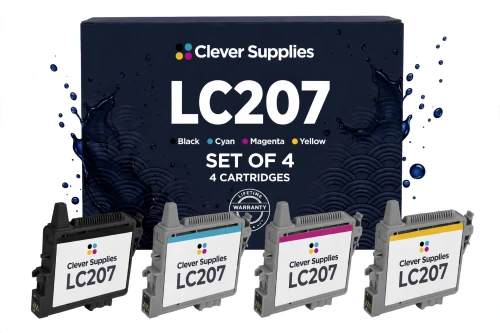
Compatible Brother LC207/LC205 Set of 4 BK C M Y Ink Cartridge
- Page Yield:
- Black up to 1,200; each color up to 1,200 (ISO/IEC 24711)
- Shipping:
- Calculated at Checkout

Amazon Price:

- Page Yield:
- Black up to 1,200; each color up to 1,200 (ISO/IEC 24711)
- Shipping:
- Calculated at Checkout
- Compatible Printers
- Specifications
- SKU:
- CS-BR-207-SET4
- Condition:
- New Compatible
- OEM Part #:
- LC207BK, LC205C, LC205M, LC205Y
- Color:
- Black + Cyan + Magenta + Yellow
- Page Yield:
- Black up to 1,200; each color up to 1,200 (ISO/IEC 24711)
- Chip:
- New compatible chip
- Warranty:
- Lifetime Warranty
- Returns:
- 1-Year Free Returns
- Description
- Reviews
The full super-high reset for its three printers: LC207BK black with LC205C, LC205M and LC205Y colors — black rated up to 1,200 pages and each color up to 1,200 pages under ISO/IEC 24711, stated per cartridge and never summed. Note the shape of the tier: the colors are LC205, the black is LC207 — there is no LC205BK.


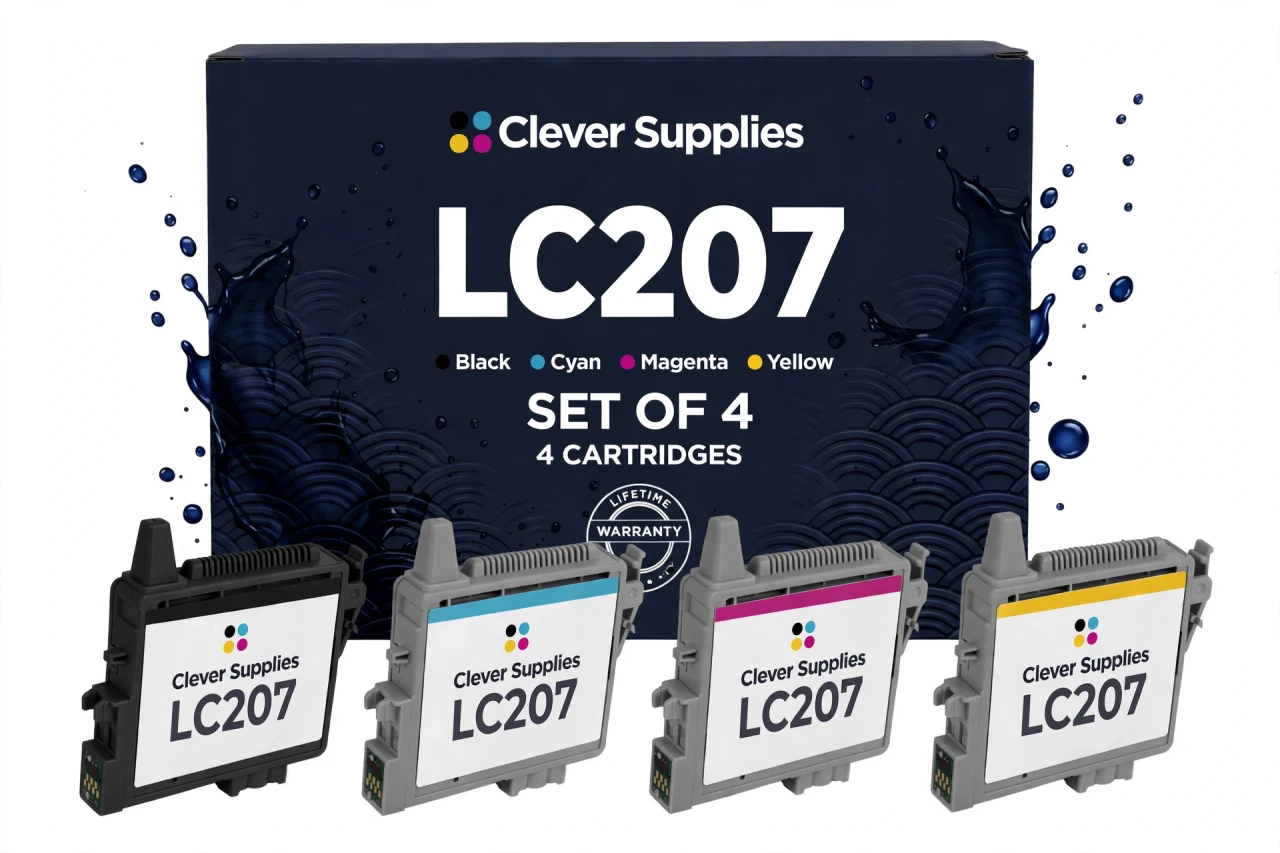
The set fits MFC-J4320DW, MFC-J4420DW and MFC-J4620DW. It does not fit the other Business Smart trio — their black is the LC209BK — and it does not fit the six WorkSmart models, whose ceiling is LC203.
Every cartridge in this family carries a new compatible chip — Brother's own support pages for this platform check for the small green chip on top of the cartridge when a printer reports "Cannot Detect", and the ink level is watched by chip and optical sensor together. Handle the cartridge by its housing, never touch the green chip contact, and seat it firmly until it clicks. If your printer's firmware has been updated, recognition issues can occasionally occur; reseating the cartridge and restarting the printer clears most of them, and we do not promise recognition on every firmware version. Covered by our lifetime warranty, with free returns for the first year.
Shop the Brother LC207/LC205 family: LC201BK Black Ink Cartridge · LC201C Cyan Ink Cartridge · LC201M Magenta Ink Cartridge · LC201Y Yellow Ink Cartridge · Set of 4 BK C M Y Ink Cartridge · LC203BK Black Ink Cartridge · LC203C Cyan Ink Cartridge · LC203M Magenta Ink Cartridge · LC203Y Yellow Ink Cartridge · Set of 4 BK C M Y Ink Cartridge · Set of 9 BK C M Y Ink Cartridge · LC205C Cyan Ink Cartridge · LC205M Magenta Ink Cartridge · LC205Y Yellow Ink Cartridge · LC207BK Black Ink Cartridge · Set of 9 BK C M Y Ink Cartridge · LC209BK Black Ink Cartridge · Set of 4 BK C M Y Ink Cartridge · Set of 9 BK C M Y Ink Cartridge
Browse by series: MFC MULTIFUNCTION SERIES
Frequently Asked Questions
Why is the black numbered LC207 while the colors are LC205?
That split comes from Brother, not from us. Inside this LC207/LC205 Set of 4 you get four individual super-high-yield cartridges — an LC207BK for the black slot and an LC205C, LC205M and LC205Y for the three color slots — which together make up the complete super-high tier for its three printers. An 'LC205 black' does not exist, for the simple reason that Brother never made one; the tier's black is the LC207BK.
How are the page yields of this set stated?
Always cartridge by cartridge. The rating runs to up to 1,200 pages from the black and up to 1,200 pages from each color (ISO/IEC 24711), and the four figures are never added into a set total, because the slots empty at different rates.
Which printers was this set assembled for?
Exactly three: MFC-J4320DW, MFC-J4420DW and MFC-J4620DW. Two neighboring groups should not be confused with them — the other Business Smart trio needs the set built around the LC209 black, and the WorkSmart six take no super-high tier at all. For a side-by-side of every offer on this platform — both Sets of 4 and Sets of 9, the two blacks routed by printer model and the shared LC205 colors, each priced per page on Brother's 1,200- and 2,400-page ratings — see our Best Brother LC205 Ink Cartridges guide.
Why is there no LC209 black in this box?
Because the LC209BK belongs to that other trio and physically does not fit these printers. The super-high black for MFC-J4320DW, MFC-J4420DW and MFC-J4620DW is the LC207BK, so that is what the box carries.
What should I do if the printer will not recognize a cartridge from the set?
Start with the chip contact. Every cartridge here carries a new compatible chip, yet a printer whose firmware has been updated can still occasionally refuse to register one: take the cartridge out, confirm the green chip contact is clean and untouched, seat it firmly again, and restart the printer. Brother's own "Cannot Detect" guidance for this family starts from that same chip check — on this family, ink level is read from the chip and an optical sensor together. We do not claim guaranteed recognition on every firmware version; a cartridge that still will not register is covered by the lifetime warranty.
Are the cartridges in the set chipped?
All four are. Each carries a new compatible chip of its own, so handle them by the housing and keep fingers off the small green chip contacts.
When does the super-high set beat the LC203 set?
Judge it by how the printer is used. On a machine that prints steadily, the win is fewer interruptions: the black here is rated far beyond the LC203BK's 550 pages, and every color doubles its LC203 counterpart. For occasional printing, the LC203 Set of 4 remains the lower-cost reset.
Can I install half the set now and keep the rest?
Yes. Put in whichever slots are low and keep the remainder sealed and upright, opening each cartridge only when its turn comes.
Can I mix set cartridges with LC203 singles later?
Yes — the slots are independent of one another. An LC203 single can refill any one position of a printer running this set, and the traffic runs both ways: a cartridge from this set can refill a printer running LC203 singles.
Is this a genuine Brother set?
No. This is the Clever Supplies compatible set, built to the LC207BK and LC205 specifications and labeled compatible on the box and on this page.
What if one cartridge in the set is faulty?
It is replaced on its own. The lifetime warranty covers each cartridge individually rather than the box as a unit, and free returns apply within the first year.
My printer came with LC203 Starter cartridges. Are these the same?
They are not, on Brother's own account. The LC203 Starter (setup) cartridges supplied with a new printer differ from retail high-yield LC203 cartridges, and Starter units are a known cause of 'Cannot Detect' messages when they get mixed up with retail stock. What is listed here is the retail LC203 specification at the full 550-page rating; setup cartridges are never part of a compatible listing here.
Related Items

Brother
Compatible Brother LC207/LC205 Set of 9 BK C M Y Ink Cartridge
Nine super-high cartridges weighted for document work: 3 × LC207BK black with 2 each of LC205C, LC205M and LC205Y — black rated up to 1,200 pages and each color up to 1,200 pages under ISO/IEC 24711,...


Brother
Compatible Brother LC209/LC205 Set of 4 BK C M Y Ink Cartridge
The full super-high reset for its three printers: LC209BK black with LC205C, LC205M and LC205Y colors — black rated up to 2,400 pages and each color up to 1,200 pages under ISO/IEC 24711, stated per...

Brother
Compatible Brother LC209/LC205 Set of 9 BK C M Y Ink Cartridge
Nine super-high cartridges weighted for document work: 3 × LC209BK black with 2 each of LC205C, LC205M and LC205Y — black rated up to 2,400 pages and each color up to 1,200 pages under ISO/IEC 24711,...

Brother
Compatible Brother LC103 Set of 4 BK C M Y Ink Cartridge
Four cartridges, one reset. This set is the complete LC103 tier in a single box — LC103BK black plus LC103C cyan, LC103M magenta and LC103Y yellow — each rated up to 600 pages under ISO/IEC 24711,...