






 See Compatible Printers
 Read more about our ink!
Brother
Compatible Brother LC103 LC103M Magenta Ink Cartridge
- Page Yield:
- Up to 600 pages (ISO/IEC 24711)
- Shipping:
- Calculated at Checkout

Amazon Price:

- Page Yield:
- Up to 600 pages (ISO/IEC 24711)
- Shipping:
- Calculated at Checkout
- Compatible Printers
- Specifications
- SKU:
- CS-BR-103-M
- Condition:
- New Compatible
- OEM Part #:
- LC103M
- Color:
- Magenta
- Page Yield:
- Up to 600 pages (ISO/IEC 24711)
- Chip:
- New compatible chip
- Warranty:
- Lifetime Warranty
- Returns:
- 1-Year Free Returns
- Description
- Reviews
Magenta does more quiet work than any other color in this family — skin tones, reds and every chart in between — and this compatible LC103M delivers it at high yield: up to 600 pages under ISO/IEC 24711, double the standard LC101M. The LC103M is the tier every printer in this family accepts, from the compact DCP-J152W to the ledger-size MFC-J6920DW.


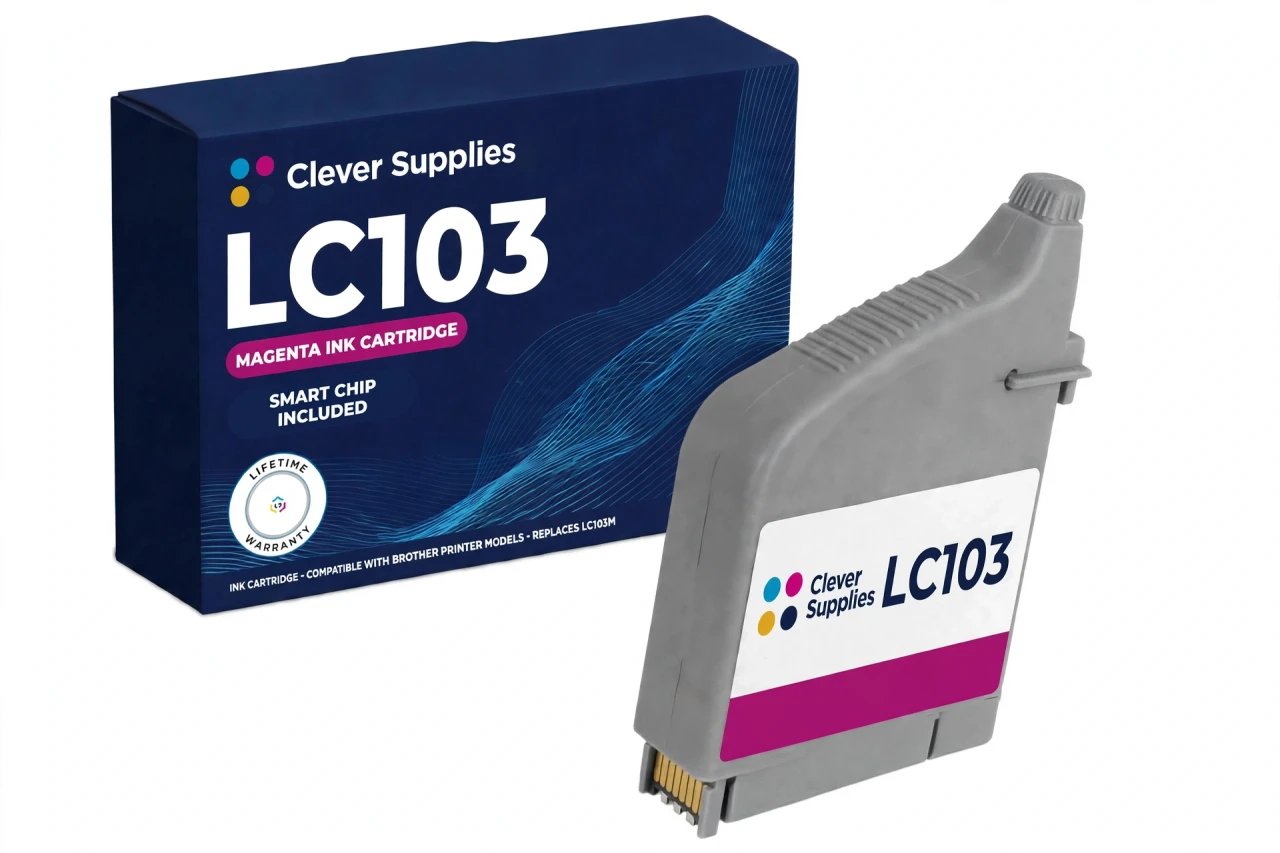
This cartridge serves all 17 printers on the official LC103 list — DCP-J152W, MFC-J245, MFC-J285DW, MFC-J4310DW, MFC-J4410DW, MFC-J450DW, MFC-J4510DW, MFC-J4610DW, MFC-J470DW, MFC-J4710DW, MFC-J475DW, MFC-J650DW, MFC-J6520DW, MFC-J6720DW, MFC-J6920DW, MFC-J870DW and MFC-J875DW. Nine of them also accept the standard LC101 tier; the other eight start at LC103 and add the super-high options. Because the slots are individual, a magenta change never forces the other colors out with it.
Every cartridge in this family carries a new compatible chip. Brother's own help pages for this platform describe the small green chip on top of the genuine cartridge and the "Cannot Detect" message that appears when a chip is not read — so handle the cartridge by its housing, never touch the green chip contact, and seat it firmly until it clicks. If your printer's firmware has been updated, recognition issues can occasionally occur; reseating the cartridge and restarting the printer clears most of them, and we do not promise recognition on every firmware version. Covered by our lifetime warranty, with free returns for the first year.
Shop the Brother LC103 family: LC103BK Black Ink Cartridge · LC103C Cyan Ink Cartridge · LC103Y Yellow Ink Cartridge · Set of 4 BK C M Y Ink Cartridge · Set of 9 BK C M Y Ink Cartridge · LC105C Cyan Ink Cartridge · LC105M Magenta Ink Cartridge · LC105Y Yellow Ink Cartridge · LC107BK Black Ink Cartridge · Set of 4 BK C M Y Ink Cartridge · Set of 9 BK C M Y Ink Cartridge
Browse by series: DCP SERIES · MFC MULTIFUNCTION SERIES
Frequently Asked Questions
Which printers does the LC103M fit?
Every model on the LC103 list, seventeen in all: DCP-J152W, MFC-J245, MFC-J285DW, MFC-J4310DW, MFC-J4410DW, MFC-J450DW, MFC-J4510DW, MFC-J4610DW, MFC-J470DW, MFC-J4710DW, MFC-J475DW, MFC-J650DW, MFC-J6520DW, MFC-J6720DW, MFC-J6920DW, MFC-J870DW and MFC-J875DW. The full list appears again, with links, in the Compatible Printers section below. For the full shelf side by side — all six LC103 offers priced per page, and the tiers above and below this one measured beside them — see our Best Brother LC103 Ink Cartridges guide.
My model is one of the nine smaller printers — which tiers can it use?
The nine smaller machines — DCP-J152W, MFC-J245, MFC-J285DW, MFC-J450DW, MFC-J470DW, MFC-J475DW, MFC-J650DW, MFC-J870DW and MFC-J875DW — accept both LC101 and LC103. The LC103M is the better value of the two: 600 pages against the LC101's 300. Note that we sell no separate LC101 compatible single, because our source range carries none; the LC103 single is the one offered for every model in the family.
And if my printer is one of the eight larger models?
Then LC101 is out — those machines take LC103 and the super-high tiers only. Their color slots also accept LC105 cartridges, and the super-high black splits by model: LC107BK for MFC-J4310DW, MFC-J4410DW, MFC-J4510DW, MFC-J4610DW and MFC-J4710DW, LC109BK for MFC-J6520DW, MFC-J6720DW and MFC-J6920DW, with no interchange between the two blacks. Slots are independent, so accepted tiers can be mixed in the same printer.
How long will one LC103M last?
Brother publishes a yield of up to 600 pages for the LC103M, rated under ISO/IEC 24711 — twice the 300 pages of the standard-yield LC101 equivalent, and the reason LC103 counts as the default refill tier for all 17 printers in the family.
Will my printer recognize this compatible magenta cartridge?
It carries a new compatible chip, and in most cases the printer simply gets on with printing. Brother's own support material is candid that detection on this family turns on the chip: its "Cannot Detect" guidance begins by checking the cartridge's chip contact. Where a firmware update has left a printer fussy, the routine that clears most cases is to remove the cartridge, check the green chip contact is clean and untouched, reseat it firmly and restart. We do not promise recognition on every firmware version — and if a cartridge still will not register, the lifetime warranty covers it.
The magenta is empty but the rest are fine — must I change them all?
No. These cartridges are individuals in separate slots; replace the one the printer calls for and leave the others in place.
What is the right way to handle the LC103M while fitting it?
Hold it by the housing and keep your fingers off the small green chip on top — that chip is how the printer reads the cartridge, per Brother's guidance for this family. Push the cartridge home until it clicks, and if the machine has sat idle, follow up with a nozzle check.
Is this a genuine Brother cartridge?
It is not. The LC103M on this page is a Clever Supplies compatible cartridge built to the LC103M specification, with a new compatible chip; it is labeled compatible on the box and on this page and was not manufactured by Brother.
Why can I not find an LC105BK to complete a super-high set?
Because Brother never made one. In the super-high tier, LC105 is the color code and black is LC107BK on five models or LC109BK on three. Listings that advertise an 'LC105 black' are mislabeled.
Some sellers rate the LC103M well above 600 pages — should I believe them?
Treat those numbers as the sellers' own fill claims, not OEM ratings. The only yield Brother publishes for this cartridge, measured to ISO/IEC 24711, is 600 pages, and that is the figure we stand behind here.
How should an unopened LC103M be stored?
Sealed, upright and out of direct sunlight, opened only when you are ready to install it — with the protective cap left on until the cartridge goes into the printer.
If this cartridge underperforms, what protection do I have?
A lifetime warranty — a cartridge that fails to perform is replaced — and returns within the first year are free.
Related Items

Brother
Compatible Brother LC103 LC103BK Black Ink Cartridge
This is the cartridge this whole family is built around: our compatible LC103BK, the high-yield black rated up to 600 pages under ISO/IEC 24711 — exactly double the standard LC101BK's 300 pages, in...


Brother
Compatible Brother LC103 LC103C Cyan Ink Cartridge
Cyan is where faded sky photos and washed-out charts start, and this compatible LC103C is the high-yield answer: up to 600 pages under ISO/IEC 24711, double the standard LC101C's 300 pages, in the...

Brother
Compatible Brother LC103 LC103Y Yellow Ink Cartridge
Yellow empties first in photo-heavy homes more often than owners expect, and this compatible LC103Y is the high-yield refill: up to 600 pages under ISO/IEC 24711, double the standard LC101Y's 300...

Brother
Compatible Brother LC401XL LC401XLM Magenta Ink Cartridge
This is our compatible LC401XLM magenta cartridge — the XL High Yield tier of Brother's LC401 family, rated up to 500 pages in accordance with ISO/IEC 24711, two and a half times the standard tier's...