




Some cartridge families play favorites — a high tier for the big machines, a standard tier for the small ones. LC103 does not split its audience that way. It is the High-yield tier of Brother’s LC10x platform, and it is the one tier named on the fit list of all seventeen printers the platform covers, from the lone DCP model up to the ledger-size Business Smart machines. Every cartridge in it, black included, carries the same rating: up to 600 pages. Below are the six compatible listings sold here, each with its cost per page worked out, plus an honest account of the two tiers that sit either side of this one.
If your printer is among the seventeen models listed further down, this is your shelf: six Clever Supplies compatibles, each fitted with a new compatible chip, and not a single genuine LC103 cartridge stocked among them. The Set of 4 at $28.44 leads the page — though this guide will not oversell it, because its saving against the four singles is a modest $1.52; what it sells is the one-order reset of all four slots at the shelf’s better small-box rate. The Set of 9 at $53.87 is where the money argument lives: it carries the deep saving and the page’s lowest cost per page, and it is the only listing here that passes the $49 free-shipping threshold on its own. Singles at $7.49 apiece handle the single slot that faded first. The pages below take up the rest: a platform whose standard tier fits barely half the roster, a super-high tier above this one that splits its black across two different codes, and starter cartridges whose one published figure belongs, strictly, to another tier.
Start with the four-slot reset; the nine-box and the singles follow
All six listings fit all seventeen printers, so fit gives no help in ranking them — usage does. Most owners come back to this shelf when the machine is low in several slots at once, so the complete refill opens the page. The deep box comes next, for households and offices that would rather keep spares than reorder. The singles close the ladder, one per color, for the slot that gave out on its own schedule.
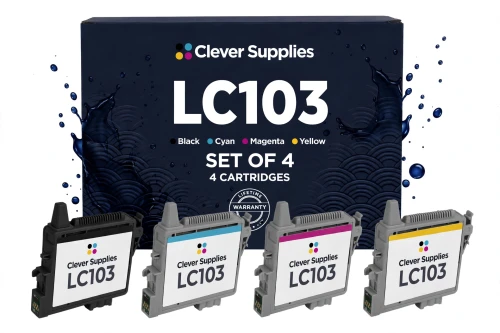
Straight about the saving, because it deserves a plain reading: $1.52 is all this box trims from the $29.96 the four singles total. The singles on this shelf are already inexpensive, and the set was never going to undercut them by much. Its case rests on the reset itself and on the slightly keener page rate — and on the comparison with Brother’s till, where a genuine black lists at $26.49 and each genuine color at $16.79, putting a genuine four-slot fill at $76.86. The box above does that same renewal for $28.44. It does not reach the $49 free-shipping line unaided; the nine-cartridge box further down is the one listing that does.
Shop the LC103 Set of 4 →BELOW THE FLAGSHIP — THE NINE-BOX AND THE FOUR SINGLES
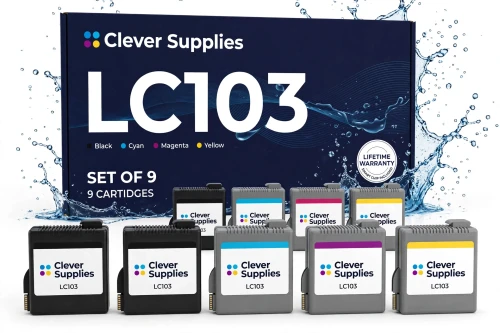
Where this shelf’s real discount sits. Nine cartridges at $5.99 each — the cheapest cartridge price here, and the cheapest page rate too — with black stocked three deep because documents spend it fastest. At $53.87 it also clears the free-shipping threshold without anything else in the order.
Shop the LC103 Set of 9 →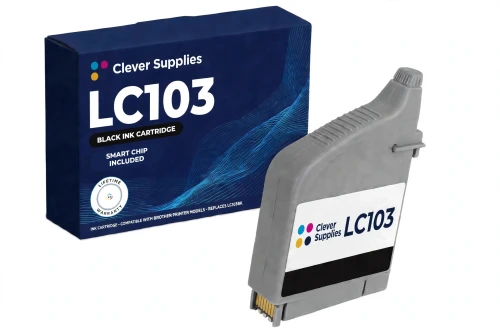
In many families the black outrates the colors; here it is pegged level with them at 600 pages, so a document page costs precisely what a color page costs. Brother asks $26.49 for the genuine LC103BK.
Shop LC103BK Black →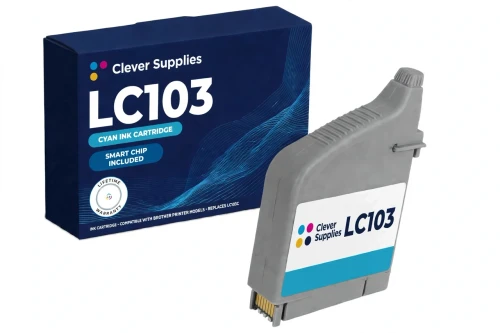
Priced and rated identically to the other three slots — $7.49 for a full 600 pages, double the run the standard tier’s cyan manages in the compact printers. The genuine cartridge at Brother is $16.79.
Shop LC103 Cyan →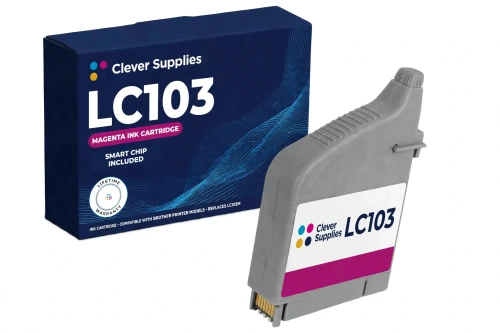
Magenta does the heavy lifting in charts, covers and photo work; a 600-page rating keeps a spare within easy reach of needing one. Brother charges $16.79 for the genuine cartridge.
Shop LC103 Magenta →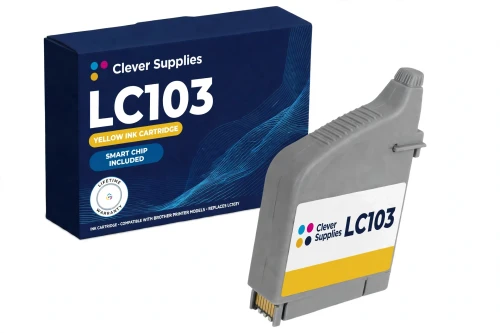
Yellow usually breaks the news through washed-out prints rather than an empty warning, so its 600-page rating doubles as a planning figure for the spare drawer. The genuine yellow at Brother is $16.79.
Shop LC103 Yellow →Why do four singles share a page with two boxes? Because ink leaves a machine one slot at a time. A term of invoices drains the black while the colors barely move; a run of color handouts does the opposite. The single exists for that asymmetry — it replaces the one cartridge that has finished and leaves three part-used cartridges exactly where they sit. Boxes win on price per page; singles win by never charging you twice for ink you already own.
One shelf serves two very different desks here, and that is the tier’s defining trait. The same six listings restock a compact MFC on a kitchen counter and a Business Smart machine in a small office, because LC103 is the tier both classes share. The sections below deal with where the classes part company — the tiers above and below this one are not shared at all.
Six listings, one rating — the table
Every yield quoted on this page descends from one footnote Brother prints identically on all four LC103 cartridge pages: “‡Approximate page yield in accordance with ISO/IEC 24711.” Brother applies that footnote cartridge by cartridge — 600 pages apiece, the black included — and the set listings observe the same rule, in the Set of 4’s own words: each cartridge is “stated per cartridge, never summed into a set total”. The set rows below therefore arrive at their page rates by division alone — $28.44 across the 2,400 rated pages inside the Set of 4, $53.87 across the 5,400 inside the Set of 9 — and the word “blended” rides along wherever those rates appear.
| Offer | Fits | Price | Rating per cartridge | Cost per page | Set against the singles |
|---|---|---|---|---|---|
| LC103 Set of 4 BK C M Y — the flagship | All seventeen printers | $28.44 | Up to 600 pages each | 1.19¢ blended | SAVE $1.52 |
| LC103 Set of 9 BCMY | All seventeen printers | $53.87 | Three black and two of each color, each up to 600 | 1.00¢ blended | SAVE $13.54 · ships free alone |
| LC103BK black single | All seventeen printers | $7.49 | Up to 600 pages | 1.25¢ | The document slot |
| LC103C cyan single | All seventeen printers | $7.49 | Up to 600 pages | 1.25¢ | One slot, one cartridge |
| LC103M magenta single | All seventeen printers | $7.49 | Up to 600 pages | 1.25¢ | One slot at a time |
| LC103Y yellow single | All seventeen printers | $7.49 | Up to 600 pages | 1.25¢ | One slot, one cartridge |
A single flat rating makes for unusually plain reading. With black and colors level at 600 pages and level at $7.49, every single on the shelf prices its page at the same 1.25¢ — there is no color premium to hunt for and no cheap slot to exploit. The only gradient left is the box gradient: $7.49 a cartridge bought alone, $7.11 inside the Set of 4, $5.99 inside the Set of 9, with blended rates of 1.19¢ and 1.00¢ at the two box sizes. The cartridges do not change as the box grows; what changes is how much of their rated life each dollar buys, and how long the drawer stays shut between orders.
The middle step of three — and the only step all seventeen printers share
Brother sells this cartridge shape at three yield levels. The entry level is LC101, the Standard tier, rated at 300 pages a cartridge. LC103, the tier on this page, doubles that to 600 under the High-yield label. Above it sits a Super High step rated at 1,200 pages — and that step is where the platform gets complicated, because it arrives under two codes at once: the colors carry the LC105 name while the black answers to LC107BK. There is no LC105 black cartridge, whatever a search snippet may suggest; in the super-high tier the black is simply a different code from the colors.
The levels also divide the roster unevenly. The nine compact models — the DCP-J152W and the smaller MFCs — accept LC101 and LC103, and nothing higher. The eight larger Business Smart models accept LC103 and the super-high step, and were never offered the standard cartridge at all. That is what makes LC103 the anchor of this platform’s shelf: large or small, every machine on the roster takes it. Where a printer takes two tiers, they mix freely slot by slot — a high-yield black can run beside standard colors in a compact model, or beside super-high colors in a Business Smart one.
Two footnotes complete the map. First, availability: this store stocks no LC101 in any form, so a compact-printer owner who wants the 300-page tier is buying Brother’s genuine cartridges, while the tier above is stocked here in full — its six listings carry singles at $11.99, each rated at 1,200 pages, which prices the LC105 colors and the LC107BK black at 1.00¢ a page against the 1.25¢ charged everywhere on this shelf; that tier’s own Set of 4 is $35.94 and its Set of 9 is $80.87, both working out to a blended 0.75¢ a page on the LC105/LC107 side. Second, a boundary inside the boundary: on the three largest ledger models — MFC-J6520DW, MFC-J6720DW and MFC-J6920DW — the super-high black is neither of the codes just named. Brother gives those three their own black, the LC109BK, rated up to 2,400 pages; this store does not stock it, so on those machines the LC103 black below remains the longest-running black cartridge sold here.
Weighed fairly, the arithmetic hands the eight larger printers a real decision. An owner who prints heavily and whose machine takes the super-high tier gets twice the pages per cartridge there, at a lower cost per page. What LC103 holds onto — on those eight, and unchallenged on the other nine — is reach: one shelf, one code, every printer on the platform, and a single at $7.49 that undercuts the $11.99 asked one tier up for anyone whose 600 pages already cover a season. Nine of the seventeen printers never face the question at all, because for them this tier is the ceiling.
Starter cartridges: one published figure, and it belongs to the tier below
All seventeen printers left the factory with starter ink loaded, and some of that ink never reaches paper — priming the ink system drinks it first. On the nine compact models the in-box note Brother prints is aimed at the standard series, and where the note appears it reads: “Actual yield of starter cartridge will be approx. 80% of replacement 101 cartridge series, due to ink system initialization process.” Keep the scope attached when you read it: the 80% is a share of a replacement LC101 — the 300-page standard cartridge — because those printers ship with starters from that tier. It tells a compact owner roughly what the first set of cartridges will do; it measures nothing sold on this page.
For the eight Business Smart models there is, honestly, no equivalent figure to quote for this tier. No Brother page phrases a starter rating for the LC103 series at all, and the in-box footnote those larger printers carry is written against a different platform’s cartridge series altogether — a number that does not describe LC103 starters and is not borrowed here. So this guide prints no starter percentage for the Business Smart eight rather than dressing another platform’s footnote up as theirs.
What holds for all seventeen is the position once the starters are spent: the first cartridge ordered from this shelf arrives as a full retail unit carrying the complete published rating — up to 600 pages, whichever slot it is headed for.
A green chip does the talking — handle it like it matters
Look at the specification block on any of the six listings and the same entry greets you: “New compatible chip”. The listings explain the hardware in Brother’s own framing — Brother’s help pages for this platform describe the small green chip on top of the genuine cartridge, and these compatibles carry their equivalent of it. The printer reads that chip to know a cartridge is present and to follow its level; a chip it cannot read leaves the cartridge effectively invisible to the machine — which is why no listing here is sold without one, and why the handling advice below is printed on every listing.
That advice is physical before it is technical: grip the cartridge by its housing, never touch the green chip contact, and press it home firmly until it clicks. The listings are just as plain about where the assurance ends. Firmware updates can occasionally leave a chip unread — their words are that “we do not promise recognition on every firmware version” — and the fix they print is a physical one: out the cartridge comes, the chip contact gets checked for dirt and fingerprints, the cartridge goes back in with a firm seat, and the printer restarts. A cartridge that still refuses to register after that goes through the warranty in its listing; the texts name that as the end of the road rather than inventing further workarounds.
The failure itself has a name on this platform, and the listings use it: ‘Cannot Detect’ is the message Brother’s own guidance describes for a chip that is not read, and it appears in every one of the six descriptions here as the thing the handling routine exists to prevent or clear. Brother’s wider position frames the whole subject: the company has held since March 2025 that its firmware updates do not block third-party cartridges. So the offer stands as the listings frame it — a fresh chip in every unit, honest instructions for the day a read fails, the warranty as the backstop — and no blanket promise about firmware.
Seventeen printers: nine compact, eight Business Smart
Brother prints one and the same fit line across all four of its LC103 cartridge pages, and it names seventeen models. Every listing above fits every model on it, in every slot — the two groups below differ only in which neighboring tier each can also take.
The compact nine: DCP-J152W, MFC-J245, MFC-J285DW, MFC-J450DW, MFC-J470DW, MFC-J475DW, MFC-J650DW, MFC-J870DW and MFC-J875DW. For these nine the standard LC101 tier below is also an option; the tier above is closed to them.
The Business Smart eight: MFC-J4310DW, MFC-J4410DW, MFC-J4510DW, MFC-J4610DW, MFC-J4710DW, MFC-J6520DW, MFC-J6720DW and MFC-J6920DW. These eight can also climb to the super-high tier above; the standard tier was never on their list.
Filing in this store follows that list to the letter: all six listings appear in every one of the seventeen model categories and together in the family’s own code category, the Brother LC103 category. Come in through your printer model or through the code on the spent cartridge — you land on the same six listings either way.
The commitments attached to all six listings
Five things worth settling before you order from a seventeen-printer shelf
Questions this platform tends to raise
Because the singles it is measured against are already priced close to the bone: four of them total $29.96 at $7.49 apiece, and the set trims that to $28.44. This guide would rather print the small number plainly than dress it up. What the box genuinely buys is the complete reset in one order and a slightly better rate — a blended 1.19¢ a page against 1.25¢ for singles. If the saving itself is the point of the purchase, the Set of 9 is the honest answer: it is where this shelf keeps its real discount.
On arithmetic the nine-box wins on every axis: $5.99 a cartridge against $7.11, a blended 1.00¢ a page against 1.19¢, across 5,400 rated pages in the box, and it is the only listing here that ships free standing alone at $53.87. The four-box’s argument is about outlay and pace: $28.44 today instead of $53.87, and four cartridges worked through sooner. A machine that prints every week argues for the nine; one that prints in occasional bursts argues for the four.
If your machine prints heavily, the tier above deserves a look — on the eight larger models, the LC105 colors and the LC107BK black are each rated at 1,200 pages, double this tier’s run, and their singles at $11.99 price a page at 1.00¢ against 1.25¢ here; that tier’s sets work out to a blended 0.75¢. Two cautions travel with the recommendation. The super-high black is the LC107BK — there is no LC105 black — and on the MFC-J6520DW, MFC-J6720DW and MFC-J6920DW the super-high black is a third code again, Brother’s LC109BK, which this store does not stock. For lighter use, this page’s $7.49 single remains the cheaper way to keep printing.
Two: the standard LC101, at 300 pages a cartridge, and this page’s LC103 at 600. The super-high step was never built for your group — the eight larger models have it to themselves. One practical wrinkle: this store stocks no LC101 at all, so the standard tier means buying Brother’s genuine cartridges, while the high-yield tier is the shelf above. For a compact model, LC103 is as high as Brother’s ladder goes.
No. Brother’s catalog still treats all four genuine LC103 cartridges as current products, and each of the four could be ordered from Brother when this guide was researched. The discontinuation flags that do exist on this platform attach to other codes entirely — the genuine LC101M in the standard tier and the genuine LC105M in the super-high tier — and say nothing about this one. The listings on this page are Clever Supplies compatibles in any case, a separate and current line.
Follow the sequence the listings print. Lift the cartridge out; check that the green chip contact is clean and has not been touched; seat the cartridge back firmly until it clicks; restart the printer. In the listings’ account, that message is the recognized symptom of a chip going unread, something that can occasionally follow a firmware update, and one of those steps resolves most cases. What the listings stand behind is the fresh chip in every unit; a read that succeeds on every firmware version is something neither they nor this guide will promise. If the message is still on screen after the routine, the cartridge’s warranty is the next step.