




PCD450
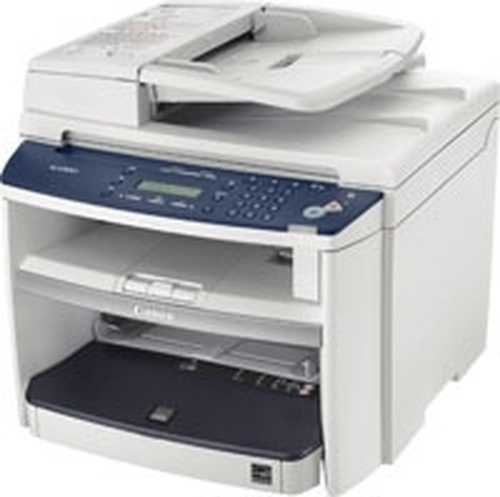
The step the PC-D450 takes over its sibling is measured in paper handling: a 35-sheet automatic document feeder and a 250-sheet tray join the same 22 ppm digital personal copier formula, with automatic duplexing standard and, like the model below it, a USB-only connection. Feeding originals in stacks rather than page by page changes what the machine is for — it becomes the desk that digitizes and duplicates small documents runs. The supply stays the familiar Canon 104 cartridge, delivering up to 2,000 pages, plus its high-yield variant.
An ADF quietly raises toner consumption in a way owners underestimate: copying a 30-page original is one job on the panel but thirty pages through the cartridge. PC-D450 owners who scan and copy multi-page documents regularly will cycle cartridges faster than the single-page copyist next door, and their buying should plan for that — fewer, larger purchases rather than a cartridge at a time.
Toner Cartridges for PCD450
| Cartridge | Color | Page Yield |
|---|---|---|
| Canon 104 Black 2 Pack | Black | 2,000 pages per cartridge |
| Canon 104 Black | Black | 2,000 pages |
| Canon 104 Black 10 Pack | Black | 2,000 pages per cartridge |
| Canon 104 High Yield Black | Black | See product page |
| Canon 104 Black 5 Pack | Black | 2,000 pages per cartridge |
| Canon 104 Premium Quality Black 5 Pack | Black | 2,000 pages per cartridge |
| Canon 104 Black 3 Pack | Black | 2,000 pages per cartridge |
Standard and high-yield cartridges fit the same slot; multi-packs simply change how many standard cartridges arrive in one box.
Which cartridge should you buy?
Work backward from how the feeder gets used. Occasional single-page copying keeps the standard Canon 104 in service for a long time at its 2,000-page rating. Regular ADF work — contracts, statements, multi-page forms — points to the high-yield cartridge, which exists precisely to lengthen the stretch between swaps on busier machines. Offices running several Canon 104 devices can standardize on the multi-packs and hold one shelf of spares for all of them. Either cartridge build is covered here by a 1-year warranty and 1-year returns.
Chip, toner and everyday use
Fit the replacement until it clicks home and allow the PC-D450 to recognize it before starting a run; a feeder job interrupted by a supply error wastes the whole stack's setup. Yield quoted for the standard cartridge rests on roughly 5% coverage per page, so dense originals will shorten the real interval. If the last pages of a long run fade, the cartridge is nearing its end — a gentle rock after removal can redistribute the remaining toner for a short reprieve. Store the next cartridge sealed, level and away from direct light.
Frequently Asked Questions
How does the PC-D450 differ from the PC-D440?
Paper handling. The PC-D450 adds a 35-sheet automatic document feeder and a 250-sheet paper tray to the same 22 ppm engine with standard duplexing; both machines are USB-only and both use Canon 104 toner.
What cartridge does the PC-D450 use?
The Canon 104 black cartridge — 2,000 pages in standard form, with a high-yield version of the same cartridge also listed for heavier use.
Can I share the PC-D450 with other computers?
Not over a network — the connection is USB only. It serves the workstation it is attached to, which is the intended pattern for this personal copier line.
Does the document feeder change how often I replace toner?
It can. Multi-page originals run through the feeder consume toner page by page just like printing, so feeder-heavy copying empties a cartridge sooner than the same number of single-page jobs spread over months.
More printers that use the same cartridges
These models share the Canon 104 cartridge with the PC-D450:
i-Sensys MF4690PL, i-Sensys MF4690, i-Sensys MF4660PL, i-Sensys MF4380DN, i-Sensys MF4380D, i-Sensys MF4380, i-Sensys MF4370DN, i-Sensys MF4370D, i-Sensys MF4370, i-Sensys MF4350D, i-Sensys MF4350, i-Sensys MF4340d, i-Sensys MF4340, i-Sensys MF4330d, i-Sensys MF4330, i-Sensys MF4320D, i-Sensys MF4320, i-Sensys MF4270, i-Sensys MF4150, i-Sensys MF4140, i-Sensys MF4120, i-Sensys MF4110, i-Sensys MF4100, i-Sensys MF4010, i-Sensys FAX-L160, i-Sensys FAX-L120, i-Sensys 4150, i-Sensys 4140, i-Sensys 4120, Satera MF6570, Satera MF4380, Satera MF4370, Satera MF4350, Satera MF4330, Satera MF4150, Satera MF4130, Satera MF4120, Satera MF4010, PCD440, ImageClass MF6570, ImageClass MF4690, ImageClass MF4680, ImageClass MF4380dn, ImageClass MF4380D, ImageClass MF4380, ImageClass MF4370DN, ImageClass MF4370D, ImageClass MF4370, ImageClass MF4350DN, ImageClass MF4350D, ImageClass MF4350, ImageClass MF4340d, ImageClass MF4340, ImageClass MF4330D, ImageClass MF4330, ImageClass MF4320D, ImageClass MF4320, ImageClass MF4270, ImageClass MF4150, ImageClass MF4140, ImageClass MF4122, ImageClass MF4120, ImageClass MF4100, ImageClass D480, ImageClass D420, ImageClass 4370DN, ImageClass 4370, ImageClass 4350D, ImageClass 4350, ImageClass 4270, FaxPhone L90, FaxPhone L120, FaxPhone L110