




LBP-631C
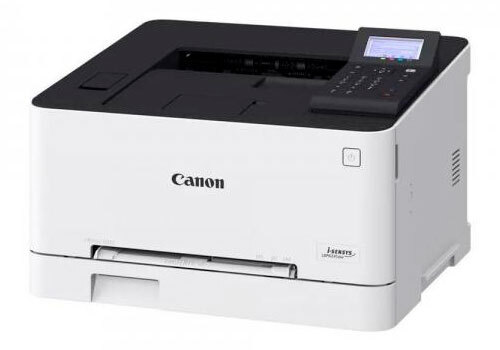
Print-only and proud of it: the Canon LBP 631C (sold in some regions as the i-SENSYS LBP631Cw) is an 18-ppm (A4) color laser for users who never copy or scan. There is no automatic duplexing at this tier — two-sided jobs are manual — but Wi-Fi, Ethernet and USB keep it connected. The Canon 067 set applies: Black (5102C001, up to 1,350 pages), Cyan (5101C001), Magenta (5100C001), Yellow (5099C001, up to 1,250 pages each). Print runs that outgrow the starter yields can move to the high-yield Canon 067H cartridges — black 5106C001 good for 3,130 pages, and cyan 5105C001, magenta 5104C001 and yellow 5103C001 good for 2,350 pages each — with no change in how they load.
Toner Cartridges for Canon Lbp 631C
| Cartridge | Color | Page Yield | OEM # |
|---|---|---|---|
| Canon 067 Black (Compatible) | Black | 1,350 pages | 5102C001 |
| Canon 067 Cyan (Compatible) | Cyan | 1,250 pages | 5101C001 |
| Canon 067 Magenta (Compatible) | Magenta | 1,250 pages | 5100C001 |
| Canon 067 Yellow (Compatible) | Yellow | 1,250 pages | 5099C001 |
Frequently Asked Questions
What toner does the Canon Lbp 631C use?
The Canon Lbp 631C uses the Canon 067 toner cartridge set: Black (OEM #5102C001); Cyan (OEM #5101C001); Magenta (OEM #5100C001); Yellow (OEM #5099C001).
How many pages does a Canon 067 cartridge print?
Standard Canon 067 cartridges yield approximately Black: 1,350 pages; Cyan: 1,250 pages; Magenta: 1,250 pages; Yellow: 1,250 pages at 5% coverage.
Are compatible Canon 067 cartridges safe for the Lbp 631C?
Compatible cartridges are designed to work in the Lbp 631C. Check your printer's warranty terms for specific coverage details.
How do I install a Canon 067 toner cartridge in the Lbp 631C?
Open the front cover of your Canon Lbp 631C, remove the old cartridge, unpack the new Canon 067 cartridge, gently rock it to distribute toner, and slide it into place until it clicks.