







 See Compatible Printers
 Read more about our ink!
Canon
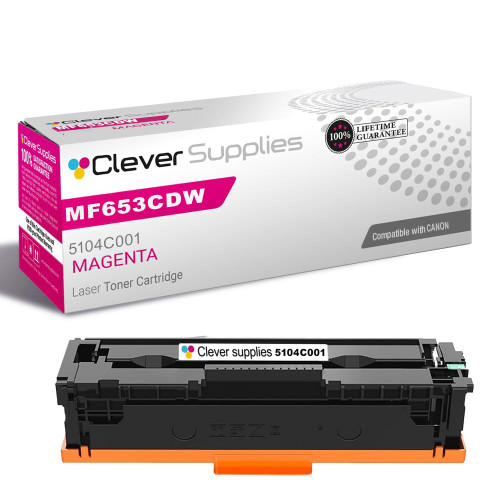
Compatible Canon MF653CDW (5104C001) Toner Cartridge Magenta
- Page Yield:
- Color: 2350
- Availability:
- In Stock
- Shipping:
- Calculated at Checkout

Amazon Price:

- Page Yield:
- Color: 2350
- Availability:
- In Stock
- Shipping:
- Calculated at Checkout
- Compatible Printers
- Specifications
- SKU:
- CS-Canon-067H-MF653CDW-M
- Printer Brand:
- Canon
- OEM Number:
- 5104C001
- Ink Color:
- Magenta
- Page Yield:
- Color: 2350
- Printer Type:
- Laser Cartridge
- Condition:
- New Compatible
- Description
- Reviews

/> 

Maximize your printing productivity with the Canon 067H toner cartridge series, which includes Canon 067H 5103C001 Black, 5104C001 Cyan, 5105C001 Magenta, and 5106C001 Yellow. These high-yield cartridges are built to deliver sharp black text and rich, vivid color with every print. Built for demanding workloads, the Canon 067H toner cartridge provides more pages per cartridge, making it an ideal solution for busy offices or users with frequent print needs. Expect consistent, high-quality results from the first page to the last. Compatible with Canon printers such as LBP-631C, LBP-632CDW, LBP-633CDW, MF651CW, MF653CDW, MF654CDW, MF655CDW, MF655CW, MF656CDW, and MF657CDW, the Canon 067H cartridge series ensures seamless operation and easy installation. Rely on Canons trusted toner technology to keep your prints looking professional. The Canon 067H toner cartridge delivers enhanced durability and performance, providing the reliability and efficiency you need for high-volume printing environments.
Frequently Asked Questions
Why do color copies and prints from our MF653CDW look washed out in the reds?
Because red is not a cartridge — it is a recipe, magenta plus yellow laid down together, and a weakening magenta starves the recipe. Reds lose their depth first, then oranges take over where red should be, and purples go cold and blue. This listing is the Canon 067H magenta for the MF653CDW, code 5104C001. Print a test page and read the four blocks: the pale one names the cartridge, and on a machine showing these symptoms it is very likely this one.
What does the 067H magenta save us against the standard 067?
Two savings stacked. At the till: $51.90 for this cartridge against $64.27 for the standard-yield 067 magenta — $12.37 back in your pocket before a page is printed. In use: 2,350 rated pages against 1,250, which brings the cost down to roughly 2.21 cents a page from about 5.14 cents. For a shared office machine like the MF653CDW, where color volume creeps up month by month, the second saving is the one that matters most over a year.
Do all four colors need replacing when one runs down on this machine?
No, and doing so would waste good toner. The Canon 067H family is four separate cartridges — black 5106C001, cyan 5105C001, magenta 5104C001, yellow 5103C001 — and a busy multifunction machine spends them unevenly by nature: a week of color handouts might drain magenta while black and yellow barely register it. Swap the faded color, keep the rest working, and each cartridge gives you every page it holds.
Is 2,350 pages a fair expectation for a shared office printer?
It is a fair rating under its test conditions — 5% coverage per page. A shared MF653CDW prints a mix: text pages that sip magenta and presentation pages that gulp it. Your true total will sit somewhere beneath the rating, pulled down by the heavy pages. The comparison underneath stays solid, though: the standard 067 magenta holds 1,250 rated pages, so this cartridge roughly doubles the interval between magenta changes on the same workload.
How do we double-check the cartridge code before reordering?
Open the printer, slide the magenta cartridge out, and read its label for Canon 067H and code 5104C001. The four 067H colors share a housing, so the label is the only reliable identifier — and it protects you from the easy mistake of ordering cyan or yellow in magenta's place. If the old cartridge reads standard 067 instead, this 067H is the high-yield counterpart for the same machine.
What backup do we have if it underperforms?
A 1-year warranty and 1-year free returns, with the terms on our shipping & returns page. We ship from Illinois, Pennsylvania, Georgia, or California — whichever is nearest — and support is staffed Monday to Friday, 9 AM to 5 PM CST to help with anything from code-checking to color complaints.
We keep a spare magenta on the shelf. How should it be stored until its turn comes?
Keep the spare 5104C001 sealed in its box, stored flat in a cool, dry place away from direct sunlight and heat. Toner is a dry powder, so a sealed cartridge simply waits — it does not dry out or lose its rating on the shelf. When the installed magenta starts washing out your reds, the spare goes straight in and prints its full 2,350 rated pages, whether that swap happens next month or much later.
The new magenta is in. How do we judge whether it has fixed the color?
Reprint a page you know well — a document whose reds and skin tones you can judge from memory — and set it beside the same page printed before the swap. Reds should read red again rather than orange, and purples should lose their cold blue cast. The printer's test page gives the second opinion: the magenta block for the 5104C001 should print solid and even, edge to edge, with no pale streaks.
Do color copies drain this cartridge the way prints do?
Yes — the MF653CDW cannot tell how a page arrived. A color copy lays down the same magenta plus yellow recipe as a printed page, so a week of copying color handouts spends the 5104C001 just as surely as printing them would. Offices that copy in color often find magenta cycling faster than their print volume alone would predict; the rating counts every page the machine produces, copies included.
What should we do with the empty magenta cartridge?
Keep it beside the printer for a few days first. Its label — Canon 067H, magenta, 5104C001 — is your reorder reference, and the empty is your comparison unit if the new cartridge's first pages raise a question. Once the replacement has proved itself, dispose of the empty through your local recycling route for toner cartridges rather than general waste, and let the new cartridge run out its own life.
About This Canon MF653CDW 067H Magenta Cartridge
For the Canon imageCLASS MF653CDW, this compatible Canon 067H magenta cartridge (5104C001) is rated at 2,350 pages and priced at $51.90, around 2.21 cents a page. The standard 067 magenta costs $64.27 for 1,250 pages, so the 067H is cheaper to buy and cheaper per page by a wide margin — about 5.14 cents against 2.21. Magenta carries the reds and warms everything it touches on this machine; when it fades, the evidence is in washed-out reds, orange impostors, and blue-shifted purples. Replacing this cartridge alone — leaving the cyan 5105C001, yellow 5103C001, and black 5106C001 to run their course — restores the color balance. It is covered by our 1-year warranty and 1-year free returns; more of the range is on our Canon toner page.
It fits the MF655CW, MF656CDW, LBP-631C, LBP-632CDW and LBP-633CDW. The same cartridge also drops into the MF651CW, MF653CDW, MF654CDW and MF655CDW. Its shelf-mates are the Canon 067H cyan cartridge, the Canon 067H yellow cartridge and the Canon 067H black cartridge; the four-color Canon 067H set bundles all four colors in a single box, and the standard-yield Canon 067 magenta cartridge gives you this same color in the other yield class.
Related Items

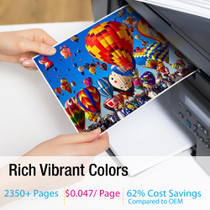
Canon
Compatible Canon 067H (5104C001) Toner Cartridge Magenta
/>


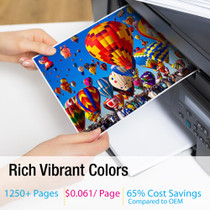
Canon
Compatible Canon MF653CDW (5100C001) Toner Cartridge Magenta
/>

Canon
Compatible Canon MF654CDW (5104C001) Toner Cartridge Magenta
/>
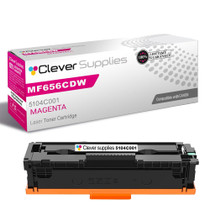

Canon
Compatible Canon MF656CDW (5104C001) Toner Cartridge Magenta
/>