







 See Compatible Printers
 Read more about our ink!
Canon
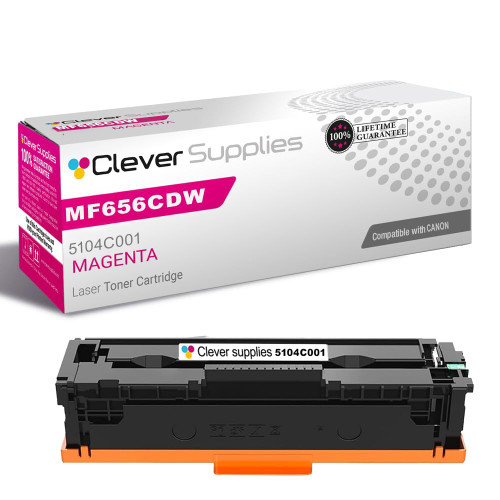
Compatible Canon MF656CDW (5104C001) Toner Cartridge Magenta
- Page Yield:
- Color: 2350
- Availability:
- In Stock
- Shipping:
- Calculated at Checkout

Amazon Price:

- Page Yield:
- Color: 2350
- Availability:
- In Stock
- Shipping:
- Calculated at Checkout
- Compatible Printers
- Specifications
- SKU:
- CS-Canon-067H-MF656CDW-M
- Printer Brand:
- Canon
- OEM Number:
- 5104C001
- Ink Color:
- Magenta
- Page Yield:
- Color: 2350
- Printer Type:
- Laser Cartridge
- Condition:
- New Compatible
- Description
- Reviews

/> 

Maximize your printing productivity with the Canon 067H toner cartridge series, which includes Canon 067H 5103C001 Black, 5104C001 Cyan, 5105C001 Magenta, and 5106C001 Yellow. These high-yield cartridges are built to deliver sharp black text and rich, vivid color with every print. Built for demanding workloads, the Canon 067H toner cartridge provides more pages per cartridge, making it an ideal solution for busy offices or users with frequent print needs. Expect consistent, high-quality results from the first page to the last. Compatible with Canon printers such as LBP-631C, LBP-632CDW, LBP-633CDW, MF651CW, MF653CDW, MF654CDW, MF655CDW, MF655CW, MF656CDW, and MF657CDW, the Canon 067H cartridge series ensures seamless operation and easy installation. Rely on Canons trusted toner technology to keep your prints looking professional. The Canon 067H toner cartridge delivers enhanced durability and performance, providing the reliability and efficiency you need for high-volume printing environments.
Frequently Asked Questions
Magenta always seems to run out first on our MF656CDW. Is that normal?
Entirely normal, and common enough that it has a pattern behind it: most office color work is magenta-hungry. Red logos and headers, warm grays, skin tones in any photo, the accent bars in charts — magenta contributes to all of them. This listing is the Canon 067H magenta for the MF656CDW, code 5104C001, rated at 2,350 pages. Its siblings — black 5106C001, cyan 5105C001, yellow 5103C001 — will typically still have life left when this one calls for replacement, and that is fine; each runs its own race.
What are the warning signs before magenta gives out completely?
Color logic gives them away. Reds lose their depth and lean orange, because yellow is surviving in the mix while magenta thins. Purples drift blue. Skin tones turn oddly flushed, then pale. Solid magenta areas on a test page print streaky or faded at the edges. Any of those on your MF656CDW points at this cartridge — and unlike a sudden empty, the fade gives you a few days of warning to have the replacement on hand.
How does the 067H magenta compare with the standard 067 on price?
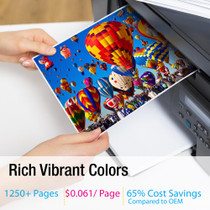
It beats it twice over. The standard-yield 067 magenta is $64.27 with a 1,250-page rating — about 5.14 cents a page. This Canon 067H magenta is $51.90 with a 2,350-page rating — about 2.21 cents a page. The high-yield cartridge costs $12.37 less and holds 1,100 more rated pages. If your machine takes the 067H line, and the MF656CDW does, there is no remaining argument for buying the standard cartridge.
What does the 2,350-page rating assume?
Five percent page coverage, the standard test basis for cartridge ratings. Real output varies with content: magenta-heavy documents and photo pages consume it faster than the rating implies, while text-with-a-logo printing runs close to it. Treat the number as the industry yardstick it is — its reliable message is the comparison with the standard cartridge's 1,250 pages, which it nearly doubles under identical conditions.
Should I keep a spare magenta on the shelf?
For this color, yes — it is the one most likely to fade mid-job on a busy machine, and its symptoms corrupt output rather than merely weakening it, so pages printed on a dying magenta are pages reprinted. An unopened cartridge stored sealed, flat, and away from heat and sunlight waits without deteriorating in any way that matters. The shelf cost of one 5104C001 is small insurance for a shared printer.
What cover do I get with it?
A 1-year warranty and 1-year free returns, set out on our shipping & returns page. Orders ship from Illinois, Pennsylvania, Georgia, or California, from the warehouse nearest you, and support is on hand Monday to Friday, 9 AM to 5 PM CST if you want the diagnosis checked before you order.
When I change the magenta, should I swap the other cartridges while I am in there?
No. Each slot on the MF656CDW is keyed to its own color, and the only cartridge that needs to move is the magenta — code 5104C001. Pulling healthy cartridges disturbs supplies that are working perfectly well and retires toner you have already paid for. The one-at-a-time rhythm is not a compromise on this machine; it is how the four independent supplies are designed to be managed. Change the color that called, close the machine, print.
What page should I print first after fitting the new magenta?
One whose reds you already know. A logo sheet, a chart with red accents, or a photograph with skin tones — something with a correct earlier print you can lay beside the new one. Magenta's work is all in mixtures, so its verdict never comes from a magenta-only page; it comes from reds sitting back at their proper depth and faces losing the flushed cast. If the known page matches its earlier self, the 5104C001 is proven.
How do I stop the next magenta change from being a surprise?
Start a small habit: when you fit this cartridge, note the date and the machine's page counter on its box. Magenta consumption follows your color volume closely, so after one measured cycle you know roughly how many weeks a 5104C001 lasts in your office. A glance at the test page every month or so — checking the magenta block against the last one — then gives you days of warning instead of a mid-job fade.
Does two-sided color printing wear this cartridge faster per sheet?
Per sheet, yes; per page, no. The 2,350-page rating counts printed sides, and a duplex color sheet asks the magenta for two sides' worth of toner. So a long two-sided color run consumes the 5104C001's rating at twice the sheet rate a single-sided run would. Nothing is wrong when that happens — it is the arithmetic of sides — but it is worth remembering when you estimate how far a cartridge will stretch.
About This Canon MF656CDW 067H Magenta Cartridge
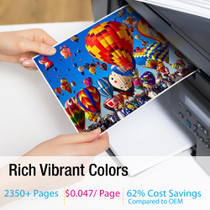
Rated at 2,350 pages and priced at $51.90, this compatible Canon 067H magenta cartridge (5104C001) feeds the imageCLASS MF656CDW at roughly 2.21 cents a page. Against the standard 067 magenta — $64.27, 1,250 pages, about 5.14 cents a page — it is both the cheaper cartridge and the longer-lasting one, an easy recommendation to make plainly. Magenta is typically the hardest-working color in an office printer, feeding reds, purples, and skin tones alike, so on a shared MF656CDW it is often the first to fade; its symptoms are orange-leaning reds and blue-drifting purples. This cartridge replaces the magenta only, leaving the black 5106C001, cyan 5105C001, and yellow 5103C001 to finish their own supplies. Our 1-year warranty and 1-year free returns stand behind it. See the full range on our Canon toner page.
It fits the LBP-632CDW, LBP-633CDW, MF651CW, MF653CDW and MF654CDW. The same cartridge also drops into the MF655CDW, MF655CW, MF656CDW and LBP-631C. Color companions: the Canon 067H cyan cartridge, the Canon 067H yellow cartridge and the Canon 067H black cartridge. A one-box refresh is the four-color Canon 067H set, and the other yield class for this color is the standard-yield Canon 067 magenta cartridge.
Related Items
Canon
Compatible Canon MF653CDW (5104C001) Toner Cartridge Magenta
/>


Canon
Compatible Canon MF654CDW (5104C001) Toner Cartridge Magenta
/>

Canon
Compatible Canon 067H (5104C001) Toner Cartridge Magenta
/>

Canon
Compatible Canon MF656CDW (5100C001) Toner Cartridge Magenta
/>