




LBP-6030
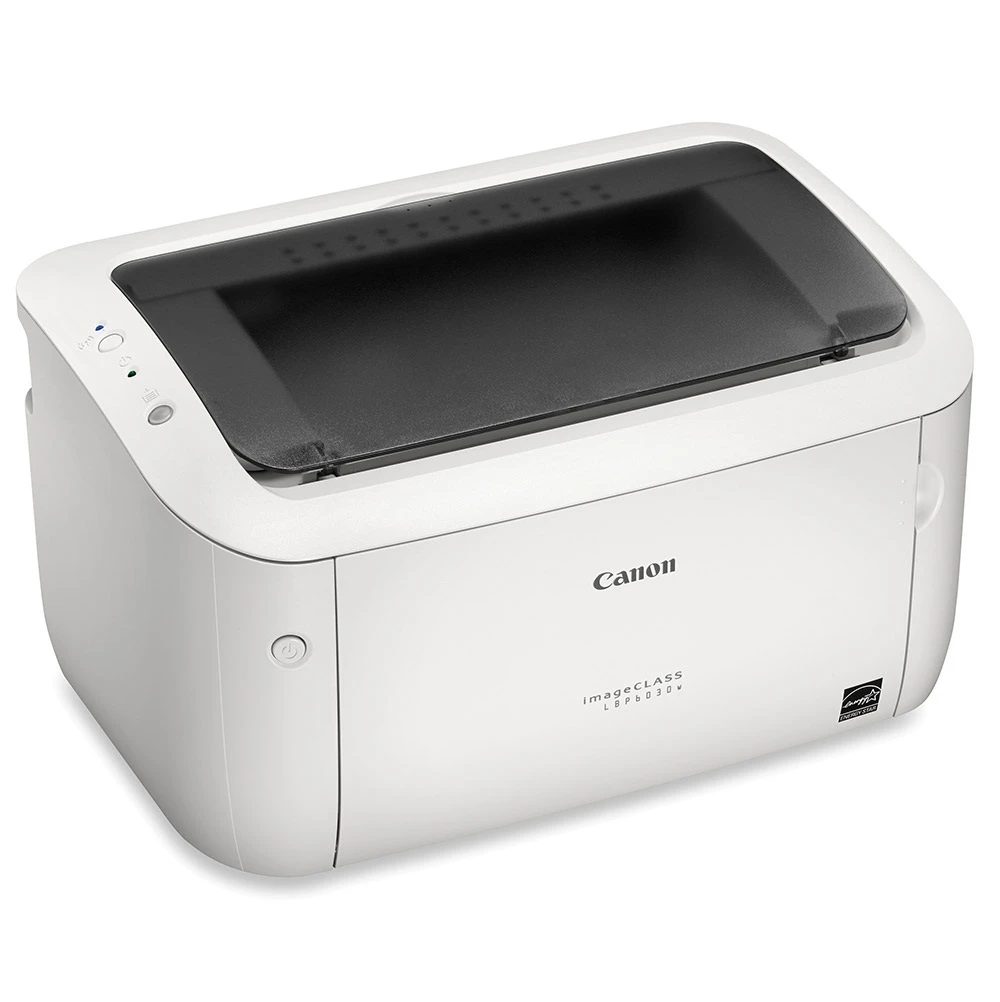
Listed here as the LBP-6030, this is Canon's refreshed entry laser: 19 pages per minute, a quiet mode for shared spaces, USB-only connection like its LBP6000 predecessor, and no automatic duplexing. It prints with the Canon CRG-125 cartridge at up to 1,600 pages, and the same bay also accepts the extended-fill CRG-125 Jumbo build and the CRG-125 MICR cartridge made for check printing.
This is a personal and small-team printer — one desk, one small workgroup, a home office corner — valued for being compact and quiet rather than fast or networked. The quiet mode matters in shared rooms, and USB-only keeps setup trivial. Toner buying follows that scale: modest volumes, one cartridge at a time for most owners, with the jumbo build there for the minority who print enough to feel the 1,600-page cycle.
Toner Cartridges for LBP-6030
| Cartridge | Color | Page Yield |
|---|---|---|
| CRG-125 Black | Black | 1,600 pages |
| CRG-125 Jumbo Black | Black | See product page |
| CRG-125 MICR Black | Black | See product page |
| CRG-125 Black 2 Pack | Black | 1,600 pages per cartridge |
| CRG-125 Black 3 Pack | Black | 1,600 pages per cartridge |
| CRG-125 Black 5 Pack | Black | 1,600 pages per cartridge |
| CRG-125 Premium Black 5 Pack | Black | 1,600 pages per cartridge |
| CRG-125 Jumbo Black 3 Pack | Black | See product page |
Which cartridge should you buy?
Most LBP-6030 owners should simply buy the standard CRG-125, singly or in a 2 or 3 pack if a spare on the shelf is reassuring. Step up to the Jumbo build if you find yourself changing cartridges more often than you would like — it is the extended-fill version of the same cartridge, and its yield is listed on its product page. The MICR cartridge is a specialist choice, filled with magnetic toner for printing checks, and is not a general-purpose upgrade. The 5 packs suit small offices running several CRG-125 machines — this printer shares its cartridge with the ImageClass LBP6000 and the ImageClass MF3010, so one stock can cover a mixed bench of them.
Chip, toner and everyday use
The machine recognizes a fresh cartridge automatically; just open the top cover, lift the old unit out by its handle, rock the replacement gently a few times to level the toner, and lower it in. Print a test page and check for even coverage. The 1,600-page rating assumes 5% coverage — letters and forms land near it, while dense graphics shorten a cartridge's life. Keep the spare sealed in its bag in a drawer, flat and away from sunlight, and if output fades near the end of a cartridge, the same gentle rocking trick usually recovers a few dozen extra pages.
Frequently Asked Questions
What toner does the LBP-6030 take?
The Canon CRG-125 black cartridge, rated at up to 1,600 pages. The Jumbo extended-fill build and a MICR check-printing version fit the same bay.
Is the Jumbo cartridge a different fit from the standard CRG-125?
No — it is the same cartridge shape with an extended fill, made for this printer and its CRG-125 family. Check its product page for its rated yield.
Does the LBP-6030 print double-sided automatically?
No, automatic duplexing is not included on this model, and it connects by USB only. Neither fact changes the cartridge — it is the CRG-125 either way.
Can I use the cartridge from my older LBP6000?
Yes. The LBP6000 line and the LBP-6030 both run the CRG-125, so existing spares carry over to this machine.
More printers that use the same cartridges
These Canon models share the CRG-125 cartridge with the LBP-6030: ImageClass LBP6030W, ImageClass MF3010, LBP-6000, LBP-6000B, LBP-6030W, i-Sensys LBP6000, i-Sensys LBP6000B, i-Sensys MF3010, ImageClass LBP6000, ImageClass LBP6000B, ImageClass LBP6030.