




LBP-6000
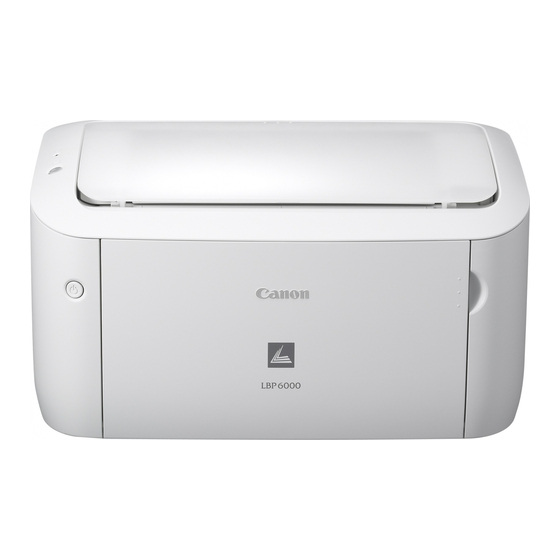
There is nothing extra on the LBP-6000, and that is the point: a compact, USB-only desktop laser — monochrome, rated at 19 pages per minute on letter and 18 on A4 — with no network port and no duplexer. It runs on a single cartridge, the CRG-125, rated at up to 1,600 pages. Heavier desks can fit the CRG-125 Jumbo build of the same cartridge, and there is a CRG-125 MICR version for work that needs magnetic-ink characters.
The engine under this listing is the same one sold as the ImageClass LBP6000 — two store paths, one small mono printer aimed at a single user at a single desk. That focus shapes everything about owning it: one cartridge to stock, one slot to change, and a footprint that fits where shared workgroup machines cannot. It is the kind of printer bought for a home office or a back counter and then left to do one job quietly for years.
Toner Cartridges for LBP-6000
| Cartridge | Color | Page Yield |
|---|---|---|
| CRG-125 | Black | Up to 1,600 pages |
| CRG-125 Jumbo | Black | See product page |
| CRG-125 MICR | Black (MICR) | See product page |
| CRG-125 2 Pack | Black | 1,600 pages per cartridge |
| CRG-125 3 Pack | Black | 1,600 pages per cartridge |
| CRG-125 5 Pack | Black | 1,600 pages per cartridge |
| CRG-125 Jumbo 3 Pack | Black | See product page |
| CRG-125 Premium Quality 5 Pack | Black | 1,600 pages per cartridge |
Which cartridge should you buy?
The standard CRG-125 and its 1,600-page rating suit light, occasional printing — a few dozen pages a week will take months to finish one cartridge. If the printer works daily, the jumbo-fill build of the same cartridge is the step up; its page rating is listed on its product page, and it swaps in exactly like the standard one. Choose the MICR version only when your output has to be read magnetically, as with check-style printing. The multi-packs — two, three or five cartridges — simply put spares on the shelf for desks that cannot wait on a delivery, and the Premium Quality 5 Pack is the premium build of that idea, with a jumbo 3-pack available for heavier users who want the bigger fill in reserve.
Chip, toner and everyday use
With a single cartridge there is a single chip for the printer to read, and level reporting is correspondingly simple. When print turns faint before the printer declares the cartridge empty, take the cartridge out and rock it gently from side to side — the redistributed toner usually buys a little more life. A new cartridge goes in after its seal is pulled, slid straight into the slot until it settles. The 1,600-page rating assumes 5% coverage, so dense pages — forms, statements, graphics — will finish a cartridge sooner than letters do. Keep the spare sealed and flat; a compact printer deserves a compact supply shelf.
Frequently Asked Questions
Does the LBP-6000 have Wi-Fi or Ethernet?
No. This listing is USB-only — it connects to one computer directly, which is why it suits a single desk rather than a shared office.
What cartridge does the LBP-6000 use, and how long does it last?
The CRG-125 black cartridge, rated at up to 1,600 pages at 5% coverage. A jumbo-fill version of the same cartridge is also stocked for heavier use, alongside a MICR build for magnetic-ink work.
Can it print on both sides automatically?
No — there is no duplexer in this listing, so two-sided output means turning the stack over by hand and printing the second side yourself.
What is the MICR cartridge for?
The CRG-125 MICR build uses magnetic toner for documents whose characters must be machine-read magnetically, such as check printing. If your work never needs that, the standard or jumbo cartridge is the right buy.
More printers that use the same cartridges
The little engine was sold under several badges, and the whole family draws from the same CRG-125 shelf: ImageClass LBP6000, ImageClass LBP6000B, ImageClass LBP6030, ImageClass LBP6030W, ImageClass MF3010, LBP-6000B, LBP-6030, LBP-6030W, i-Sensys LBP6000, i-Sensys LBP6000B, i-Sensys MF3010.