




ImageClass LBP6000
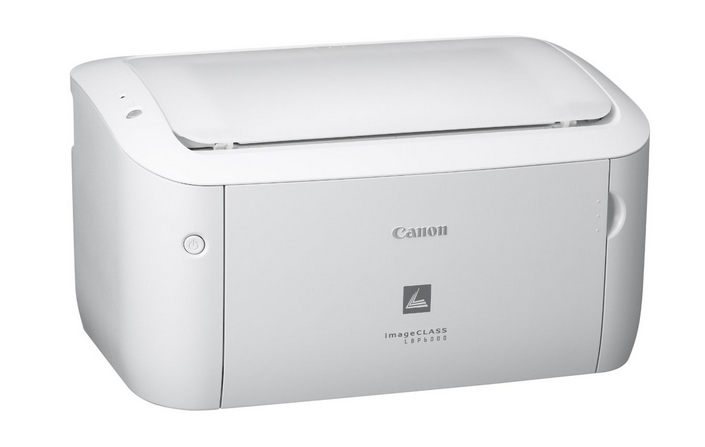
Nineteen pages per minute over a plain USB cable: the Canon imageCLASS LBP6000 is a back-to-basics desktop laser with no network port and no duplexer — just compact, reliable monochrome output. It prints with the Canon 125 toner cartridge, which Canon's catalog designates the CRG-125, rated up to 1,600 pages; a jumbo sibling of the same cartridge raises the yield to about 3,000 pages for busier desks.
The LBP6000 makes sense where one person prints steadily and infrastructure is overkill: a home office desk, a reception counter, a back-room terminal. There is nothing to administer — no IP address, no wireless setup, no shared queue — so the machine's whole personality is its footprint and its dependability. That simplicity cuts both ways: it serves exactly one connected computer, and every page is hand-fed through a single-user workflow, which is precisely what its owners bought it for.
Toner Cartridges for ImageClass LBP6000
Which cartridge should you buy?
A desktop laser with a 1,600-page standard cartridge asks a simple question: how often do you want to think about toner? For a few hundred pages a month, the standard cartridge lasts a season and the two-pack keeps a sealed spare behind it. If the LBP6000 prints daily — invoices, labels, homework, contracts — the jumbo build at roughly 3,000 pages nearly doubles the interval and lowers the cost of each page, since the yield almost doubles in the same size cartridge. Check printers should look at the MICR version of the cartridge, which is formulated for the magnetic ink character recognition line on printed checks.
Chip, toner and everyday use
Small printers telegraph a dying cartridge clearly: text goes patchy down the middle of the page first. Before ordering, pop the cartridge out and rock it gently end to end — the toner settles toward one side during its life, and leveling it often buys back a surprising number of clean pages. The 1,600-page rating assumes 5% coverage, so a desk printing full-page forms will see less. When the new cartridge goes in, remove its sealing tape completely and seat it until the machine recognizes it; a half-seated cartridge is the usual cause of a "no cartridge" complaint on this model. Store spares in the box, in a drawer, not on top of the printer where heat rises.
Frequently Asked Questions
What toner does the imageCLASS LBP6000 use?
The Canon 125 cartridge — also designated CRG-125 — rated up to 1,600 pages. A jumbo version of the same cartridge raises that to about 3,000 pages.
Can the LBP6000 print checks?
Yes, with the right cartridge: the MICR build of the CRG-125 uses magnetic toner formulated for check printing, in the same cartridge shell the printer already takes.
Why does my LBP6000 say the cartridge is not recognized?
Almost always a seating or tape issue. Open the cover, lift the cartridge out, confirm the sealing tape was fully removed, and slide it back in firmly until it settles; the chip only reads when the cartridge is home.
Is there a high-yield option for the LBP6000?
There is: the jumbo CRG-125 is rated near 3,000 pages against the standard cartridge's 1,600, so heavy desks change toner about half as often.
More printers that use the same cartridges
This little cartridge also powers Canon's other compact machines of the same generation, including its multifunction cousins: LBP-6030, ImageClass LBP6030W, i-Sensys LBP6000, ImageClass MF3010, LBP-6000B, ImageClass LBP6000B, LBP-6030W, i-Sensys MF3010, ImageClass LBP6030, LBP-6000, i-Sensys LBP6000B.