




MF653CDW
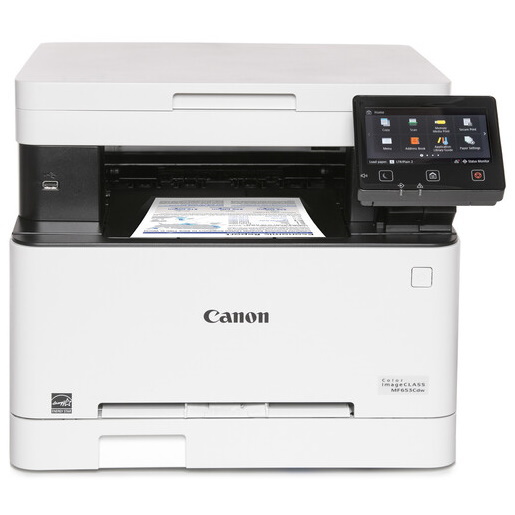
Color output for the small office without the bulk: the Canon imageCLASS MF653CDW prints, copies and scans at 22 pages per minute in both color and black-and-white. Canon kept the footprint tight with a flatbed-only scanner — there is no automatic document feeder here — but automatic duplexing and Wi-Fi/Ethernet connectivity come standard. It runs the Canon 067 cartridge set: Black (5102C001, up to 1,350 pages) plus Cyan (5101C001), Magenta (5100C001) and Yellow (5099C001, each up to 1,250 pages).
Toner Cartridges for Canon Mf653Cdw
| Cartridge | Color | Page Yield | OEM # |
|---|---|---|---|
| Canon 067 Black (Compatible) | Black | 1,350 pages | 5102C001 |
| Canon 067 Cyan (Compatible) | Cyan | 1,250 pages | 5101C001 |
| Canon 067 Magenta (Compatible) | Magenta | 1,250 pages | 5100C001 |
| Canon 067 Yellow (Compatible) | Yellow | 1,250 pages | 5099C001 |
Frequently Asked Questions
What toner does the Canon Mf653Cdw use?
The Canon Mf653Cdw uses the Canon 067 toner cartridge set: Black (OEM #5102C001); Cyan (OEM #5101C001); Magenta (OEM #5100C001); Yellow (OEM #5099C001).
How many pages does a Canon 067 cartridge print?
Standard Canon 067 cartridges yield approximately Black: 1,350 pages; Cyan: 1,250 pages; Magenta: 1,250 pages; Yellow: 1,250 pages at 5% coverage.
Are compatible Canon 067 cartridges safe for the Mf653Cdw?
Compatible cartridges are designed to work in the Mf653Cdw. Check your printer's warranty terms for specific coverage details.
How do I install a Canon 067 toner cartridge in the Mf653Cdw?
Open the front cover of your Canon Mf653Cdw, remove the old cartridge, unpack the new Canon 067 cartridge, gently rock it to distribute toner, and slide it into place until it clicks.