






 See Compatible Printers
 Read more about our ink!
Canon
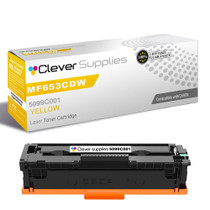
Compatible Canon MF651CW (5099C001) Toner Cartridge Yellow
- Page Yield:
- Color: 1250
- Availability:
- In Stock
- Shipping:
- Free Shipping

Amazon Price:

- Page Yield:
- Color: 1250
- Availability:
- In Stock
- Shipping:
- Free Shipping
- Compatible Printers
- Specifications
- SKU:
- CS-Canon-067-MF651CW-Y
- Printer Brand:
- Canon
- OEM Number:
- 5099C001
- Ink Color:
- Yellow
- Page Yield:
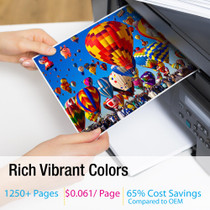
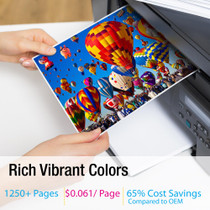
- Color: 1250
- Printer Type:
- Laser Cartridge
- Condition:
- New Compatible
- Description
- Reviews

/> 

Achieve vibrant, professional-quality prints with the Canon 067 toner cartridge series, which includes Canon 067 5102C001 Black, 5101C001 Cyan, 5100C001 Magenta, and 5099C001 Yellow. Each cartridge is engineered to produce sharp text and brilliant colors, making it ideal for everyday business and home printing tasks. Designed for consistency and long-lasting results, the Canon 067 toner cartridge delivers smooth, high-resolution output from the first page to the last. Whether you're printing colorful marketing materials or standard office documents, these cartridges ensure your prints always look their best. Compatible with a wide range of Canon printers, including LBP-631C, LBP-632CDW, LBP-633CDW, MF651CW, MF653CDW, MF654CDW, MF655CDW, MF655CW, MF656CDW, and MF657CDW, the Canon 067 cartridge series offers flawless integration and optimal performance. Benefit from Canons trusted print technology with the Canon 067 toner cartridge, designed to reduce waste and maximize efficiency. These cartridges are a dependable choice for users seeking reliable output and ease of use across a variety of printing applications.
Frequently Asked Questions
People in our printed photos look gray and unwell. Could that really be the yellow?
It could, and often is. Skin tones are built mostly from yellow and magenta with very little cyan. As the yellow cartridge in your MF651CW fades, faces lose their warmth and slide towards a gray, slightly green look — the print equivalent of bad lighting. If the same photos looked healthy a few weeks ago, the Canon 067 yellow (5099C001) is the first suspect.
Black-and-white copies look fine but color copies look off. Same cause?
Yes, that pattern fits a color cartridge running dry. Black-and-white work only draws on the black cartridge, so it stays clean. The moment the MF651CW builds a color image, it needs all four toners in balance — and a weak yellow unbalances everything warm in the picture.
Will swapping just the yellow bring faces back to normal?
If yellow is the weak link, yes — a fresh 5099C001 restores the balance and skin tones warm up again straight away. There is no need to disturb the black (5102C001), cyan (5101C001) or magenta (5100C001) cartridges if they are still printing their own colors strongly.
How long will the new yellow last?
It is rated at 1,250 pages. Photo-heavy printing drinks color faster than documents do, so treat the rating as a yardstick rather than a countdown. At $64.27 the maths is about 5.14 cents per rated page — not the cheapest page we could quote you, and we would rather say so than hide it.
What if we change it and faces still look gray?
Then something else is going on and we will help you work through it. Either way you are protected: this cartridge has a 1-year warranty and our returns are free for a full year, as set out on the shipping and returns page. Support is available Monday to Friday, 9 AM to 5 PM CST.
Where will our order ship from?
From the closest of our four warehouses in Illinois, Pennsylvania, Georgia and California, so a replacement yellow is never crossing the whole country to reach your MF651CW.
Why does it make sense to hold a spare of the cartridge that fails most quietly?
Because yellow gives almost no warning of its own. Documents keep printing, blacks stay black, and only the warmth drains out of color work as the 5099C001 empties. A sealed spare on the shelf means the day someone notices gray-looking faces, the fix is already in the building rather than on a delivery schedule.
Which kind of work spends this cartridge fastest?
Photographs and full-color pages. Skin tones, warm backgrounds and images draw on the 5099C001 heavily on every sheet, well beyond the light coverage behind the 1,250-page rating. An office that prints photo-heavy material should expect this cartridge's real life to sit at the shorter end, and plan its spare accordingly.
After the swap, how do we confirm the yellow really was the problem?
Reprint the same photograph that looked gray and compare it with the earlier copy. With a fresh 5099C001, warmth returns to skin tones at once if yellow was the weak link. Keeping that 'before' print until the new cartridge has proved itself turns a guess into a verified fix.
What should we copy down from the old cartridge before it goes?
Its code: 5099C001, the first number in this family's sequence, one digit below the magenta. Ordering from the removed cartridge's label — rather than asking for 'the yellow one' — guarantees the replacement matches the slot. Write it on the shelf where the spare sits and reordering becomes a ten-second job.
About This Canon 067 Yellow Cartridge for the MF651CW
This compatible Canon 067 yellow cartridge (5099C001) is made for the Canon MF651CW and rated at 1,250 pages. It is the cartridge behind warm skin tones and healthy-looking color photos and copies. A Clever Supplies compatible, not a Canon original, it comes with a 1-year warranty and 1-year free returns. See the wider family in the Canon range at Clever Supplies.
The machines covered are the MF656CDW, LBP-631C, LBP-632CDW, LBP-633CDW, MF651CW, MF653CDW, MF654CDW, MF655CDW and MF655CW. For the other positions and pack shapes, the Canon 067 black cartridge, the Canon 067 cyan cartridge, the Canon 067 magenta cartridge and the Canon 067 four-color set complete the picture.
Related Items


Canon
Compatible Canon MF655CW (5099C001) Toner Cartridge Yellow
/>



Canon
Compatible Canon 067 (5099C001) Toner Cartridge Yellow
/>
Canon
Compatible Canon MF653CDW (5099C001) Toner Cartridge Yellow
/>

Canon
Compatible Canon MF657CDW (5099C001) Toner Cartridge Yellow
/>