






 See Compatible Printers
 Read more about our ink!
Canon
Compatible Canon MF655CW (5099C001) Toner Cartridge Yellow
- Page Yield:
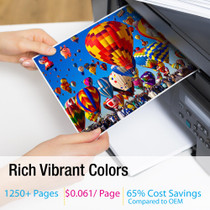
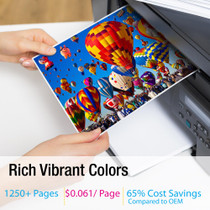
- Color: 1250
- Availability:
- In Stock
- Shipping:
- Free Shipping

Amazon Price:

- Page Yield:
- Color: 1250
- Availability:
- In Stock
- Shipping:
- Free Shipping
- Compatible Printers
- Specifications
- SKU:
- CS-Canon-067-MF655CW-Y
- Printer Brand:
- Canon
- OEM Number:
- 5099C001
- Ink Color:
- Yellow
- Page Yield:
- Color: 1250
- Printer Type:
- Laser Cartridge
- Condition:
- New Compatible
- Description
- Reviews

/> 

Achieve vibrant, professional-quality prints with the Canon 067 toner cartridge series, which includes Canon 067 5102C001 Black, 5101C001 Cyan, 5100C001 Magenta, and 5099C001 Yellow. Each cartridge is engineered to produce sharp text and brilliant colors, making it ideal for everyday business and home printing tasks. Designed for consistency and long-lasting results, the Canon 067 toner cartridge delivers smooth, high-resolution output from the first page to the last. Whether you're printing colorful marketing materials or standard office documents, these cartridges ensure your prints always look their best. Compatible with a wide range of Canon printers, including LBP-631C, LBP-632CDW, LBP-633CDW, MF651CW, MF653CDW, MF654CDW, MF655CDW, MF655CW, MF656CDW, and MF657CDW, the Canon 067 cartridge series offers flawless integration and optimal performance. Benefit from Canons trusted print technology with the Canon 067 toner cartridge, designed to reduce waste and maximize efficiency. These cartridges are a dependable choice for users seeking reliable output and ease of use across a variety of printing applications.
Frequently Asked Questions
Our prints have taken on a cold, bluish cast. Even the white areas look cool. Why?
Because the balance has tipped. Every color your MF655CW prints — including the grays and near-whites in photographs — is a mixture, and yellow is the ingredient that keeps that mixture neutral and warm. As the Canon 067 yellow (5099C001) fades, cyan quietly wins the argument and the whole page drifts blue, like a photo taken under fluorescent light.
Why did it creep up on us instead of failing suddenly?
Yellow is the lightest toner the printer lays down, so a 20 percent loss is hard to spot on any single page. The cast only becomes obvious when you compare today's print with one from last month, or when a brand color — your logo, a product shot — suddenly looks wrong. Gradual drift is the normal way this cartridge ends.
Would giving the cartridge a gentle rock help?
It can settle the remaining toner and buy you a few cleaner pages, which makes it a useful test: if the cast eases briefly after a gentle rock from side to side, you have confirmed the yellow is low. It is a diagnostic, not a cure — the cartridge is still at the end of its 1,250-page rating.
What will the replacement cost us per page?
The 5099C001 is $64.27 for a 1,250-page rating, around 5.14 cents a page. We will not dress that up as the cheapest page around. It is a fair figure for color balance you can trust from a compatible Canon 067 yellow made for the MF655CW.
What if we fit it and the cast is still there?
Then the cause lies elsewhere and we will help you narrow it down. You are protected either way: a 1-year warranty and 1-year free returns, with the details on our shipping and returns page. Support hours are Monday to Friday, 9 AM to 5 PM CST.
Where does the order ship from?
From whichever of our warehouses in Illinois, Pennsylvania, Georgia or California serves you fastest — so a color problem on Monday is not still a color problem the following week.
How do I make sure the cartridge I order really is the yellow?
Check the part number on the label of the cartridge you take out. In the Canon 067 family, yellow is 5099C001 — the lowest number of the four, sitting below magenta 5100C001, cyan 5101C001 and black 5102C001. Because all four share the same shape and the same MF655CW slots, a one-digit slip orders a healthy color you do not need while the yellow slot stays empty. The label check takes ten seconds.
What is the fairest test of the new yellow once it is fitted?
Reprint a page whose colors you know well — a photograph with skin tones, or a document carrying your logo — and lay it beside a print from when the machine's colors were right. Yellow's failure mode is a cold cast across the whole page, so the honest verdict is comparative: if the warmth is back and the near-whites read neutral again, the 5099C001 has done its work.
Do color copies drain this cartridge the way color prints do?
Yes. On the MF655CW, a color copy lays down the same four toners as a color print, so copying draws on this yellow's 1,250-page rating just as printing does — it simply never shows up in a print log. Offices that copy in color often find the cartridge finishing sooner than their print volumes predict. Count copies when you estimate how long a yellow should last.
Does two-sided color printing change how fast the yellow runs out?
It changes the sheet count, not the page count. The 1,250-page rating counts printed sides, and a two-sided color page spends yellow on both faces. So a run of 300 duplex flyers consumes roughly 600 pages of this cartridge's rating, not 300. When you plan a long two-sided color job, budget the cartridge in sides and the surprise at the end of the run disappears.
About This Canon 067 Yellow Cartridge for the MF655CW
This compatible Canon 067 yellow cartridge (5099C001) fits the Canon MF655CW and is rated at 1,250 pages. It is the fix for the slow blue drift that creeps in as yellow fades. A Clever Supplies compatible rather than a Canon original, it is covered by a 1-year warranty and 1-year free returns. Its companions — black 5102C001, cyan 5101C001, magenta 5100C001 — are in the Canon range at Clever Supplies.
It keeps the MF654CDW, MF655CDW, MF655CW, MF656CDW, LBP-631C, LBP-632CDW, LBP-633CDW, MF651CW and MF653CDW supplied. For the other positions and pack shapes, the Canon 067 black cartridge, the Canon 067 cyan cartridge, the Canon 067 magenta cartridge and the Canon 067 four-color set complete the picture.
Related Items

Canon
Compatible Canon MF654CDW (5099C001) Toner Cartridge Yellow
/>

Canon
Compatible Canon MF653CDW (5099C001) Toner Cartridge Yellow
/>

Canon
Compatible Canon MF657CDW (5099C001) Toner Cartridge Yellow
/>


Canon
Compatible Canon 067 (5099C001) Toner Cartridge Yellow
/>