




What Toner Does the Brother DCP-L3560CDW Use?
Nov 2nd 2026
Quick answer: The DCP-L3560CDW takes Brother TN229 standard-yield or TN229XL high-yield toner — four cartridges (black, cyan, magenta, yellow) rated at roughly 1,500/1,200 pages for the standard size and 3,000/2,300 pages for the XL — plus a DR229CL drum unit rated around 20,000 pages that stays in the machine through many toner changes.
The DCP badge tells the story: this is the scan-and-copy member of the family. It prints, scans and copies — deliberately without fax — and adds the things office corners actually use: a 50-sheet automatic document feeder, a 3.5″ color touchscreen, Gigabit Ethernet beside dual-band Wi-Fi, and print speeds up to 26 pages per minute (27 on Letter).
Supply Table
| Part | What it is | Approx. life |
|---|---|---|
| TN229BK | Black toner, standard | ~1,500 pages |
| TN229C / M / Y | Color toner, standard | ~1,200 pages each |
| TN229XLBK | Black toner, high yield | ~3,000 pages |
| TN229XLC / M / Y | Color toner, high yield | ~2,300 pages each |
| DR229CL | Drum unit | ~20,000 pages |
| BU229CL / WT229CL | Belt unit / waste toner box | ~50,000 pages each |
Running Costs on Compatible Cartridges
Our compatible TN229XL singles are $37.84 in every color — around 1.3¢ per black page and 1.6¢ per color page at rated yields. The standard-yield equivalents come to about 2.1¢ (black) and 2.6¢ (each color). A DCP tends to live where several people share it, and shared machines reward the bigger cartridge: fewer swaps, fewer interruptions mid-copy-job.
Pick your cartridge by its code:
- TN229XLBK — XL black
- TN229XLC — XL cyan
- TN229XLM — XL magenta
- TN229XLY — XL yellow
- TN229BK — standard black
- TN229C — standard cyan
- TN229M — standard magenta
- TN229Y — standard yellow
The Four-Pack Decision
Our compatible TN229XL set of four is $103.13, a $48.23 saving over the $151.36 the four singles add up to, and it puts a full 9,900 rated pages (3,000 black plus 2,300 per color) on the shelf at once. For a small team that prints every day, that is the practical default.
The counter-argument stands, though: a set buys colors you may not touch for half a year, and toner budget spent early is budget spent. If your DCP mostly prints black documents with the odd color page, run an XL black as a single and let each color announce itself. Mixed strategy is allowed — nobody at Brother checks.
Replacing Toner
1. Open the top cover; pull the drum-and-cartridge tray out by its handle. 2. Push down the green release lever on the empty color and lift the cartridge clear. 3. Unpack the replacement, pull off the orange protective cover, and give it five or six gentle side-to-side rocks. 4. Set it into the matching slot until it clicks, then slide that drum's green cleaning tab across and back. 5. Reinsert the tray, close the cover, and wait out the short calibration before printing.
Two Things Worth Knowing About This Model
The feeder is the headline. A 50-sheet ADF plus scan speeds in the high twenties (pages per minute, image-wise) moves this model out of the occasional-copy class. Every stack scanned is usually a stack printed or shared — plan toner like a workgroup machine, not a personal one.
No fax is a feature, not an omission. Brother's DCP line drops the phone line entirely. If your "fax" workflow is really scan-to-email, nothing is lost; if you genuinely send paper faxes, the MFC models below use identical toner, so your supply shelf does not change either way.
Paper Handling, Briefly
The main tray swallows 250 sheets, and a manual feed slot takes the odd envelope, label sheet or heavier stock one piece at a time — with a straight-through path out the back for media that dislikes bending. Envelopes up to C5, Com-10, DL and Monarch sizes are on Brother's supported list. None of this changes which toner you buy, but it does explain the DCP's appetite: a machine that happily handles the awkward jobs becomes the default printer for the whole corner, and default printers are exactly the ones that should be running high-yield cartridges.
Frequently Asked Questions
Does the DCP-L3560CDW use the same toner as the MFC-L3780CDW? Yes — TN229 and TN229XL fit both, along with every other model in the list at the bottom of this page. Only the printers differ; the cartridges are shared.
How do I know whether it is the toner or the drum? The display names the part. "Replace Toner" means a cartridge; drum messages refer to the DR229CL, which typically lasts around 20,000 pages — far longer than any single toner.
Can it scan both sides of a page automatically? Scanning from the feeder is single-sided on this class of machine; the automatic duplexing applies to printing. Models with single-pass duplex scanning sit higher in the range.
Which yield suits a shared office? XL, almost by default. At up to 26–27 ppm the DCP can burn through a standard black in days during a busy spell, and the per-page math favors XL anyway.
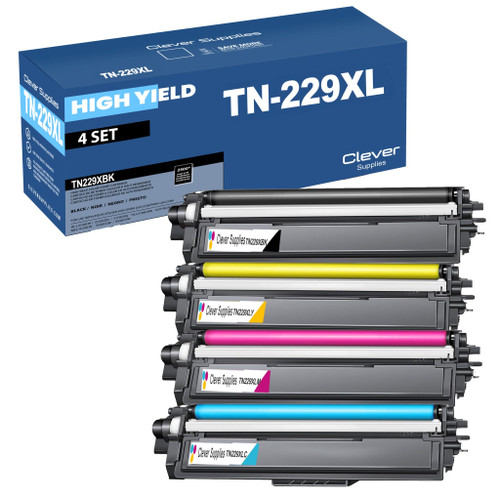 brother tn229xl tn229xlbk tn229xlc tn229xly tn229xlm toner c
 brother tn229 tn229bk tn229c tn229y tn229m toner cartridge 4
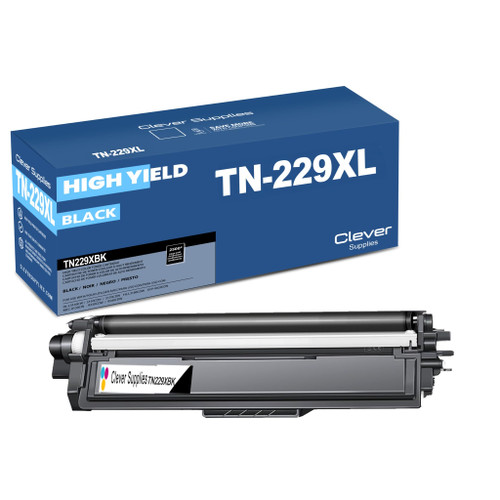 brother tn229xl tn229xlbk toner cartridge black
 brother tn229xl tn229xlc toner cartridge cyan
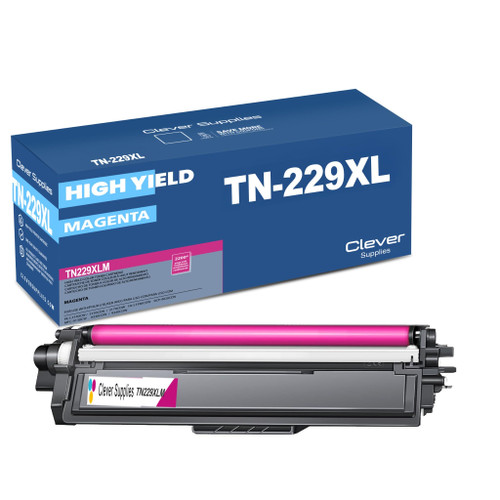 brother tn229xl tn229xlm toner cartridge magenta
 brother tn229xl tn229xly toner cartridge yellow
Key takeaways
- The top cartridge here is rated at 3,000 pages — fewer swaps, lower cost per page.
- Buying the set instead of the individual cartridges saves $48.23.
- Toner and drum are separate parts on this printer — replace only the one the printer asks for.
Other Printers That Use TN229 and TN229XL
Order from the DCP-L3560CDW category page and you will only ever see supplies matched to this model.