




NI
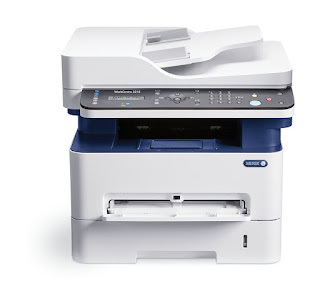
The WorkCentre 3215 NI is the network-connected configuration of Xerox's compact monochrome laser multifunction, a shared-desk machine that prints, copies and scans in black and white. Its toner supply is the 106R02775 cartridge, rated for around 1,500 pages, while imaging is handled by a separate drum unit, the 101R00474. Toner and drum wear out on very different schedules, and the listings gathered on this page are the drum units for this model, sold as a single unit and in multi-packs of two, three, five and ten.
That split matters in a busy office. A 1,500-page toner cartridge turns over regularly, so it is the supply that gets reordered by routine; the drum sits underneath that rhythm and is easy to forget until copies start looking tired. Because the 3215 NI is usually shared by several people, nobody owns its upkeep, and the drum tends to be ordered only after print quality has already slipped. Keeping one spare drum on the shelf next to the toner turns a quality complaint into a two-minute swap.
Drum Units for the WorkCentre 3215 NI
| Cartridge | Color | Page Yield |
|---|---|---|
| 101R00474 drum unit, single | Black | See product page |
| 101R00474 drum units, 2 pack | Black | See product page |
| 101R00474 drum units, 3 pack | Black | See product page |
| 101R00474 drum units, 5 pack | Black | See product page |
| 101R00474 drum units, 10 pack | Black | See product page |
Which drum pack should you buy?
A single 101R00474 drum is the sensible order for one machine: drums are changed rarely, and a single unit covers the replacement in front of you. Multi-packs earn their place when the same drum serves several machines — this unit is shared across the Phaser 3260 and WorkCentre 32 series listed below — or when one office prefers to stock maintenance parts ahead of time. The 2 pack suits a pair of machines, the 3 and 5 packs fit a small fleet, and the 10 pack is for a central supply cabinet feeding many desks. Every pack size contains the same drum unit; only the count changes.
Toner, drum and everyday use
When the printer reports low toner, only the 106R02775 cartridge needs to change; the drum stays in place and keeps working. Treat the drum gently during any swap: its green imaging surface is light-sensitive, so keep a removed drum covered and out of bright light, and avoid touching the surface with bare fingers. If a fresh toner cartridge seems to run low early, lift it out and rock it side to side a few times to redistribute the toner inside before assuming it is empty. Store spare drums sealed, flat and away from heat so the unit you reach for is in the same condition as the day it arrived.
Frequently Asked Questions
What toner does the WorkCentre 3215 NI use?
It uses the Xerox 106R02775 black toner cartridge, rated for approximately 1,500 pages at 5% coverage. The listings on this page are not the toner — they are the separate 101R00474 drum units this printer pairs with that cartridge.
Is the drum included inside the toner cartridge?
No. On this model the drum is a standalone supply, the 101R00474, and it is replaced on its own schedule, long after several toner cartridges have come and gone. A toner swap never renews the drum.
How can I tell when the drum needs replacing?
Suspect the drum when output develops repeating marks, background shading or faded patches that a fresh toner cartridge does not cure. The drum wears gradually over many thousands of pages, so the change is slow rather than sudden — which is exactly why it gets overlooked.
Which pack size makes sense for a shared office?
For a single 3215 NI, one spare drum is enough. Offices that also run sibling models from the list below often buy the 3 or 5 pack, since one drum part serves the whole family and a shared stock avoids repeat orders.
More printers that use the same cartridges
The 106R02775 toner and its 101R00474 drum are shared across this Xerox family: Phaser 3260, Phaser 3260DI, Phaser 3260DNI, WorkCentre 3215, WorkCentre 3215NI, WorkCentre 3225, WorkCentre 3225DNI, Phaser 3260 DI, Phaser 3260 DNI, WorkCentre 3225 DNI.