




DI
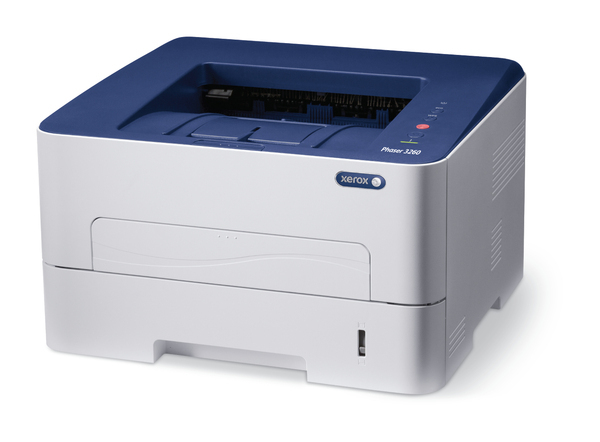
The Xerox Phaser 3260 DI is a monochrome laser printer suited to small workgroups, and its DI configuration adds network connectivity and automatic duplexing for efficient daily use. Alongside its toner cartridge, the 3260 DI relies on a separate drum unit — the 101R00474 — that handles image transfer and is replaced on its own, much longer schedule. The drum units are what this page sells.
Two supplies on two clocks: toner empties with page volume, while the drum ages far more slowly behind it. That split is deliberate — the drum is a precision imaging surface, and keeping it separate means you are never throwing away a healthy drum just because a toner cartridge ran out, or the reverse. When print quality fades even though toner remains, the drum is the part to look at.
Drum Units for Phaser 3260 DI
| Drum Unit | Type | Page Yield |
|---|---|---|
| 101R00474 | Drum unit | See product page |
| 101R00474 Drum 2 Pack | Drum unit | See product page |
| 101R00474 Drum 3 Pack | Drum unit | See product page |
| 101R00474 Drum 5 Pack | Drum unit | See product page |
| 101R00474 Drum 10 Pack | Drum unit | See product page |
Which pack should you buy?
A drum change is a rare event next to toner swaps, so a single 101R00474 drum unit is the right buy for one machine. Offices running several printers from this family should look at the 101R00474 Drum 2 Pack or the 101R00474 Drum 5 Pack: the same unit serves the whole family, and a spare on the shelf turns a quality problem into a five-minute fix instead of a delivery wait. Compatible drum units here carry a 1-year warranty and 1-year returns.
Handling and everyday care
Handle a drum unit by its frame and keep your fingers off the imaging surface — skin oil and scratches print as repeating marks on every page afterward. Do not leave a new drum sitting in bright light while you work; keep it in its packaging until the old unit is out and you are ready to slide the replacement in. Streaks, spots repeating down the page, or a gray background on white areas are the classic signs that a drum, not the toner, is at the end of its life.
Frequently Asked Questions
Is the 101R00474 drum the same thing as the toner cartridge?
No. They are two separate supplies. The toner cartridge holds the toner; the 101R00474 drum unit forms the image on the page, and each is replaced on its own schedule.
When does the drum unit on the 3260 DI need replacing?
Far less often than toner. Look to the drum when output shows repeating spots, streaks or fading that a fresh toner cartridge does not cure.
Does this drum fit the Phaser 3260DNI as well?
Yes — the 101R00474 is the drum unit for this printer family, and the same listings serve the Phaser 3260DNI and the other models in the family list below.
How do I install the 101R00474 drum unit?
Open the front cover, remove the toner cartridge and the spent drum unit, slide the new drum in until it seats, reinstall the toner cartridge, and close the cover. Run a test page to confirm clean output.
More printers that use the same cartridges
The models below share this family’s supplies, drum included: