




Phaser 6140N
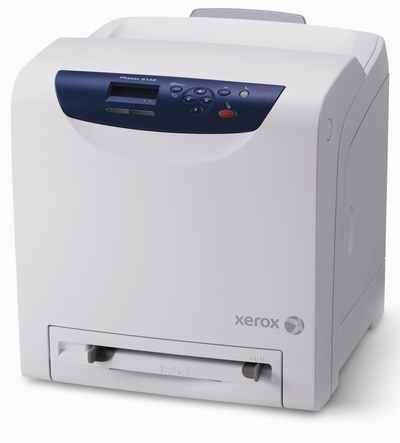
Offices running Xerox equipment often land on the Phaser 6140N for its balance of print quality and running cost — a laser printer that looks after the supply budget as well as the page. It prints from four separate toners: 106R01480 black, 106R01477 cyan, 106R01478 magenta and 106R01479 yellow, letting you restock one color at a time.
Running cost is a habit, not a feature, and this machine is built for the habit. Because every color is a separate cartridge, nothing forces you to retire toner that is still half full — the classic way offices overpay for printing. A shared 6140N also spreads its work across many users, which smooths consumption: no single job type dominates, levels drift down gradually, and a monthly glance at the four levels is usually enough to keep a spare of the lowest one on order before it becomes urgent.
Toner Cartridges for Phaser 6140N
| Cartridge | Color | Page Yield |
|---|---|---|
| 106R01477 — Cyan, one cartridge | Cyan | See product page |
| 106R01479 — Yellow, one cartridge | Yellow | See product page |
| 106R01480 — Black, one cartridge | Black | See product page |
| 106R01478 — Magenta, one cartridge | Magenta | See product page |
| 106R01480, 106R01477, 106R01478, 106R01479 — 4 Color Set | Black, Cyan, Magenta, Yellow | See product page |
| Phaser 6140N — 4 Color Set | Black, Cyan, Magenta, Yellow | See product page |
| Phaser 6140N — Premium Quality 4 Color Set | Black, Cyan, Magenta, Yellow | See product page |
Which cartridge should you buy?
Cost discipline here means matching the order to the empty slot. Singles are the economical default: one cartridge out, one cartridge in, and the remaining three keep earning their keep. Resist the full-set restock unless the levels genuinely converge — when two or three cartridges are flagging low at once, a 4 color set in a single order is tidier than three separate deliveries, and this page lists more than one set option to choose from. Whichever route you take, the compatible cartridges are covered by a 1-year warranty and 1-year returns.
Chip, toner and everyday use
Fit each cartridge with a gentle side-to-side rock beforehand; settled toner prints unevenly, and the first pages after a swap are the tell. If a new cartridge is not recognized, reseat it firmly so its chip makes proper contact before assuming anything is wrong with it. Yield ratings assume 5% page coverage — real office documents run higher, especially anything with charts or shaded tables, so plan spares against your own print mix rather than the rating alone. Keep cartridges sealed until fitting day, stored flat and away from sunlight.
Frequently Asked Questions
What toner fits the Phaser 6140N?
Black 106R01480, cyan 106R01477, magenta 106R01478 and yellow 106R01479. The four are sold above as compatible singles and in 4 color sets.
How do I keep running costs down on this printer?
Replace cartridges individually as they empty instead of changing the set, and keep a spare of whichever code your office uses fastest so an empty cartridge never forces a rush order.
One color has run out. Can the others stay?
Yes. Each color is its own cartridge with its own slot, so the empty one comes out alone and the rest continue printing until their turn comes.
How many pages will I get from a cartridge?
It depends on coverage — ratings are set at 5%, and heavier documents use more toner per page. The rated yield for each cartridge is listed on its product page.
More printers that use the same cartridges
Also running on these four cartridges: the Phaser 6140 and the Phaser 6140DN, which makes one shared supply shelf possible for the whole family.