




ML-3051
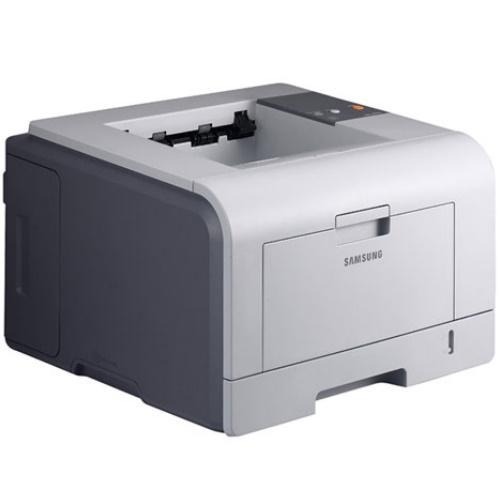
The ML-3051 carried Samsung's 3050 workgroup series forward: a single-function mono laser aimed at departments with steady daily print volumes, where the printer's job is to be unremarkable and always ready. It runs on the standard-yield ML-D3050A or the high-yield ML-D3050B, and the listings on this page are the high-yield line.
Steady volume is this machine's defining trait. It does not serve one person's occasional letters; it absorbs a department's daily reports, forms and correspondence at a predictable pace. Predictability is an advantage for supplies: consumption follows a rhythm you can learn within a month or two, and once you know the rhythm, a spare on the shelf stops being a guess and becomes a schedule.
Toner Cartridges for ML-3051
| Cartridge | Color | Page Yield |
|---|---|---|
| ML-3051 High Yield | Black | See product page |
| ML-D3050B High Yield | Black | See product page |
| ML-D3050B High Yield 2 Pack | Black | See product page |
| ML-D3050B High Yield 3 Pack | Black | See product page |
| ML-D3050B Premium 5 Pack | Black | See product page |
| ML-3051 High Yield 5 Pack | Black | See product page |
Which cartridge should you buy?
The ML-3051 gives you two yields of the same cartridge family, and choosing between them is refreshingly simple. The ML-D3050A is the standard-yield option and the ML-D3050B is the high-yield option; both install exactly the same way, the printer detects and reports either with no settings change, and output quality is identical. Pick by volume, not by quality concerns. A department printing every day belongs on the high-yield B, which is why this page stocks the B line, including the listings sold under the printer's own ML-3051 name. If your volume is genuinely light, a standard cartridge is a reasonable economy. Either way, match the reorder point to your learned rhythm and keep one spare ahead of the installed cartridge.
Chip, toner and everyday use
A word about firmware, because this generation of Samsung workgroup printers checks cartridge chips and owners sometimes meet stricter checks after an update. Firmware updates do fix bugs and security issues, so the answer is not to refuse them forever; it is to install them deliberately rather than automatically, from the official support page for your exact model, and to note the cartridge code before you start. Day to day, the habits that protect print quality are duller: keep the paper path clean, store cartridges sealed and flat, and rock a new cartridge gently before installation so its first pages come out at full density. Compatible cartridges here are covered by a 1-year warranty and 1-year returns.
Frequently Asked Questions
If I print a lot, which ML-3051 cartridge should I keep as a spare?
Keep the high-yield ML-D3050B. Heavy printing is exactly the case it exists for: more pages between changes, fewer interruptions, and a lower cost per page than cycling standard cartridges. It installs identically to the standard cartridge, so there is nothing new to learn, and the printer reports its level the same way.
Does the ML-3051 use one cartridge or several?
One at a time, and only from its own family. The printer takes the ML-D3050A or ML-D3050B; cartridges from other Samsung families will not seat properly, however similar they look. The reliable check is the code printed on the old cartridge's label, repeated on a sticker inside the supply door. Ordering by that code, rather than by appearance, prevents the most common wrong-cartridge mistake.
Why do the first pages from a new cartridge sometimes look light?
Toner needs a few pages to distribute itself evenly inside a fresh cartridge, so slightly light output at the very start is normal. Print a handful of pages and density should reach full strength. If pages stay light after ten or so, reseat the cartridge and confirm no seal was left behind. Persistent lightness from a brand-new cartridge is uncommon and worth a call to the supplier.
More printers that use the same cartridges
These sibling models run on the same cartridges, so departments with mixed fleets can share spares: Samsung-MLD3050, ML-3051NGD, ML-3051NG, ML-3051NDG, ML-3051ND, ML-3051N, ML-3050N, ML-3050.