




ML-3050
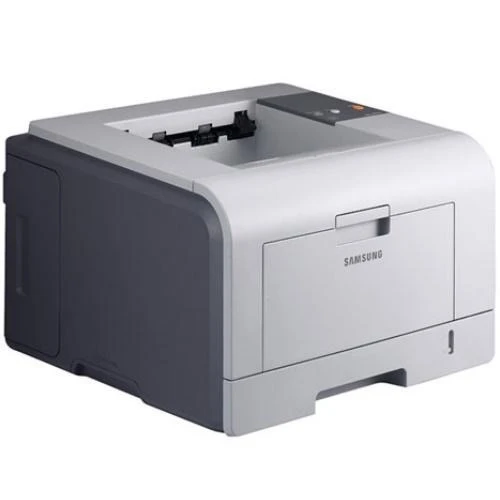
The Samsung ML-3050 was built for workgroups: a mid-2000s, single-function mono laser with the speed and paper capacity to absorb a department's daily black-and-white workload. Samsung gave it two cartridges — the standard ML-D3050A and the higher-yield ML-D3050B. The shelf on this page is the high-yield B cartridge, listed under its own code, under the ML-3050 name, and in department-sized multipacks, with compatible and genuine OEM versions side by side.
Nothing about this printer pretends to be personal. It is the shared box at the end of the hall that everyone prints to and nobody owns, which is precisely why its cartridge choice matters more than its feature list: a workgroup printer that stops for toner stops a dozen people, not one. The ML-3050 earned its keep in offices that print forms, statements and reports in volume, and the high-yield cartridge is what lets it run for long stretches between swaps.
Toner Cartridges for ML-3050
| Cartridge | Color | Page Yield |
|---|---|---|
| ML-D3050B | Black | See product page |
| ML-3050 High Yield (model listing) | Black | See product page |
| ML-3050 Toner Cartridge (ML-D3050B) | Black | See product page |
| ML-D3050B 2 Pack | Black | See product page |
| ML-3050 Toner Cartridge 2 Black (ML-D3050B) | Black | See product page |
| ML-D3050B 3 Pack | Black | See product page |
| ML-3050 Toner Cartridge 3 Black (ML-D3050B) | Black | See product page |
| ML-3050 High Yield 5 Pack (model listing) | Black | See product page |
| ML-3050 Toner Cartridge 5 Black (ML-D3050B) | Black | See product page |
| ML-D3050B Premium Quality 5 Pack | Black | See product page |
| ML-3050 Toner Cartridge 10 Black (ML-D3050B) | Black | See product page |
Which cartridge should you buy?
The A and B cartridges differ only in how much toner they carry. The ML-D3050A standard fill suits a lightly used machine, but a department printer is rarely lightly used, and the ML-D3050B's higher yield means fewer interruptions and a lower cost per page across the year. From there it is a question of how your office buys: a single cartridge if one person manages supplies, the 2- and 3-packs for a normal workgroup rhythm, and the 5- or 10-cartridge listings when a facilities shelf serves several machines on this platform. Listings named for the ML-3050 and listings coded ML-D3050B are the same high-yield cartridge, so choose by quantity — and by whether compatible savings or genuine OEM matters more to your office.
Chip, toner and everyday use
Driver settings quietly decide how fast this printer eats toner. Higher resolution modes lay down more toner per page, so reserve top quality for final documents and run everyday work in normal mode — text stays clean and the cartridge lasts noticeably longer. Keep one spare cartridge on hand, two if the printer is heavily used; the machine warns well before it runs dry, and stocking more than a year's worth risks toner aging on the shelf, especially anywhere damp. A stored cartridge that gets wet or sits in heat may never print evenly again, so keep spares sealed, flat and indoors. Compatible cartridges here carry a 1-year warranty and 1-year returns.
Frequently Asked Questions
Can driver settings correct faded, washed-out output?
Partly. Raising the print quality setting lays down more toner and darkens output, but it also uses the cartridge faster, so treat it as a fix for final documents rather than a permanent setting. If normal mode looks washed out with a fresh cartridge, check that toner-save is off. Persistent fading with correct settings usually means the cartridge itself is near the end.
What usually causes vertical streaks on ML-3050 pages?
Streaks that land in the exact same spot on every page point at the imaging drum, not the toner. Run the driver's cleaning function and inspect the drum surface for scratches or marks. Swapping the cartridge will not cure a damaged drum — when the streak repeats in one fixed position, the drum or imaging unit is the part that needs attention.
How many spare cartridges should a department keep?
One spare is plenty for most ML-3050 installations, and two for a printer that runs all day — the printer warns well before the toner is gone, which gives you ordering time. Beyond that you are stocking against a problem you do not have, and cartridges age: use what you buy within about a year and rotate the shelf so the oldest cartridge goes in first.
Does this printer use a separate drum unit?
The cartridges on this page are the consumable you replace for toner. The drum-related faults that show up as fixed-position streaks belong to the printer's imaging components, not to the ML-D3050B cartridge itself, so a new cartridge should not be your first response to a repeating mark.
More printers that use the same cartridges
The ML-3050's high-yield cartridge also feeds the network and duplex variants built on the same platform: ML-3050N, ML-3051, ML-3051N, ML-3051ND, ML-3051NDG, ML-3051NG, ML-3051NGD, Samsung-MLD3050.