




ML-1710D
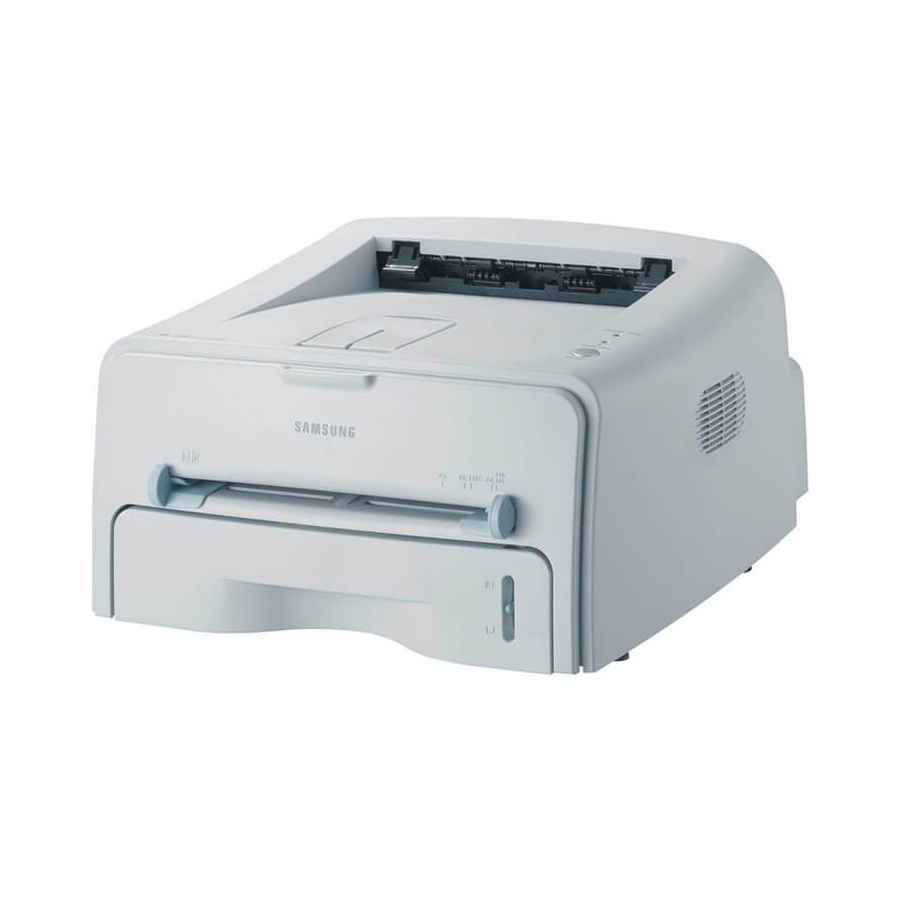
The D in the Samsung ML-1710D stands for duplex — automatic two-sided printing on the same compact mono laser platform that made the ML-1710 a home favorite. It uses the ML-1710D3 and ML-1520D3 toner, and both compatible and genuine OEM cartridges for the ML-1710D are available here.
Duplexing was a grown-up feature on a home printer of this era, and it changes how the machine gets used: reports, manuscripts, study notes and double-sided handouts instead of single-sided drafts. Paper consumption halves; toner consumption does not, because every sheet now carries two printed sides. ML-1710D owners tend to go through cartridges on a steadier schedule than casual printers — worth knowing when you choose a pack size.
Toner Cartridges for ML-1710D
| Cartridge | Color | Page Yield |
|---|---|---|
| ML-1710D Toner Cartridge · Single | Black | See product page |
| ML-1710D3 Toner Cartridge · Single | Black | See product page |
| ML-1710D Toner Cartridge (ML-1710D3) | Black | See product page |
| ML-1710D3 Toner Cartridges · 2 Pack | Black | See product page |
| ML-1710D3 Toner Cartridges · 3 Pack | Black | See product page |
| ML-1710D Toner Cartridges · 5 Pack | Black | See product page |
| ML-1710D3 Premium Quality · 5 Pack | Black | See product page |
Which cartridge should you buy?
Order the ML-1710D3 — the listings below stock it singly and in 2 Pack, 3 Pack and 5 Pack form, with ML-1710D-named listings of the same cartridge alongside. Because duplex printing puts toner on both sides of every sheet, a household printing long documents will empty cartridges faster than its page count suggests; the multipacks keep the cost per cartridge down and a spare on hand. The printer also accepts the ML-1520D3. Compatible cartridges are covered by a 1-year warranty and 1-year returns; OEM remains available for owners who want genuine Samsung supplies.
Chip, toner and everyday use
This model's driver offers a toner-save (eco) option that lays down less toner per page of text, and on a duplex machine it pairs naturally with two-sided printing to cut both paper and toner use on drafts. Set it as the permanent default if most of your output is internal; switch it off for final copies or anything a client will see. Keep the usual laser habits alongside: seals fully removed before installing, cartridge seated until it clicks, paper stored dry, and a gentle rock of a fading cartridge to level the toner before its replacement goes in.
Frequently Asked Questions
My first prints with the new cartridge look light on the ML-1710D — is that normal?
Usually it is the seal: pull the sealing tape completely out of the new ML-1710D3, because a partially removed seal is the top reason a fresh cartridge prints faint or blank. After removal, rock the cartridge gently before installing so the toner inside is evenly distributed.
Why does my ML-1710D jam only with certain paper?
Paper, not toner. A low cartridge announces itself with faded prints, never feed errors, so jams that arrive with one paper stock and not another point at that stock's weight, moisture or condition — and at the rollers. Treat the two problems separately; replacing toner early will not fix a mechanical feed issue.
Can I make draft quality the permanent default on the ML-1710D?
Yes. Set the toner-save option in the driver preferences and it applies to every job until you change it. It suits drafts, internal documents and anything headed for recycling; turn it off for final copies where full density matters.
More printers that use the same cartridges
These Samsung models share the ML-1710D's cartridge, so their toner shelf is the same one: ML-1740, ML-1750, ML-1755, SCX-4016, SCX-4100, SCX-4116, SCX-4216, SCX-4216F, SF-560, SF-565, SF-565P, SF-565PR, SF-750, SF-755P, Samsung-ML1710D3, ML-1410, ML-1500, ML-1510, ML-1510B, ML-1520, ML-1710, ML-1710B, ML-1710P.