




ML-1520
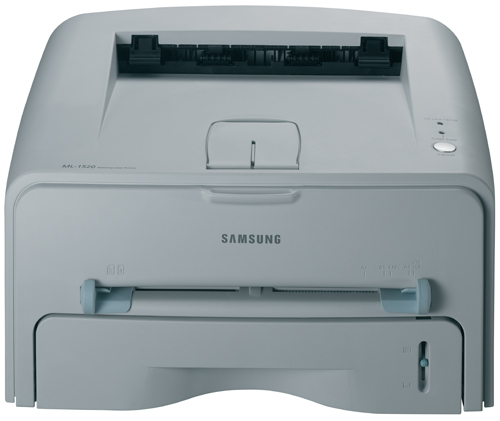
The Samsung ML-1520 sits at the namesake end of the ML-1520D3 cartridge family — a compact mono laser for home and SOHO desks, simple to set up and cheap to feed. Its cartridges are the ML-1520D3 and the equivalent ML-1710D3, and the shelf below is built on the ML-1710D3 listings, from a single cartridge to multipacks. Compatible and genuine OEM toner for the ML-1520 is available here.
Two codes for one cartridge is the only puzzle this printer presents. Samsung named the cartridge after this model line, then the same unit picked up the ML-1710D3 designation across the wider family. Owners searching under the ML-1520D3 code land on the same physical cartridge as those searching ML-1710D3 — which is why this page stocks the one code and says so plainly.
Toner Cartridges for ML-1520
| Cartridge | Color / Type | Page Yield |
|---|---|---|
| ML-1520 black cartridge (ML-1710D3) | Black | See product page |
| ML-1520 black toner cartridge | Black | See product page |
| ML-1710D3 black toner cartridge | Black | See product page |
| ML-1710D3 black toner, 2 pack | Black — 2 pack | See product page |
| ML-1710D3 black toner, 3 pack | Black — 3 pack | See product page |
| ML-1520 black toner cartridges, 5 pack | Black — 5 pack | See product page |
| ML-1710D3 premium quality toner, 5 pack | Black — premium, 5 pack | See product page |
Which cartridge should you buy?
Order the ML-1710D3 code with confidence; it is the equivalent fit for this model. A desk that prints occasionally needs only the single cartridge or the ML-1520 model listing. Busier SOHO use justifies the 2 or 3 pack, keeping a sealed spare beside the printer, and the premium 5 pack is there for owners standardizing on the top compatible grade. Nothing else about the choice is complicated — one slot, one cartridge, several quantities.
Chip, toner and everyday use
The printer reads the cartridge's chip at install, so push the unit in until it seats with a click. Rock it gently first to distribute the toner. The low-toner warning on a machine of this generation is an estimate — there are usually pages left after it lights, and rocking the cartridge buys more. Keep the reserve cartridge sealed in its bag, flat and away from sunlight. Every compatible cartridge on this page is covered by a 1-year warranty and 1-year returns.
Frequently Asked Questions
ML-1520D3 or ML-1710D3 — which code do I actually buy?
Either designation describes the cartridge family this printer uses, and the listings here carry the ML-1710D3 code. If you arrived searching for ML-1520D3, you are in the right place — the fit is the same.
How do I check the current firmware version on the ML-1520 — and should I update it?
Skipping firmware updates is generally safe if everything works; updates are optional maintenance, not requirements. The main reason to update is a specific bug fix or security patch you need. After any update, confirm your ML-1520 cartridges are still recognized before printing a long job.
Does the low-toner warning mean the cartridge is empty?
No — the warning is an estimate, and you can often print many more pages after it appears. Output fading is the truer signal. When pages do lighten, rock the cartridge side to side to redistribute the remaining toner before reaching for the spare.
How should I store the spare cartridge for a small-office ML-1520?
Sealed in its bag, flat, in a cool dry drawer away from direct light. Toner keeps well stored that way; heat and humidity are what shorten a waiting cartridge's useful life.
More printers that use the same cartridges
One cartridge family covers the whole group below — the ML-1520's spare fits every model listed: ML-1410, ML-1500, ML-1510, ML-1510B, ML-1710, ML-1710B, ML-1710D, ML-1710P, ML-1740, ML-1750, ML-1755, SCX-4016, SCX-4100, SCX-4116, SCX-4216, SCX-4216F, SF-560, SF-565, SF-565P, SF-565PR, SF-750, SF-755P, Samsung-ML1710D3.