




CLP-660ND
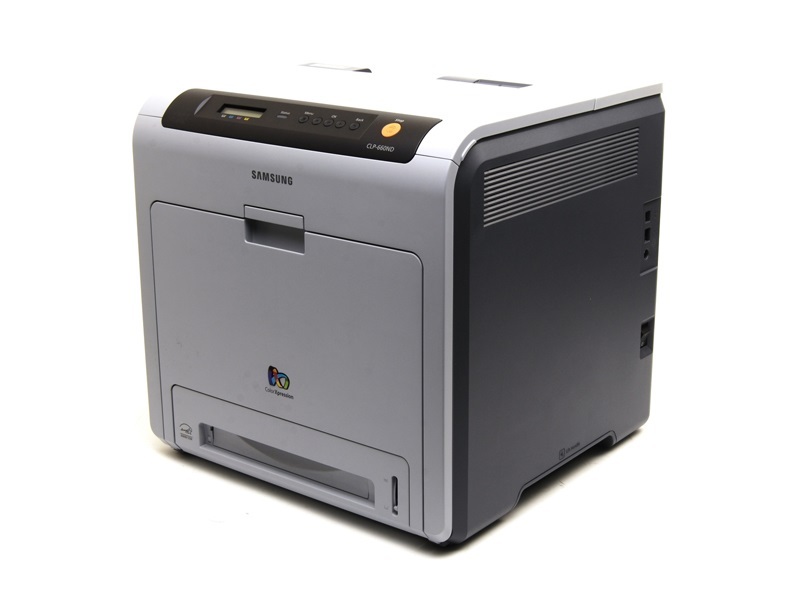
Samsung's late-2000s CLP/CLX generation included the CLP-660ND, a color laser printer built for everyday color work, with wired Ethernet networking and automatic duplex printing added over the plain CLP-660 — that is what the ND letters add. Its consumables come from the CLP-K660 range, stocked here in the higher-yield B form: CLP-K660B for black, CLP-C660B for cyan, CLP-M660B for magenta and CLP-Y660B for yellow. Samsung also lists standard-yield A-suffix versions of the same family; the cartridges on this page are the B line, in compatible and genuine Samsung form.
This machine was pitched at small workgroups that needed dependable color output without a departmental price tag. The duplex unit is the quiet money-saver of the design: reports and drafts come out two-sided by default, halving paper use and trimming color toner on internal documents. It shares its whole cartridge shelf with the CLP-610ND, so a group running both models keeps one spare inventory instead of two.
Toner Cartridges for CLP-660ND
Which cartridge should you buy?
Everything on this page is the high-yield B line, so the real decision is pack shape. Workgroups print far more black than color, and the multi-packs of black — two, three or five cartridges — exist for exactly that pattern: fewer orders, a spare always ready, and a lower cost per change. Colors are best replaced individually as each one empties, since a color set only pays when all three are genuinely low together. The four-color sets suit a full refresh after a long color project. Set the driver to draft quality by default and raise it per job when a document matters; on a shared workgroup machine, that single default does more for toner bills than any cartridge choice.
Chip, toner and everyday use
Keep two consumables straight in your head. Toner empties with use; the imaging unit wears on its own longer schedule, and the two are checked and changed independently — the supplies status page reports each life on its own line. When pages come out nearly blank, the cartridge in that color is at the end of its toner: rock a fresh one gently before fitting to spread the toner evenly. The window between the first low warning and truly empty is generous on this platform, which is your cue to order, not to panic.
Frequently Asked Questions
What is the difference between the A and B cartridge codes for this printer?
They are two yield tiers of the same family: the A-suffix codes are the standard-yield versions and the B-suffix codes are the higher-yield option. Both belong to this printer; the cartridges stocked here are the B line, since workgroups generally prefer fewer changes.
My pages show repeating marks down the page. Is that the toner?
Ghosting or a faint repeat of the same mark at regular intervals points to the imaging unit, not the toner. A dry, lint-free wipe inside clears loose toner in mild cases; persistent repeats mean the unit itself needs attention.
Does the printer stop the moment a cartridge reads empty?
In practice the warning-to-empty window is wide enough for a normal delivery to arrive. If pages emerge nearly blank, that cartridge is done — redistributing the toner with a gentle rock can confirm it and sometimes coaxes out a few last pages.
Should I replace all four cartridges together?
Only if all four are actually low. Each color is an independent unit, and replacing one at a time is the economical norm; full sets are for refreshes, not for routine single-color changes.
More printers that use the same cartridges
The K660 family crosses over to a wide band of Samsung workgroup machines: CLX-6200, CLX-6200FX, CLX-6200ND, CLX-6210, CLX-6210FX, CLX-6240, CLX-6240FX, Samsung-CLP660, CLP-610, CLP-610ND, CLP-660, CLP-660N.