




ProXpress C2620DW
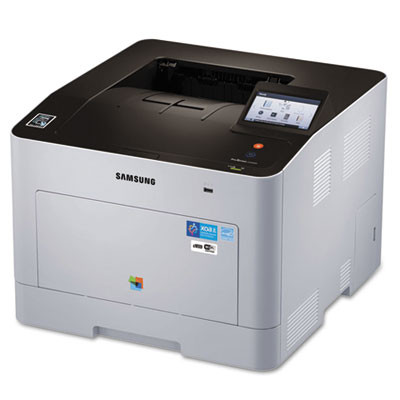
The Samsung ProXpress C2620DW is a color multifunction laser built around two freedoms: wireless connectivity, so the machine can sit where the work happens instead of where a cable ends, and automatic duplex printing, so double-sided output is the default rather than a chore. It draws on four high-yield cartridges from the CLT-505L family — black CLT-K505L, cyan CLT-C505L, magenta CLT-M505L and yellow CLT-Y505L — each sold on its own and together as a four-color set. With four cartridges to feed, it is also the most supply-hungry kind of machine in its range, which makes the choice between singles and sets worth a moment of thought.
In practice the C2620DW serves the small office that outgrew an inkjet: a real-estate team printing color flyers, a clinic front office mixing forms with patient handouts, a design-minded shop that needs decent color without a production printer. Wireless sharing means everyone in the room prints to it, and that shared, all-day use is exactly the pattern that rewards high-yield cartridges and a sensible stocking plan.
Toner Cartridges for ProXpress C2620DW
| Cartridge | Color | Page Yield |
|---|---|---|
| Compatible Samsung CLT-K505L Toner Cartridge | Black | See product page |
| Compatible Samsung CLT-C505L Toner Cartridge | Cyan | See product page |
| Compatible Samsung CLT-M505L Toner Cartridge | Magenta | See product page |
| Compatible Samsung CLT-Y505L Toner Cartridge | Yellow | See product page |
| Compatible Samsung CLT-505L Toner Cartridges 4 Color Set | 4 Color Set | See product page |
| Compatible Samsung ProXpress C2620DW Toner Cartridge 4 Color Set | 4 Color Set | See product page |
| Compatible Samsung ProXpress C2620DW Premium Toner Cartridge 4 Color Set | 4 Color Set | See product page |
Which cartridge should you buy?
Buy the color that ran out, not the whole rainbow. The four CLT-505L cartridges deplete independently, and in a typical office black goes first because text dominates, while yellow may last through several black changes. Singles keep you from paying for toner you do not need yet. The four-color set earns its place at a full refresh — when two or more colors are low together — or as the spare you keep on the shelf so a shared wireless machine is never down waiting on a delivery. All four are the high-yield L versions, so whichever route you take, you are already on the economical tier.
Chip, toner and everyday use
Each cartridge slot on the C2620DW is keyed to one color, and each cartridge carries a chip the machine reads for level reporting; seat a compatible cartridge firmly in its matching slot and the printer recognizes it and recalibrates. Setting duplex as the driver default halves paper use without touching toner per printed side. For internal drafts, toner-save mode stretches every cartridge noticeably, while final client pieces should go out at full density. Store spare cartridges flat, sealed and away from sunlight — a wireless machine shared by a team is the worst place to discover your only spare was ruined by a hot windowsill.
Frequently Asked Questions
Does printing double-sided on the C2620DW use more toner?
No. Duplexing changes how many sheets you use, not how much toner lands on each printed side. You will go through cartridges faster only if the machine prints more pages overall — which a shared wireless printer often does, simply because more people can reach it.
Does the C2620DW take different cartridges from the base C2620?
No — the supply set is the same CLT-505L family either way. The DW suffix describes wireless and duplex hardware; per-page toner consumption is a function of what you print, not of how the job reaches the machine.
One color is empty — do I have to replace all four?
No. Replace only the color that is empty; each CLT-505L cartridge is independent and sold individually. Buying a full set makes sense when several colors run low at once, not as a reflex every time a single warning appears.
Why did my black cartridge run out long before the colors?
Because most office output is text. Black carries every document, form and email printout, while the colors share only the pages that actually contain color. Expect the CLT-K505L to lead the replacement cycle and plan your spares around it.