




LaserJet 4200LVN
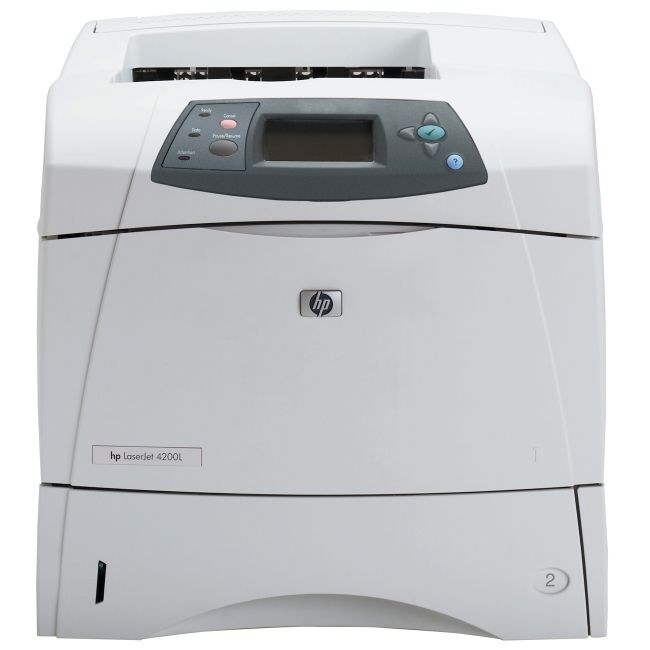
The LaserJet 4200LVN was a value-networked configuration of HP's LaserJet 4200 — Ethernet sharing at an entry-level price point, giving small workgroups of the mid-2000s the 2002 engine's reliability on the network. It takes a single cartridge: the Q1338A, HP's 38A.
Sharing changes the toner math. Every workstation on the network prints to the same cartridge, so a small group's combined volume — not one user's — decides how long a fill lasts. The LVN's simplicity helps: with one code to buy and one spare to shelve, keeping the group's printer fed is a five-minute chore.
Toner Cartridges for LaserJet 4200LVN
| Cartridge | Color | Page Yield |
|---|---|---|
| Q1338A Toner Cartridge Black | Black | See product page |
| LaserJet 4200LVN Toner Cartridge Black | Black | See product page |
| Q1338A Toner Cartridge Black — MICR | Black (MICR) | See product page |
| Q1338A Toner Cartridge Black — 2 Pack | Black | See product page |
| Q1338A Toner Cartridge Black — 3 Pack | Black | See product page |
| HP 38A (Q1338A) Toner Cartridge — 4 Black | Black | See product page |
| Q1338A Toner Cartridge Black — 5 Pack | Black | See product page |
| Q1338A Premium Quality Toner Cartridge Black — 5 Pack | Black | See product page |
Which cartridge should you buy?
With only one cartridge code, the decision is about format, not fit. A single Q1338A covers a lightly used LVN; offices that lean on the shared printer keep the 2-pack as the standing spare so a swap never waits for shipping, and the bigger multi-packs suit a storeroom that feeds several machines from this family. If the LVN prints the office checks, the MICR build is the one to load — its magnetic toner is what bank readers scan. There is also a premium-grade build for offices that want the higher-spec compatible. Every option here is covered by a 1-year warranty and 1-year returns.
Chip, toner and everyday use
When the toner-low warning first appears on a shared printer, treat it as the order point: put a replacement on its way, then remove the installed Q1338A and rock it gently to redistribute the toner that remains — the LVN will usually print many more pages while the new cartridge travels. Store the spare flat and sealed near the machine, and the change itself takes a minute: old cartridge out, tape off the new one, slide it home.
Frequently Asked Questions
Can I share the LaserJet 4200LVN with other computers on the network?
Yes — sharing is what this configuration was built for. Once the LVN is on the network, each computer installs the driver, finds the printer, and prints to the same toner supply and paper trays.
What should I do when the LaserJet 4200LVN shows a toner-low warning?
Order the replacement Q1338A right away, and meanwhile rock the installed cartridge gently to redistribute its remaining toner. That usually carries the printer through until the new cartridge arrives.
Is there a high-yield version of the 4200LVN cartridge?
No — the Q1338A is the only cartridge this printer takes, in a single fill. The lever you do have is pack size: buying two, three or five at a time lowers the per-cartridge cost and keeps a spare ready.
What is the MICR version for?
The MICR build uses magnetic toner so bank readers can process printed checks. Offices that print checks on the LVN want the Q1338A MICR; everyone else wants the regular cartridge.
More printers that use the same cartridges
The models below share this printer's cartridge — the wider 4200 family:
HP Q1338A, LaserJet 4200, LaserJet 4200, LaserJet 4200DTN, LaserJet 4200DTNS, LaserJet 4200DTNSL, LaserJet 4200L, LaserJet 4200N, LaserJet 4200TN