




LaserJet 4200DTNS
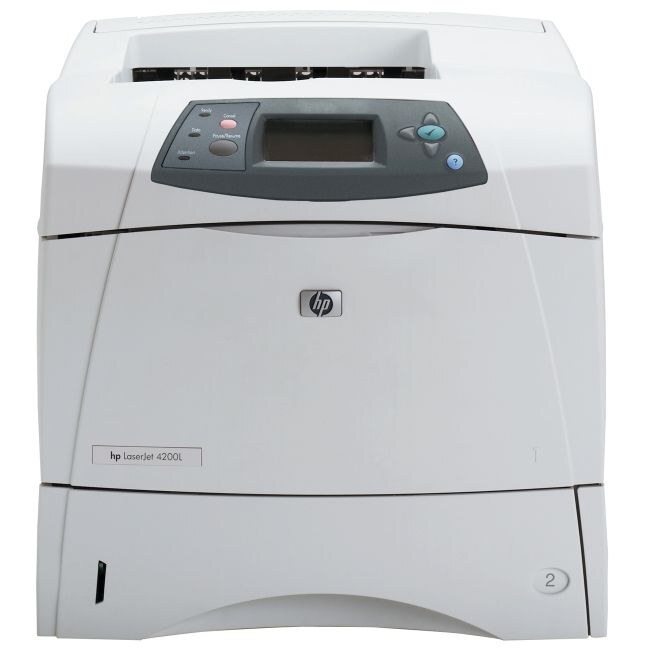
HP's 4200DTNS bundled the fully loaded 4200DTN with additional software and solutions for managed environments — the 2002 workgroup printer, tuned for IT departments that standardized their fleets.
It takes the HP 38A cartridge (Q1338A). We carry compatible 38A toner and genuine OEM Q1338A for the DTNS.
Toner Cartridges for LaserJet 4200DTNS
This printer works with the following toner cartridges:
- HP Q1338A
More HP Printers
- LaserJet 4200
- LaserJet 4200DTN
- LaserJet 4200DTNSL
- LaserJet 4200L
- LaserJet 4200LVN
- LaserJet 4200N
- LaserJet 4200TN
- LaserJet 4300
- LaserJet 4300DTN
- LaserJet 4300DTNS
- LaserJet 4300DTNSL
- LaserJet 4300N
- LaserJet 4300TN
Frequently Asked Questions
Can I share the HP LaserJet 4200DTNS with other computers on the network?
Yes, the HP LaserJet 4200DTNS is designed for sharing. After it joins the network, each computer installs the driver and discovers the HP LaserJet 4200DTNS; everyone prints to the same toner supply and paper trays.
How do I turn on double-sided printing on the HP LaserJet 4200DTNS?
Open Printer Properties for the HP LaserJet 4200DTNS, find the finishing or layout tab, and enable two-sided printing. Once set, every job sent to the HP LaserJet 4200DTNS will use both sides until you change it back.
How do I fix light vertical bands on prints from my HP LaserJet 4200DTNS?
For the HP LaserJet 4200DTNS, vertical light streaks usually live inside the Q1338A cartridge rather than the printer. Reseat the HP 38A cartridge after a gentle redistribution; bands that survive that step on the HP LaserJet 4200DTNS mean it is time for a new Q1338A.