




LaserJet 4200L
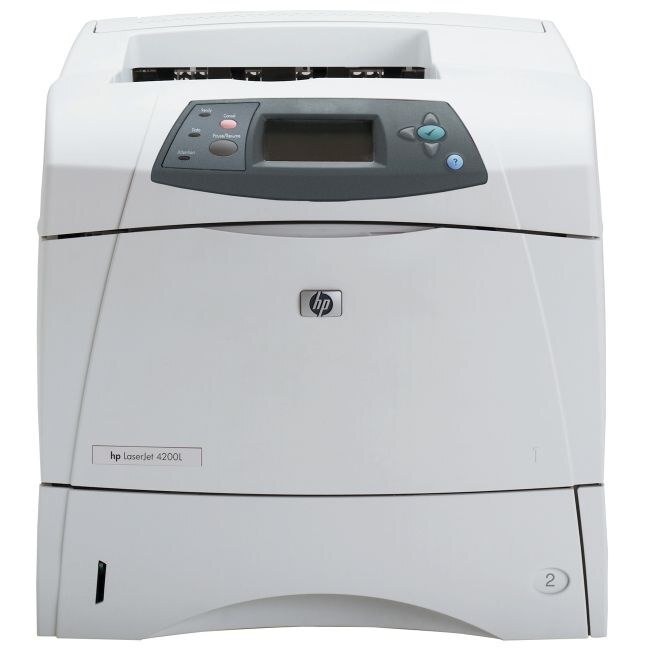
The LaserJet 4200L was the entry configuration of the LaserJet 4200 series: the same proven 2002 workgroup engine in its most affordable form, giving small offices workgroup reliability without the premium price. It prints from a single cartridge, the Q1338A that HP sells under the short name 38A, and this page stocks that cartridge in several builds, including a MICR version for check printing.
Entry configuration never meant light duty. The 4200 series was built for shared workgroup work, and the L simply strips the purchase down to the engine itself for offices that did not need the extras. That honesty shows in the supply story too: one cartridge, one code to remember, and a shelf of pack sizes and yield builds that all drop into the same bay. For a small office that wants a printer to disappear into the background, there is still a lot to like here.
Toner Cartridges for LaserJet 4200L
| Cartridge | Color | Page Yield |
|---|---|---|
| Q1338A Toner Cartridge Black MICR | Black | See product page |
| LaserJet 4200L Toner Cartridge Black | Black | See product page |
| Q1338A Premium Quality Toner Cartridge Black 5 Pack | Black | See product page |
| Q1338A Toner Cartridge Black | Black | See product page |
| Q1338A Toner Cartridge Black 2 Pack | Black | See product page |
| Q1338A Toner Cartridge Black 3 Pack | Black | See product page |
| Q1338A Toner Cartridge Black 5 Pack | Black | See product page |
| HP 38A (Q1338A) Toner Cartridge 4 Black | Black | See product page |
Which cartridge should you buy?
With one cartridge family to manage, the decision is purely about rhythm. A small office printing steadily but lightly is well served by the single standard cartridge, bought as needed. Busier workgroups should look at the multi-packs on this shelf: the same cartridge in twos, threes, fours and fives, which trims the cost of every box and keeps a spare permanently in the cabinet. The premium build suits offices that want the most careful formulation of the same cartridge, and the MICR version is the specialist of the shelf, made for printing checks whose magnetic line bank scanners read. Every compatible option here is backed by a 1-year warranty and 1-year returns, so stocking up is a safe way to run a 2002-era machine on a modern budget.
Chip, toner and everyday use
Older workgroup machines are forgiving partners: seat the cartridge until it clicks, and if light vertical bands appear on the page, lift it out, rock it gently to redistribute the toner, and reinstall — that cures most banding on this engine. Keep spares sealed and stored flat away from heat, since a cartridge that has baked in a warm storeroom prints tired long before its time. Yields are estimates at about five percent coverage, so forms-heavy printing will always finish a cartridge sooner than letter-writing does.
Frequently Asked Questions
Which toner cartridge does the LaserJet 4200L take?
One cartridge only: the code linked in the first paragraph, sold as the 38A. Match that code against the cartridge you remove and the fit is certain.
Will the LaserJet 4200L work with a newer computer?
In most cases yes, through HP's universal print driver or the LaserJet support built into modern operating systems. Connectivity is the part to check; with that sorted, the printer itself is undemanding.
What is the MICR cartridge on this shelf for?
Printing checks. MICR toner contains the magnetic particles that bank reading equipment expects, and it loads into the 4200L exactly like the standard build.
Why do my prints show light vertical bands?
Usually the cartridge: toner distribution or a worn roller inside it. Rock the cartridge gently and reinstall; if fresh output still bands with a new cartridge fitted, the cartridge was the fix.
More printers that use the same cartridges
The same cartridge feeds the rest of the 4200 family: HP Q1338A, LaserJet 4200, LaserJet 4200, LaserJet 4200DTN, LaserJet 4200DTNS, LaserJet 4200DTNSL, LaserJet 4200LVN, LaserJet 4200N, LaserJet 4200TN.