




LaserJet 4200
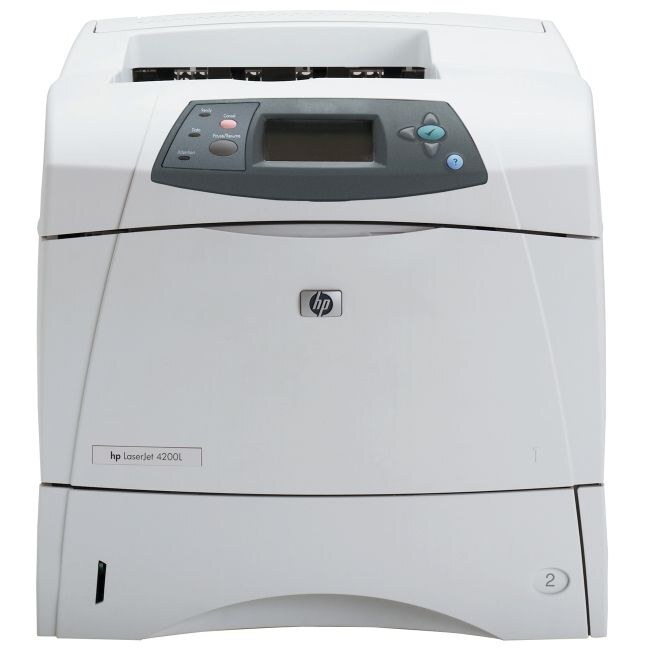
Built for workgroups, the LaserJet 4200 is a 2002-era laser printer that earned its keep on steady, everyday output — and second-hand units still circulate because the consumable market around it never dried up. It prints with a single black cartridge, the Q1338A, and on this page that cartridge is stocked in one form: a 38A four-pack of compatible cartridges, enough to keep a shared machine supplied through a long stretch of document work.
Printers from this generation survive on a simple bargain: the hardware was overbuilt for its price, and the toner stayed available. A workgroup machine does not ask for novelty — it asks that the cartridge it needs this year is the same one it needed last year, stocked and orderable without research. That continuity is exactly what this page represents: the 4200's one cartridge, in a pack sized for a machine several people rely on.
Toner Cartridges for LaserJet 4200
| Cartridge | Color | Page Yield |
|---|---|---|
| Q1338A — four-pack | Black | See product page |
Which cartridge should you buy?
There is only one listing on this page, which makes the guidance straightforward: the four-pack is the stocked form of this printer's cartridge, and it suits the way the 4200 is actually used — as a shared workgroup machine whose toner should be bought ahead of need rather than in emergencies. A single cartridge at a time would leave a multi-user printer one busy week away from an empty tray warning; four in the building means changes are routine. If you are confirming fit before ordering, the code to match on your current cartridge is Q1338A.
Chip, toner and everyday use
Changing the cartridge follows the classic routine for this generation: power the printer on, open the cartridge door, and slide the old unit out. Remove the seal and any packing clips from the new cartridge, insert it firmly, close the door, and print a test page to confirm. Paper choice matters more than most owners expect — standard office copy paper works well, laser-rated paper gives the sharpest results, and paper made only for inkjet printers should be kept out of this machine, since it can cause problems in a laser printer.
Frequently Asked Questions
Which toner cartridges work with the LaserJet 4200?
One cartridge: the Q1338A. Checking the label on the old cartridge is the fastest way to confirm before you order — if the code on the unit you pull out reads Q1338A, the four-pack on this page is its replacement.
How do I install a replacement Q1338A cartridge in the LaserJet 4200?
With the printer powered on, open the cartridge door and slide the old cartridge out. Take the seal and packing clips off the new one, insert it firmly until it settles, close the door, and print a test page to confirm the change took.
What type of paper should I use in the LaserJet 4200?
Standard office copy paper works well, and laser-rated paper gives the sharpest output. Avoid paper made only for inkjet printers — its coatings are not made for a laser printer's heat and can cause problems.
What causes streaks across pages from the LaserJet 4200?
Streaks usually point to a dirty drum or a cartridge at the end of its life. Print a cleaning page from the printer's menu first; if the streaks persist afterward, replacing the cartridge is the next step.
More printers that use the same cartridges
The same cartridge serves the other members of this model's family: HP Q1338A, LaserJet 4200, LaserJet 4200DTN, LaserJet 4200DTNS, LaserJet 4200DTNSL, LaserJet 4200L, LaserJet 4200LVN, LaserJet 4200N, LaserJet 4200TN.