




LaserJet 4200DTNSL
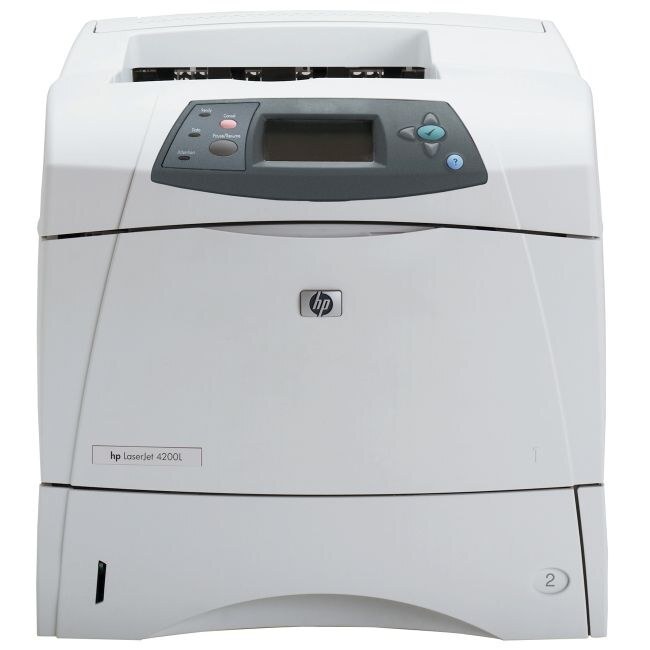
The 4200DTNSL was HP's solutions-configured take on the LaserJet 4200DTN — duplexing, networking, extra tray, plus the software bundle enterprises wanted. The 2002 workgroup engine underneath did the heavy lifting.
Cartridges: the HP 38A (Q1338A). Our compatible 38A toner and genuine OEM Q1338A both fit.
Toner Cartridges for LaserJet 4200DTNSL
This printer works with the following toner cartridges:
- HP Q1338A
More HP Printers
- LaserJet 4200
- LaserJet 4200DTN
- LaserJet 4200DTNS
- LaserJet 4200L
- LaserJet 4200LVN
- LaserJet 4200N
- LaserJet 4200TN
- LaserJet 4300
- LaserJet 4300DTN
- LaserJet 4300DTNS
- LaserJet 4300DTNSL
- LaserJet 4300N
- LaserJet 4300TN
Frequently Asked Questions
Does the HP LaserJet 4200DTNSL print on both sides of the paper automatically?
It does. The HP LaserJet 4200DTNSL was configured with a duplexer, so double-sided output is a driver setting away. In your application's print dialog for the HP LaserJet 4200DTNSL, choose the two-sided option.
Do I need to shake the Q1338A cartridge before installing it in the HP LaserJet 4200DTNSL?
A gentle side-to-side rock helps distribute toner evenly inside the Q1338A before it goes into the HP LaserJet 4200DTNSL. Do not shake it vigorously — a few easy tilts are enough to wake up a cartridge that has been sitting.
How do I clear a paper jam in the HP LaserJet 4200DTNSL?
Turn the HP LaserJet 4200DTNSL off first, then open the access doors and ease the stuck paper out along its normal travel direction. Check for small torn pieces inside the HP LaserJet 4200DTNSL, close the covers, and print a test page.