




LaserJet 4300DTN
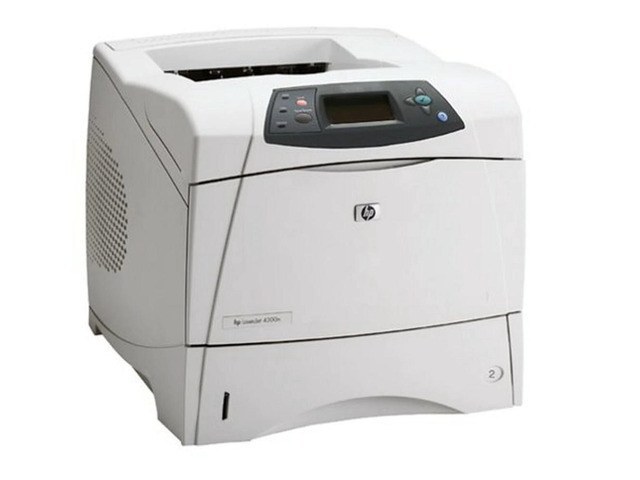
HP's 4300DTN combined the faster 4300 engine with duplexing, networking, and an extra tray — the full workgroup specification. Mid-2000s departments that printed constantly chose this configuration.
Toner is the HP 38A (Q1338A). Compatible 38A toner and genuine OEM Q1338A cartridges both fit the DTN.
Toner Cartridges for LaserJet 4300DTN
This printer works with the following toner cartridges:
- HP Q1338A
More HP Printers
- LaserJet 4200
- LaserJet 4200DTN
- LaserJet 4200DTNS
- LaserJet 4200DTNSL
- LaserJet 4200L
- LaserJet 4200LVN
- LaserJet 4200N
- LaserJet 4200TN
- LaserJet 4300
- LaserJet 4300DTNS
- LaserJet 4300DTNSL
- LaserJet 4300N
- LaserJet 4300TN
Frequently Asked Questions
Which toner cartridge does the LaserJet 4300DTN use?
The LaserJet 4300DTN uses the Q1338A toner cartridge. Confirm the code printed on your current cartridge matches before ordering a replacement.
Can the LaserJet 4300DTN print on both sides of the page automatically?
Yes — the LaserJet 4300DTN includes automatic duplexing, so you can print double-sided without flipping pages by hand. Select two-sided printing in the LaserJet 4300DTN's print dialog to cut paper use in half.
Can the LaserJet 4300DTN be shared on an office network?
Yes — the LaserJet 4300DTN has Ethernet connectivity, so plug it into your network and install the driver on each workstation. Every computer can then send jobs directly to the LaserJet 4300DTN.