




LaserJet 3390
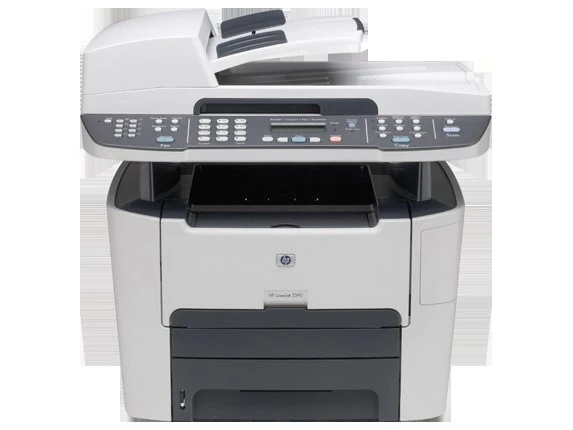
HP's LaserJet 3390, from 2006, was the four-function answer for small offices — printing, scanning, copying, and fax in one compact monochrome box. It packed remarkable capability into a desktop footprint.
It takes HP 49A (Q5949A) toner, with the high-yield HP 49X (Q5949X) for busier machines. Compatible and genuine OEM cartridges available.
Toner Cartridges for LaserJet 3390
This printer works with the following toner cartridges:
- HP Q5949A
- HP Q5949X
More HP Printers
- Laserjet 1160
- Laserjet 1160LE
- Laserjet 1320
- Laserjet 1320N
- Laserjet 1320NW
- Laserjet 1320T
- Laserjet 1320TN
- LaserJet 3392
Frequently Asked Questions
Which toner cartridge does the LaserJet 3390 use?
The LaserJet 3390 uses the Q5949A (standard yield) or the Q5949X (high-yield) toner cartridge. Confirm the code printed on your current cartridge matches before ordering a replacement.
How do I fix smudged toner on prints from the LaserJet 3390?
Smudges usually mean loose toner dust inside the LaserJet 3390 — printing a few blank pages flushes it through. If smudging continues, check that the cartridge is seated properly in the LaserJet 3390 and not leaking.
How do I clear a ‘Toner Low’ message on the LaserJet 3390?
On the LaserJet 3390, the Toner Low message means the cartridge is nearly empty — you can keep printing for a while, but order a replacement now. Installing a fresh cartridge clears the warning on the LaserJet 3390 automatically.