




Laserjet 1320TN
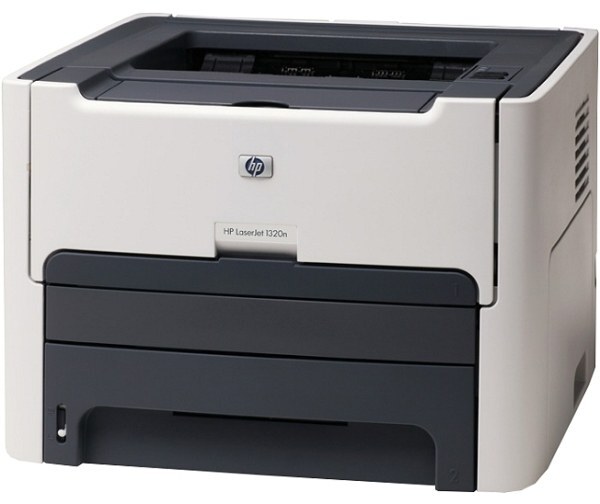
The LaserJet 1320TN stacks the whole 1320 formula into one box: the network connection and the extra tray together, making it the fully shared configuration of HP's 2005 small-office classic. Like every 1320, it prints monochrome from the standard HP 49A (Q5949A) or the high-yield HP 49X — full part number Q5949X — and this page lists both in singles, multipacks and MICR form.
Offices chose the TN when a printer had to be both easy to reach and hard to empty: reachable by everyone over the network, fed by two trays so paper rarely ran out mid-job. That combination made it the departmental default rather than a personal machine, and the survivors still work that way — parked in a shared space, printing all day for people who never think about it until the day it stops. Its supplies should be bought with exactly that invisibility in mind.
Toner Cartridges for Laserjet 1320TN
Q5949A (standard, black) — buy it as a single · two in a box · 2 pack · 3 pack · four in a box · 5 pack · premium 5 pack · 10 pack · MICR single. Yields: see product page.
Q5949X (high yield, black) — buy it as a single · 2 pack · 3 pack · 5 pack · 10 pack · MICR single. Yields: see product page.
One further listing, the cartridge filed under the printer's own name, is the standard cartridge in model-named packaging.
Which cartridge should you buy?
For the TN, plan like a small fleet manager. The Q5949X high-yield cartridge should be the default load: on the family's hardest-working configuration, it maximizes pages between interventions and minimizes cost per page. The standard Q5949A fits only if your TN has drifted into light duty. Then think in boxes, not cartridges — a shared, tray-fed printer is precisely the case for the 5 and 10 packs, bought once and drawn down over months, with one cartridge always staged beside the machine. If this printer also produces the office's checks, keep a MICR cartridge clearly labeled and separate; mixing it into the general stock invites someone to load check toner for a month of memos.
Chip, toner and everyday use
A shared printer needs a supply routine more than it needs luck. Assign the spare's location — on top of the supply cabinet, in the tray drawer, anywhere the whole team knows — and reorder when the spare goes in, not when the warning light appears. The chip in each cartridge reports toner level to the printer, so whoever loads the new one can see how the removed cartridge was doing. Near the end of a cartridge, a gentle side-to-side rock redistributes toner and often carries a busy printer through to the end of the week. Yields are figured at 5% coverage, so a department printing dense reports will cycle cartridges faster than the rating implies. Keep stock sealed, flat and rotated oldest-first.
Frequently Asked Questions
What makes the 1320TN different from the 1320T and 1320N?
It combines them: the T's extra paper tray plus the N's network connection. Nothing about the print engine changes, so its toner is the family standard pair, identical to the cartridges on this page.
Which cartridges fit the LaserJet 1320TN?
The standard Q5949A for lighter use and the high-yield Q5949X for the shared duty this model was built for. Those two codes cover every listing here, including the multipacks and the MICR versions.
How many spare cartridges should a shared TN keep?
At minimum one, staged by the printer; two if the machine is the department's only output device. Buying the Q5949X 5 pack or the 10 pack turns that policy into a single order and keeps the per-cartridge cost at its lowest.
Does the 1320TN use a separate drum unit?
No. The drum is integrated into the toner cartridge, so replacing the cartridge replaces the drum as well. There is no drum part number to order for this printer.
More printers that use the same cartridges
The TN tops the range, but the models below share its cartridges down to the last pack size: HP Q5949A, LaserJet 1160, LaserJet 3390, LaserJet 3392, Laserjet 1160, Laserjet 1160LE, Laserjet 1320, Laserjet 1320N, Laserjet 1320NW, Laserjet 1320T.