




Laserjet 1160
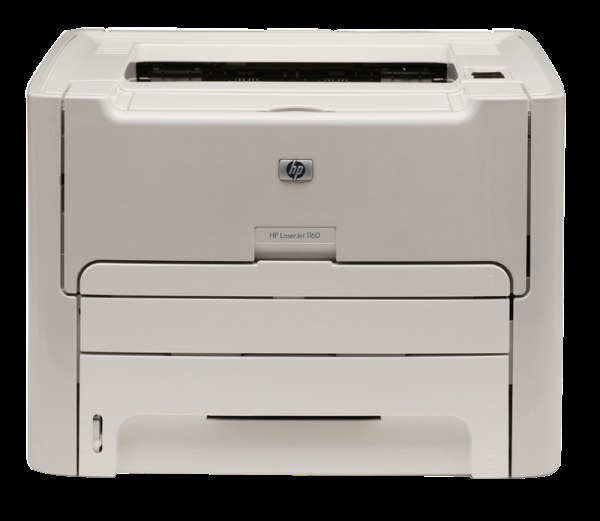
The HP LaserJet 1160, launched in 2005, hit the sweet spot for home offices: faster and more capable than the entry-level lasers of its day, without the workgroup price tag. This compact monochrome printer earned a loyal following, and its cartridge is the HP 49A, which you will order by the code Q5949A. Compatible and genuine-style toner both live on this page — singles, a MICR build, and multipacks from two up to ten cartridges.
A step-up machine like the 1160 tends to become the busiest printer in a small office, precisely because it handles the everyday load without drama. That popularity is why its supply page matters: the 49A cartridge also serves the 1320 and 3390 families listed below, so it is stocked deeply and in more pack shapes than most cartridges of its generation. Whatever your volume, there is a quantity below that matches it, and the cartridge itself never changes.
Toner Cartridges for Laserjet 1160
| Cartridge | Color | Page Yield |
|---|---|---|
| Q5949A | Black | See product page |
| Q5949A MICR | Black, MICR for check printing | See product page |
| LaserJet 1160 cartridge | Black, model-named listing | See product page |
| Q5949A | Black, 2 pack | See product page |
| Q5949A | Black, 3 pack | See product page |
| Q5949A | Black, 5 pack | See product page |
| Q5949A Premium | Black, premium quality 5 pack | See product page |
| Q5949A | Black, 10 pack | See product page |
Which cartridge should you buy?
Let your swap tolerance decide. The single Q5949A fits the 1160 that prints a few days a month. Daily printers should start at the two-pack — a machine this central should never sit idle waiting for a delivery — while the three- and five-packs suit offices standardizing on the 49A across the 1160 and its sibling models. The premium five-pack is the upgraded compatible build in bulk dress. A ten-pack is fleet logic: one shelf, many printers, no mid-month orders. The MICR cartridge is the outlier on the page, magnetic toner for check printing, and it should be bought for that purpose only.
Chip, toner and everyday use
When print quality drops on the 1160, try the oldest trick in laser printing before you order: remove the cartridge and rock it gently side to side. The motion redistributes the toner that remains and frequently restores dark, even pages for a while — a reprieve, not a resurrection, so let it remind you to order rather than convince you not to. Fit replacements with the printer's cover fully open and the cartridge guided straight in; forcing an angle helps nothing. Remember that rated yields assume about five percent coverage, so a reports-heavy month will always finish a cartridge ahead of a letters-heavy one.
Frequently Asked Questions
Which toner cartridge does the LaserJet 1160 use?
The Q5949A, HP's 49A black cartridge. Confirm the code printed on your current cartridge matches before ordering — that one check eliminates nearly every wrong-cartridge return.
Is there a high-yield version of this cartridge?
HP's line for this family includes a high-yield 49X (Q5949X). The cartridges stocked on this page are the 49A range; if your volume climbs, the multipacks above are the economical way to stay with the 49A rather than a reason to change cartridge types.
Should I shake the cartridge when prints fade?
Gently rock it, yes — side to side, a few times, over a sheet of scrap paper in case of stray toner. It buys extra pages by leveling what is left. Once fading returns after a rocking, the cartridge is genuinely finished.
Will the same cartridge fit my LaserJet 1320?
Yes. The 1320 family appears in the list below because it shares the 49A cartridge with the 1160 — one of the reasons this cartridge is so easy to keep in stock.
More printers that use the same cartridges
The 49A cartridge also runs in these models:
HP Q5949A, LaserJet 1160, LaserJet 3390, LaserJet 3392, Laserjet 1160LE, Laserjet 1320, Laserjet 1320N, Laserjet 1320NW, Laserjet 1320T, Laserjet 1320TN