




Laserjet 2300L
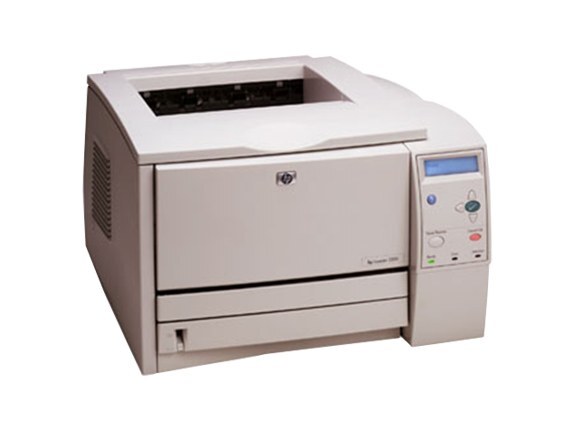
The 2300L served as the entry point to HP’s LaserJet 2300 series — the same proven 2003 workgroup engine in its most affordable configuration, aimed at small offices that did not need every option. It prints with the HP 10A cartridge family: the standard unit (part number Q2610A) does the everyday work, the high-yield Q2610X (10X) stretches the interval between changes, and the maximum-yield Q2610XX covers the heaviest queues. Entry-level hardware, full-family toner: the whole capacity ladder fits this machine, not just the standard cartridge.
Small offices that started here rarely outgrew the printer itself — the L’s thrift was in its purchase price, not in a cut-down engine. What does change over an L’s life is print volume, as a one-person operation becomes a small team, and the cartridge ladder below is how the printer keeps pace without being replaced.
Toner Cartridges for LaserJet 2300L
| Cartridge | Color | Yield |
|---|---|---|
| Q2610A — standard single | Black | See product page |
| Q2610A — 2 pack | Black | See product page |
| Q2610X — high yield single | Black | See product page |
| Q2610XX — maximum yield single | Black | See product page |
| Q2610A — 3 pack | Black | See product page |
| Q2610A — 4 pack | Black | See product page |
| Q2610A — 5 pack | Black | See product page |
| Q2610A — premium quality 4 pack | Black | See product page |
| Q2610A — MICR single | Black | See product page |
| Q2610X — high yield 3 pack | Black | See product page |
| Q2610X — high yield MICR single | Black | See product page |
| Model-named black cartridge | Black | See product page |
| Black cartridge — listed under LaserJet 2300D | Black | See product page |
| Black cartridge — listed under LaserJet 2300DTN | Black | See product page |
Which cartridge should you buy?
Begin where your volume is today. Most 2300L owners belong on the standard cartridge — singly for the lightest use, or in its 2, 3, 4 and 5 packs as the office grows into a routine, with the premium quality 4 pack as the upgraded build at that size. The day the toner-low warning starts arriving inconveniently often, step up rather than stock up: the high-yield build lengthens the run in the same bay, and the maximum-yield build is there for L machines that ended up serving a whole team. There is no penalty for climbing later, since every tier installs identically. MICR singles, as ever, are for check printing only.
Chip, toner and everyday use
Light vertical bands on this model typically trace back to the cartridge — toner distribution or a worn roller inside it. Remove the unit, rock it gently, and reinstall; if the bands persist with a fresh cartridge, the cartridge was the fix all along. Fit every replacement with its sealing tape fully removed and the shell seated home so the contacts meet. And when a newer computer joins the office, remember the printer side is forgiving: standard languages mean a universal driver usually has the L printing within minutes.
Frequently Asked Questions
Which toner cartridge does the HP LaserJet 2300L take?
The HP 10A toner cartridge, part number Q2610A, in compatible and genuine forms. Owners who print more than the entry-level brief suggests can step up within the same family — the high-yield and maximum-yield builds both fit the L’s bay.
How do I fix light vertical bands on prints from my HP LaserJet 2300L?
Remove the cartridge, rock it gently to redistribute the toner, and reinstall it. If the bands persist with a fresh unit in place, the old cartridge had simply reached the end of its toner.
Will the HP LaserJet 2300L work with a newer computer?
In most cases yes, using HP’s universal print driver or the operating system’s bundled LaserJet support. Connectivity is the main thing to check — USB and network connections both work fine with modern ports and adapters.
Is the 2300L limited to the standard cartridge because it is the entry model?
Not at all. The L shares the family’s cartridge bay, so the high-yield and maximum-yield builds fit it exactly as they fit the flagship models. Entry pricing bought fewer printer features, not a smaller toner future.
More printers that use the same cartridges
The L is the family’s front door, and its cartridges are the family’s cartridges — the same boxes also fit HP Q2610A, LaserJet 2300, LaserJet 2300D, LaserJet 2300DN, LaserJet 2300N, Laserjet 2300DTN.