




LaserJet 2300DN
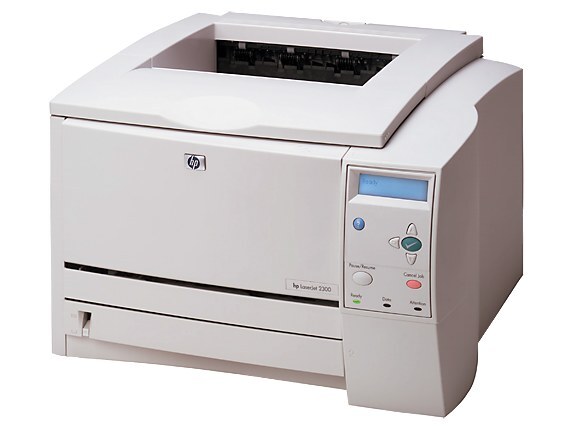
With duplexing and networking both built in, the LaserJet 2300DN was the configuration most workgroups actually bought — one machine on the network serving double-sided documents to a whole team. It prints with the HP 10A cartridge family: the standard unit (part number Q2610A) does the everyday work, the high-yield Q2610X (10X) stretches the interval between changes, and the maximum-yield Q2610XX covers the heaviest queues. On a shared printer the cartridge drains at the pace of the queue, which is why this page stocks the full ladder from singles to maximum-yield.
A DN’s life is measured in other people’s deadlines. It sits on the network, takes jobs from every desk, and empties its cartridge on a schedule nobody individually controls. Owners of networked machines learn to buy toner like a utility: ahead of need, in the capacity that keeps the shared queue from ever stopping on an empty bay.
Toner Cartridges for LaserJet 2300DN
- Q2610A — 2 pack — black
- Q2610A — 3 pack — black
- Q2610A — 4 pack — black
- Q2610A — 5 pack — black
- Q2610A — premium quality 4 pack — black
- Q2610A — standard single — black
- Q2610A — MICR single — black
- Q2610X — high yield single — black
- Q2610X — high yield 3 pack — black
- Q2610X — high yield MICR single — black
- Q2610XX — maximum yield single — black
- Model-named black cartridge — black
- Black cartridge — listed under LaserJet 2300D — black
- Black cartridge — listed under LaserJet 2300DTN — black
Which cartridge should you buy?
Buy for the team, not the desk. A standard single is a reasonable spare for a lightly used DN, but a printer serving a workgroup belongs on multi-packs and higher capacities: the 2 through 5 packs keep the standard unit stocked ahead, the premium quality 4 pack is the upgraded build at that size, and the high-yield and maximum-yield builds cut the number of times a shared machine stops for toner at all. The maximum-yield unit is the natural flagship for this model — the busier the queue, the more each avoided cartridge change is worth. Keep one sealed spare beyond the installed cartridge whatever tier you choose; on a network printer, “we are out” is a team problem, not a personal one.
Chip, toner and everyday use
Order the replacement when the toner-low warning first appears, not when the pages fade: on a shared machine the gap between those two moments can be a single busy afternoon. In the meantime, removing the cartridge and rocking it gently redistributes the remaining toner and usually yields many more pages. Fit the new unit with its sealing tape fully pulled and seat it in one motion so the printer reads it cleanly. Store the team’s spare stock sealed and flat, oldest box at the front of the shelf, and the DN’s rhythm never has to break.
Frequently Asked Questions
Can I share the HP LaserJet 2300DN with other computers on the network?
Yes, the 2300DN is designed for sharing. After it joins the network, each computer installs the driver and discovers the printer; everyone prints to the same toner supply and paper trays, which is why this page favors packs and higher capacities.
Can I use a compatible HP 10A cartridge in the HP LaserJet 2300DN?
Yes — the bay, contacts and toner formulation mirror the original specification, so installation is identical. On a shared machine the compatible ladder’s higher capacities are where most teams find the real saving.
What should I do when the HP LaserJet 2300DN shows a toner-low warning?
Order the replacement that day so it is on hand, and rock the installed cartridge gently to redistribute its remaining toner in the meantime. Shared printers empty faster than expected; the warning is the only notice the team gets.
Which capacity suits a workgroup best?
The heaviest users should start at the high-yield tier and consider the maximum-yield build the default: every avoided swap is a queue that never stopped. Lighter groups can run the standard cartridge in multi-packs and still keep a spare sealed.
More printers that use the same cartridges
Networking aside, the whole family shares one cartridge bay, so these boxes also fit HP Q2610A, LaserJet 2300, LaserJet 2300D.
LaserJet 2300N, Laserjet 2300DTN, Laserjet 2300L.