




HP Q2610A
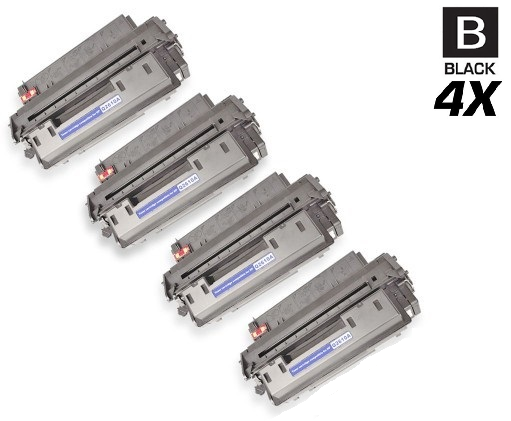
HP Q2610A Toner Cartridges
HP Q2610A Toner Cartridges, HP 10A
- Backed by a One Year 100% Satisfaction Guarantee
- FREE delivery on orders over $49, shipping within the contiguous U.S.
- Ships same day if order is placed before 4 PM PST
- Award-winning customer service you can count on
There is exactly one toner cartridge for the LaserJet 2300, and it is the HP 10A (Q2610A). HP never built a high-yield version of this black cartridge, which makes life easy for everyone still running these dependable monochrome printers — from the desktop LaserJet 2300L to the workgroup LaserJet 2300DN, the supply is identical. No suffixes to decode, no capacity tiers to compare. Clever Supplies sells the 10A as HP's genuine OEM cartridge and as a compatible alternative, so offices choose between the factory original and the economical third-party build. Pop it in and the 2300 does what it has always done: crisp black pages, day after day.
Works with these HP printers
- LASERJET 2300
- LaserJet 2300
- LaserJet 2300D
- LaserJet 2300DN
- LaserJet 2300N
- Laserjet 2300DTN
- Laserjet 2300L
Frequently Asked Questions
My printer asks for a 10A but this page says Q2610A — are they the same thing?
They are. HP 10A is the short marketing name and Q2610A is the full part number for the identical black cartridge. If either number appears on your old cartridge or in your printer's manual, this is the correct replacement.
Will a compatible 10A work properly in my LaserJet 2300?
A quality compatible 10A is manufactured to HP's physical and electronic specifications, so the printer recognizes it and prints normally. The genuine OEM cartridge carries HP's original toner and chip; the compatible simply delivers the same function without the HP branding, at a lower price.
How can I tell when my 10A is actually running out?
Check the printer's supplies status page for the toner gauge, and watch for fading print — light streaks or gray backgrounds appear before the cartridge is fully spent. Gently rocking the cartridge side to side and reseating it often recovers a few more pages; keep a spare nearby so a mid-job empty never stalls your work.