




Laserjet 2300DTN
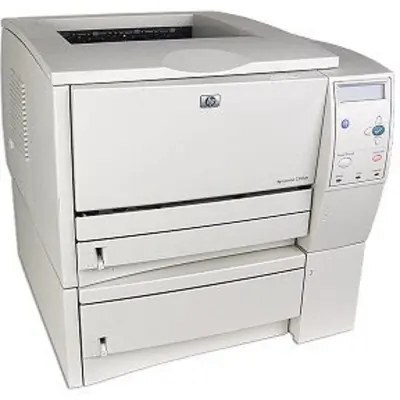
The 2300DTN was the fully loaded member of HP's LaserJet 2300 family — duplexing, networking, and an extra paper tray for high-volume workgroups. In the mid-2000s office, this was the set-it-and-forget-it shared printer.
One cartridge powers it: the HP 10A (Q2610A). Compatible 10A toner and genuine OEM Q2610A cartridges are both available for the DTN.
Toner Cartridges for Laserjet 2300DTN
This printer works with the following toner cartridges:
- HP Q2610A
More HP Printers
Frequently Asked Questions
Does the HP Laserjet 2300DTN print on both sides of the paper automatically?
It does. The HP Laserjet 2300DTN was configured with a duplexer, so double-sided output is a driver setting away. In your application's print dialog for the HP Laserjet 2300DTN, choose the two-sided option.
How do I fix light vertical bands on prints from my HP Laserjet 2300DTN?
Start with the cartridge: pull the Q2610A from the HP Laserjet 2300DTN, tilt it side to side to even the toner, and slide it back in. Vertical banding that remains on the HP Laserjet 2300DTN after this points to a spent HP 10A cartridge.
Will the HP Laserjet 2300DTN work with a newer computer?
Usually yes — the HP Laserjet 2300DTN speaks standard printer languages, so modern systems can often drive it with a built-in or universal HP driver. Check HP's support page for the HP Laserjet 2300DTN first; if no model-specific driver exists, the universal driver is the next try.