




LaserJet 2300
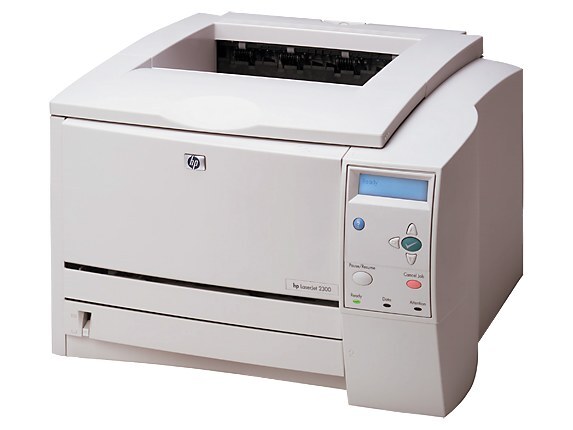
HP launched the LaserJet 2300 series in 2003 as the workgroup successor to the beloved 2200 line, and the base LaserJet 2300 is where the family starts: an A4 monochrome printer that hit the sweet spot for small offices — fast enough for shared use, compact enough for a side table, and famously reliable. It prints with the HP 10A cartridge family: the standard unit (part number Q2610A) does the everyday work, the high-yield Q2610X (10X) stretches the interval between changes, and the maximum-yield Q2610XX covers the heaviest queues. All three capacities sit on this page alongside multi-packs and MICR builds of the standard cartridge.
The plain 2300 is the configuration a small office buys when it wants one dependable machine for everybody’s documents and nothing it will not use. Its owners tend to keep it for years, which makes the cartridge question a recurring one — and the three-capacity ladder below is the family’s answer, letting the same printer run lean or long depending on the season.
Toner Cartridges for LaserJet 2300
| Cartridge | Color | Page Yield |
|---|---|---|
| Q2610A — standard single | Black | See product page |
| Q2610A — 2 pack | Black | See product page |
| Q2610A — 3 pack | Black | See product page |
| Q2610A — 4 pack | Black | See product page |
| Q2610A — 5 pack | Black | See product page |
| Q2610A — premium quality 4 pack | Black | See product page |
| Q2610A — MICR single | Black | See product page |
| Q2610X — high yield single | Black | See product page |
| Q2610X — high yield 3 pack | Black | See product page |
| Q2610X — high yield MICR single | Black | See product page |
| Q2610XX — maximum yield single | Black | See product page |
| Model-named black cartridge | Black | See product page |
Which cartridge should you buy?
Choose by the weight of your print queue. The standard cartridge is the economical default for a 2300 that prints a modest daily stack, and its multi-packs — two through five — simply stock that same unit ahead of time at a lower per-cartridge cost; the premium quality 4 pack is the upgraded build at that count. Step up to the high-yield build when the low-toner warning keeps interrupting busy weeks, and to the maximum-yield build when the printer serves a whole team and every cartridge change is a small event. MICR singles exist for check printing only. The ladder’s virtue is that nothing else changes: same fit, same install, just more pages between swaps as you climb.
Chip, toner and everyday use
When output develops light vertical bands, start with the cartridge before blaming the printer: lift it out, tilt it gently side to side to even the toner across the drum, and slide it back in. Bands that survive that ritual point to a spent cartridge. Remember that yields in this family are estimates at roughly 5% page coverage, so dense documents shorten any cartridge’s life. Fit replacements with the sealing tape fully removed and the unit seated in one motion, and keep the next box sealed, flat and cool until the day it is needed.
Frequently Asked Questions
Which toner cartridge does the HP LaserJet 2300 take?
The HP 10A, part number Q2610A. Match the code on your old cartridge to the code on the box and it will drop right in. The same bay also accepts the family’s high-yield and maximum-yield builds, which are listed on this page for busier offices.
How do I fix light vertical bands on prints from my LaserJet 2300?
Start with the cartridge: pull it out, tilt it side to side to even the toner, and slide it back in. Banding that remains after this points to a spent cartridge rather than a printer fault, and a fresh unit is the fix.
Will the HP LaserJet 2300 work with a newer computer?
Usually yes — the 2300 speaks standard printer languages, so modern systems can often drive it with a built-in or universal HP driver. Check HP’s support page for this model first; if no model-specific driver exists, the universal driver is the next try.
What is the difference between the standard, high-yield and maximum-yield cartridges?
Capacity, and nothing else that affects fit. All three builds install the same way and print the same documents; the higher tiers simply carry more toner, so they suit busier months. Choose by how often you are willing to stop and swap.
More printers that use the same cartridges
Every member of the 2300 family shares this cartridge bay, so the same boxes also fit HP Q2610A, LaserJet 2300D, LaserJet 2300DN, LaserJet 2300N, Laserjet 2300DTN, Laserjet 2300L.