




LJ Enterprise 700 Color MFP M775Z+
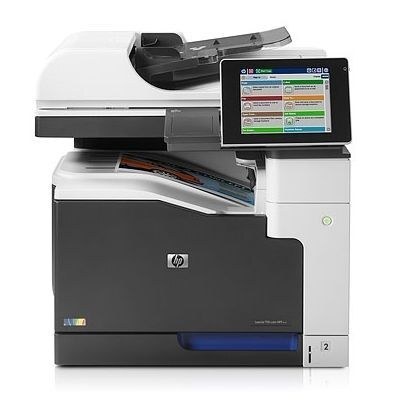
The plus designation marked an enhanced LJ Enterprise 700 Color MFP M775Z+, the ultimate wide-format configuration. It represented the peak of the M775 family.
It uses HP 651A toner — black CE340A alongside cyan CE341A, magenta CE342A and yellow CE343A. Compatible and genuine OEM cartridges for the LJ Enterprise 700 Color MFP M775Z+ are available.
Toner Cartridges for LJ Enterprise 700 Color MFP M775Z+
This printer works with the following toner cartridges:
- HP CE340A
- HP CE341A
- HP CE342A
- HP CE343A
More HP Printers
- Color LaserJet Enterprise 700 MFP M775
- Color LaserJet Enterprise 700 MFP M775D
- Color LaserJet Enterprise 700 MFP M775F
- Color LaserJet Enterprise 700 MFP M775Z
- Color LaserJet MFP M775
- Color LaserJet MFP M775D
- Color LaserJet MFP M775F
- Color LaserJet MFP M775Z
- LJ Enterprise 700 Color MFP M775
- LJ Enterprise 700 Color MFP M775D
- LJ Enterprise 700 Color MFP M775DN
- LJ Enterprise 700 Color MFP M775f
- LJ Enterprise 700 Color MFP M775Z
Frequently Asked Questions
What toner cartridges does the LJ Enterprise 700 Color MFP M775Z+ use?
The LJ Enterprise 700 Color MFP M775Z+ is a color laser printer that takes four separate toner cartridges: CE340A, CE341A, CE342A, CE343A. Match these exact codes when buying replacements for the LJ Enterprise 700 Color MFP M775Z+.
Can the LJ Enterprise 700 Color MFP M775Z+ scan and copy documents?
Yes — the LJ Enterprise 700 Color MFP M775Z+ is a multifunction unit, so it prints, copies and scans in one machine. Use the scanner glass or automatic document feeder on the LJ Enterprise 700 Color MFP M775Z+ to copy or scan straight from the control panel.
Can the LJ Enterprise 700 Color MFP M775Z+ keep printing in black when a color cartridge runs out?
The LJ Enterprise 700 Color MFP M775Z+ needs all four cartridges (CE340A, CE341A, CE342A, CE343A) installed to print, even for black-only jobs. To stretch your color toner, choose the grayscale or black-only setting on the LJ Enterprise 700 Color MFP M775Z+ for everyday documents.