




LJ Enterprise 700 Color MFP M775Z
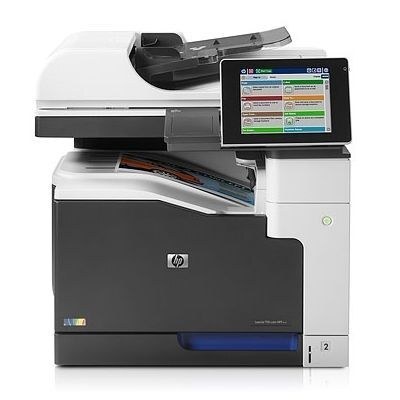
The top-tier LJ Enterprise 700 Color MFP M775Z delivered maximum wide-format MFP capability. Demanding offices got the flagship with every feature.
HP 651A toner powers the machine: CE340A black plus CE341A/CE342A/CE343A color. We offer compatible and genuine OEM cartridges for the LJ Enterprise 700 Color MFP M775Z.
Toner Cartridges for LJ Enterprise 700 Color MFP M775Z
This printer works with the following toner cartridges:
- HP CE340A
- HP CE341A
- HP CE342A
- HP CE343A
More HP Printers
- Color LaserJet Enterprise 700 MFP M775
- Color LaserJet Enterprise 700 MFP M775D
- Color LaserJet Enterprise 700 MFP M775F
- Color LaserJet Enterprise 700 MFP M775Z
- Color LaserJet MFP M775
- Color LaserJet MFP M775D
- Color LaserJet MFP M775F
- Color LaserJet MFP M775Z
- LJ Enterprise 700 Color MFP M775
- LJ Enterprise 700 Color MFP M775D
- LJ Enterprise 700 Color MFP M775DN
- LJ Enterprise 700 Color MFP M775f
- LJ Enterprise 700 Color MFP M775Z+
Frequently Asked Questions
What toner does the LJ Enterprise 700 Color MFP M775Z take?
The LJ Enterprise 700 Color MFP M775Z needs all four of these cartridges installed: CE340A, CE341A, CE342A, CE343A. Any cartridge set marketed as a replacement for these exact codes will work in the LJ Enterprise 700 Color MFP M775Z.
Can the LJ Enterprise 700 Color MFP M775Z scan and copy documents?
Yes — the LJ Enterprise 700 Color MFP M775Z is a multifunction unit, so it prints, copies and scans in one machine. Use the scanner glass or automatic document feeder on the LJ Enterprise 700 Color MFP M775Z to copy or scan straight from the control panel.
Should I replace all four toner cartridges in the LJ Enterprise 700 Color MFP M775Z at once?
No — on the LJ Enterprise 700 Color MFP M775Z each of the four cartridges (CE340A, CE341A, CE342A, CE343A) runs down independently, so only swap the one the printer flags. Replacing working cartridges early in the LJ Enterprise 700 Color MFP M775Z just wastes toner.