




LJ Enterprise 700 Color MFP M775
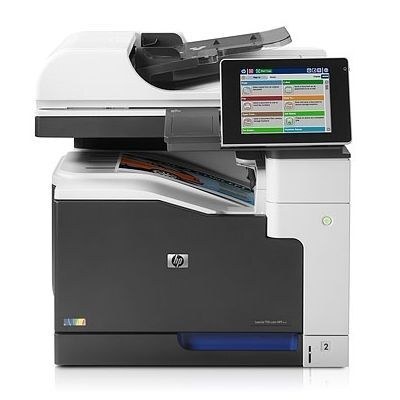
HP built the LJ Enterprise 700 Color MFP M775 as the wide-format flagship of its managed MFP line — the machine large departments centralized A3 printing, copying and scanning on rather than scattering the work across a floor of desk printers. It is fed by HP 651A toner: black CE340A, cyan CE341A, yellow CE342A and magenta CE343A. Four independent cartridges mean a department replaces exactly the color that runs out and nothing more.
A machine in this role rarely gets to rest, and its supply pattern follows the department's calendar: black drains steadily through reports and correspondence, while color use spikes around presentations, proposals and training packs. Facilities teams usually treat toner for a shared A3 unit as stockroom inventory rather than an as-needed purchase, because a flagship sitting idle for want of a cartridge costs more in stalled work than a spare set ever costs on the shelf.
Toner Cartridges for LJ Enterprise 700 Color MFP M775
| Cartridge | Color | Page Yield |
|---|---|---|
| CE340A | Black | See product page |
| CE341A | Cyan | See product page |
| CE342A | Yellow | See product page |
| CE343A | Magenta | See product page |
| CE343A (alternate magenta listing) | Magenta | See product page |
Two listings on this shelf deserve a careful read before ordering. One black listing carries the CE390X code — a high-yield cartridge from a different HP family that does not belong in this MFP — and another listing is labeled cyan while carrying the black cartridge's code; both are linked below under their own names, so check the code printed on the cartridge you remove rather than the label wording. A three-color set stocked here is likewise built on the CE261A, CE262A and CE263A codes of an earlier color family despite the 651A name on its box, and it is not a fit for this machine either.
- 651A four-color set (CS listing)
- 700 Color MFP M775 four-color set
- 651A four-color set (alternate listing)
- 651A eight-color set
- M775 black, two-pack
- M775 black, two-pack (second listing)
- M775 black, single (alternate listing)
- COLOR LASERJET MFP M775 black, single
- M775 listing carrying the CE390X code — read the note above
- M775 listing labeled cyan with the CE340A code (as labeled)
- 651A-named three-color set on CE261A-series codes — read the note above
Which cartridge should you buy?
For a department machine, plan around black. The black cartridge turns over far faster than any color, so buying it in two-packs and keeping one sealed spare beside the machine prevents the most common stall. Colors are better bought as singles matched to the slot that is actually low — a presentation-heavy month can drain magenta while cyan barely moves. Full four-color sets earn their place after a heavy quarter, when several cartridges approach empty together, or when a supply closet is being stocked for a newly installed unit. Every compatible cartridge here is covered by a one-year warranty with one-year returns, which matters when a fleet buyer is standardizing on one supplier.
Chip, toner and everyday use
These are large cartridges with room to rock: when the M775 reports one as low, removing it and rocking it gently end to end redistributes the toner bed and commonly buys enough even coverage to finish the day's work while a replacement ships. Install replacements with the machine powered on so the chip registers cleanly, and let the MFP finish its calibration cycle before judging the first page. A3 color work is unforgiving of a nearly empty cartridge — streaks show up on big solids long before text looks thin — so treat the low warning on this machine as a genuine deadline rather than a suggestion.
Frequently Asked Questions
Which toner cartridges fit the LJ Enterprise 700 Color MFP M775?
The machine takes four: CE340A black, CE341A cyan, CE342A yellow and CE343A magenta — the HP 651A family. Order by those codes; cartridges from other enterprise lines will not seat or register.
Does this MFP scan and copy, or only print?
It is a full multifunction unit: print, copy and scan from one console, using either the flatbed glass for single sheets and bound material or the document feeder for stacks. That is the entire point of the M775 class — one A3 device doing the document work of a department.
Should toner be replaced on a schedule?
No. The four cartridges deplete at different rates depending on how much color a department prints, so replace each one when the machine flags it as low or very low. Swapping early throws away usable toner; waiting for visible fading on an A3 solid risks a ruined run of large pages.
Do all four cartridges have to be installed for the MFP to work?
Yes — the M775 expects a full set in place, including for black-only jobs. It lays down no color when you choose grayscale in the driver, which stretches the color cartridges, but an empty slot still needs a cartridge in it.
More printers that use the same cartridges
The 651A family serves the whole Enterprise 700 color MFP bench:
Color LaserJet Enterprise 700, Color LaserJet Enterprise 700 MFP M775, Color LaserJet Enterprise 700 MFP M775D, Color LaserJet Enterprise 700 MFP M775F, Color LaserJet Enterprise 700 MFP M775Z, Color LaserJet MFP M775, Color LaserJet MFP M775D, Color LaserJet MFP M775F, Color LaserJet MFP M775Z, HP 651A, LJ Enterprise 700 Color MFP M775D, LJ Enterprise 700 Color MFP M775DN, LJ Enterprise 700 Color MFP M775Z, LJ Enterprise 700 Color MFP M775Z+, LJ Enterprise 700 Color MFP M775f