




LJ Enterprise 700 Color MFP M775D
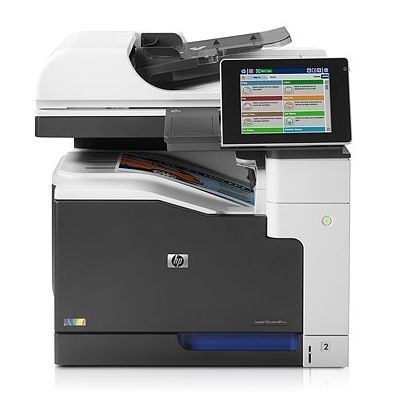
This LJ Enterprise 700 Color MFP M775D configuration added duplexing to the wide-format MFP flagship. Two-sided A3 output suited paper-conscious departments.
It uses HP 651A toner — black CE340A alongside cyan CE341A, magenta CE342A and yellow CE343A. Compatible and genuine OEM cartridges are stocked here.
Toner Cartridges for LJ Enterprise 700 Color MFP M775D
This printer works with the following toner cartridges:
- HP CE340A
- HP CE341A
- HP CE342A
- HP CE343A
More HP Printers
- Color LaserJet Enterprise 700 MFP M775
- Color LaserJet Enterprise 700 MFP M775D
- Color LaserJet Enterprise 700 MFP M775F
- Color LaserJet Enterprise 700 MFP M775Z
- Color LaserJet MFP M775
- Color LaserJet MFP M775D
- Color LaserJet MFP M775F
- Color LaserJet MFP M775Z
- LJ Enterprise 700 Color MFP M775
- LJ Enterprise 700 Color MFP M775DN
- LJ Enterprise 700 Color MFP M775f
- LJ Enterprise 700 Color MFP M775Z
- LJ Enterprise 700 Color MFP M775Z+
Frequently Asked Questions
What toner does the LJ Enterprise 700 Color MFP M775D take?
The LJ Enterprise 700 Color MFP M775D needs all four of these cartridges installed: CE340A, CE341A, CE342A, CE343A. Any cartridge set marketed as a replacement for these exact codes will work in the LJ Enterprise 700 Color MFP M775D.
Can the LJ Enterprise 700 Color MFP M775D scan and copy documents?
Yes — the LJ Enterprise 700 Color MFP M775D is a multifunction unit, so it prints, copies and scans in one machine. Use the scanner glass or automatic document feeder on the LJ Enterprise 700 Color MFP M775D to copy or scan straight from the control panel.
How do I install a toner cartridge in the LJ Enterprise 700 Color MFP M775D?
Open the front access door of the LJ Enterprise 700 Color MFP M775D, pull the empty cartridge straight out by its handle, and slide the new cartridge in until it clicks. Close the door and let the LJ Enterprise 700 Color MFP M775D finish its calibration before printing.