




LaserJet M402d
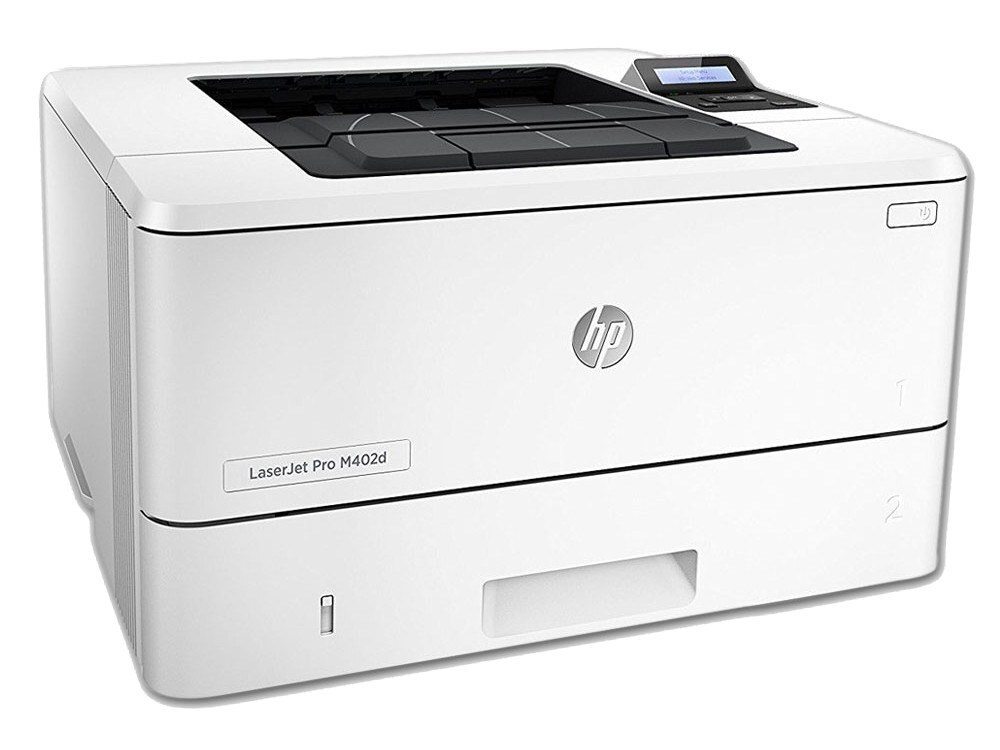
Some office printers earn their place by doing one job without fuss, and the LaserJet M402d is that kind of machine: a 2015-era monochrome LaserJet built for everyday workgroup printing. It runs on the HP 26A cartridge family — the standard-yield CF226A for routine volume and the high-yield 26X (CF226X) for busier stretches. Every listing on this page is a multipack of those two cartridges, so one order keeps the printer fed through a long run of pages.
There is no scanner to configure and no color engine to feed — the M402d prints black-and-white documents for a small team and otherwise stays out of the way. Machines like this tend to outlast the desks they sit on, which shifts the real question from the printer to the supply shelf: the hardware is a settled matter, and the whole maintenance plan is keeping the right toner within reach before the current cartridge fades.
Toner Cartridges for LaserJet M402d
| Cartridge | Color | Page Yield |
|---|---|---|
| HP 26A (CF226A) Toner Cartridge — 4 Black | Black | See product page |
| HP 26X (CF226X) Toner Cartridge — 2 Black | Black | See product page |
| HP 26X (CF226X) Toner Cartridge — 4 Black | Black | See product page |
Which cartridge should you buy?
This page sells packs rather than single cartridges, so the choice is really about how much toner to keep in the building. The four-pack of the standard CF226A suits a printer with a steady, predictable queue: four cartridges in one box, swapped one at a time as each runs down. The CF226X carries more toner in every cartridge, so its two-pack and four-pack stretch the interval between swaps and lower the cost per page — the better fit when the M402d prints most of the day. Lighter, bursty use points to the standard pack; continuous use points to the high-yield packs. Either way, the unopened cartridges from a pack wait their turn in the box, so there is always a spare when a big job lands.
Chip, toner and everyday use
Each cartridge carries a chip the printer reads on installation, and recognition is normally automatic once the cartridge is pushed fully home. If the printer hesitates, open the door, slide the cartridge out and reseat it firmly with the power on. Near the end of a cartridge's life, a gentle side-to-side rock redistributes the remaining toner and often restores even coverage for a while longer. Quoted page counts are estimates worked out at five percent page coverage, so dense documents finish a cartridge sooner than the rating suggests. Keep pack spares sealed until the day they are needed.
Frequently Asked Questions
Which toner cartridges fit the LaserJet M402d?
Two codes, both black: the standard-yield CF226A and the high-yield CF226X. Match the code printed on the cartridge you are removing — the M402d accepts only this pair, and other HP cartridges that look similar will not fit or register.
Does the M402d use a separate drum unit?
No separate drum is listed for this printer. The imaging drum is built into each 26A and 26X cartridge, so every cartridge change renews the drum along with the toner — one part to stock, one part to swap.
Why are only multipacks listed on this page?
The shelf here is packs: a four-pack of the CF226A and two- and four-packs of the CF226X. A shared workgroup printer is exactly the machine that benefits, since the next cartridge is already in the building when the current one runs out mid-queue.
My prints are fading but the cartridge is not empty — what helps?
Take the cartridge out and rock it gently from side to side a few times to level the toner inside, then reinsert it. Check that any toner-save or draft setting is off for final documents. If coverage stays uneven after that, the cartridge is genuinely near its end.
More printers that use the same cartridges
The same two cartridges also power the rest of the M402 and M426 family: LaserJet M402D, LaserJet M402DN, LaserJet M402DW, LaserJet M402n MFP, LaserJet M426FDW, LaserJet M426dw MFP, LaserJet M426fdn MFP, LaserJet Pro M402, LaserJet Pro MFP M426FDN.